GUIDE
Twitter Dataset: Free Sources That Still Work and How to Build Your Own
Where to get a Twitter dataset in 2026: what public corpora still offer, why most ship IDs only, and how to build a clean dataset from X for $40 a million.
Per our own spec, 72 of 125 endpoints bill $0.0008, 26 are free, and 27 sit between $0.0016 and $0.01. Every price ships inside our published OpenAPI document as an x-cost-usd field, so any figure in this post can be checked against the contract that bills it rather than taken on trust.
A Twitter dataset is a collection of posts, IDs or follow relationships taken from X for research, analysis or model training. The free ones are easy to find and often old. Many ship only tweet IDs, not text. If your project needs current language or a specific topic, collecting your own costs about $40 per million tweets at a full page.
This guide covers where public data still lives, what each file really contains, and how to build a clean dataset in Python.
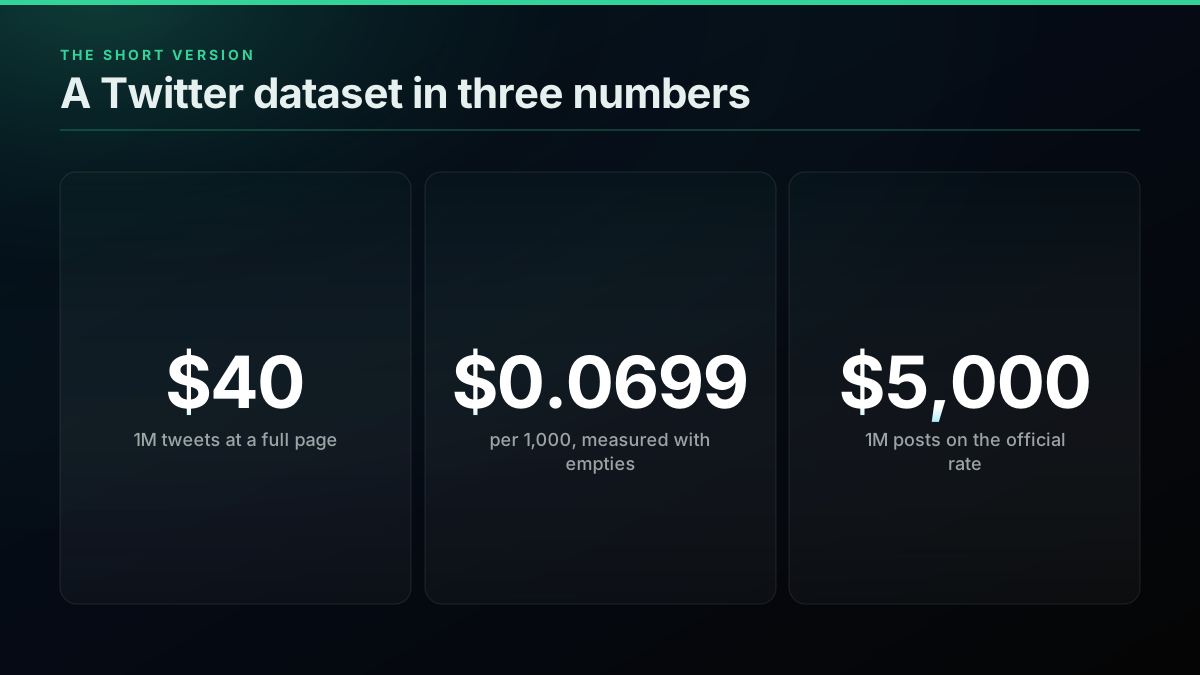
TL;DR: Public Twitter datasets are fine for benchmarks and teaching, but most are years old and many hold tweet IDs only, which must be hydrated one lookup at a time. Building your own costs about $40 per million tweets at a full page, or about $70 at the $0.0699 per 1,000 we measured across paying search calls. The official X API bills $0.005 per post read, or $5,000 per million. Dedupe by id, then by near-duplicate text, split by author, and keep the source and date on every row.
You can now fine-tune an open-source LLM without writing a single line of code.
@svpino view on X
i wrote a python script to convert your twitter archive into a training dataset for fine-tuning a language model on your personality.
@deepfates view on X
Where can you find a free Twitter dataset?
Free Twitter datasets live on Kaggle, Hugging Face, university archives and curated GitHub lists. Start with a curated list, because it tells you the shape of each set before you download gigabytes. Then check the date range and the licence, since those two facts decide whether a set is usable at all.
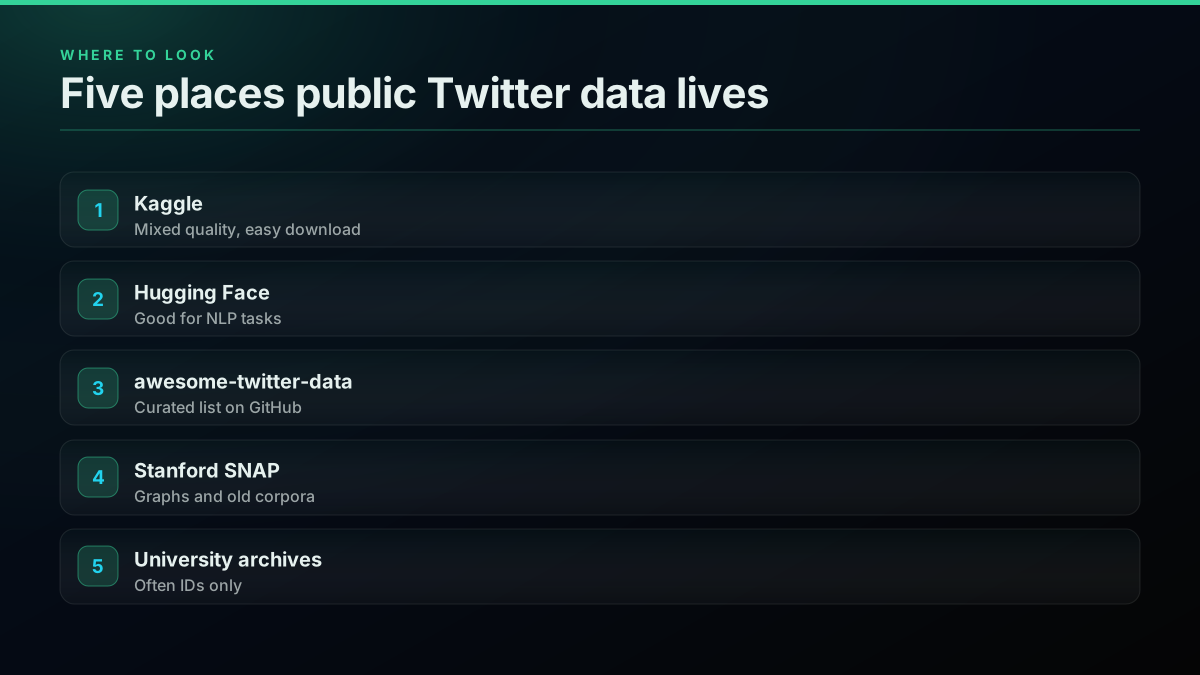
The awesome-twitter-data list is the best single index we found. It tags each entry as full text, tweet IDs or graph, and it prefers primary dataset pages. TrackMyHashtag's compilation is a useful second read, with plain summaries of what each set covers. Sentiment140 remains the common starting point for labelled sentiment work, and our sentiment analysis in Python guide shows the usual workflow.
Be careful with famous names. The Stanford SNAP corpus of 476 million tweets covers seven months of 2009, and the page now says the data is no longer available at Twitter's request.
What is actually inside a public dataset?
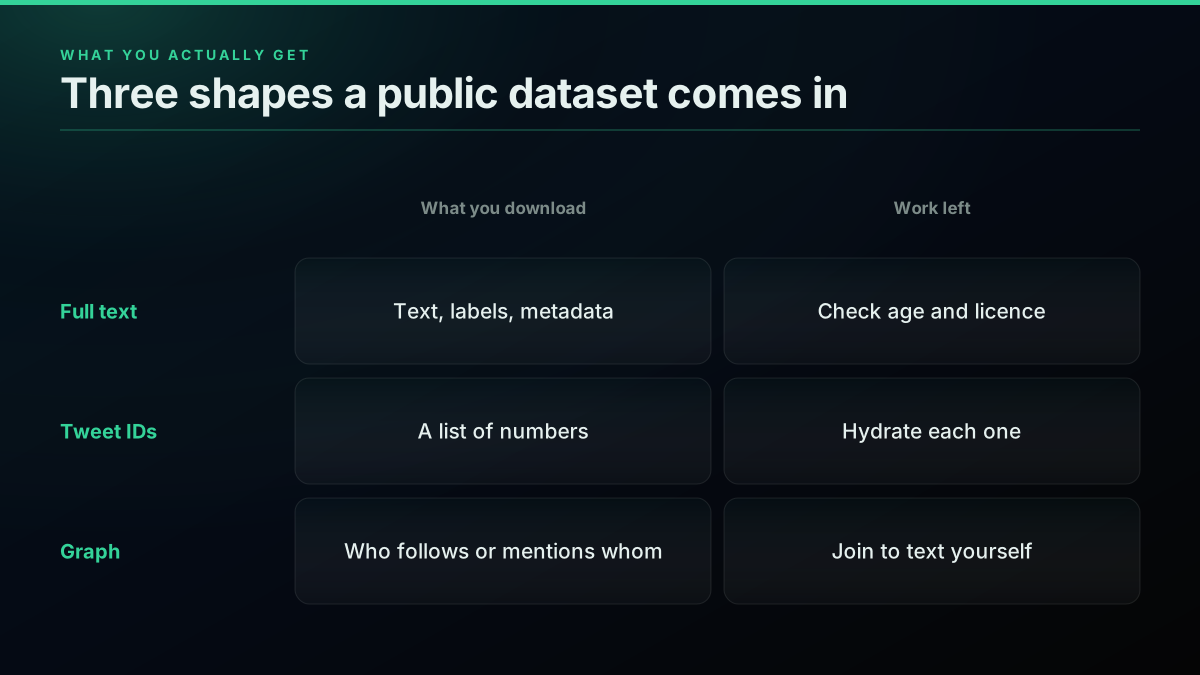
Public datasets come in three shapes: full text, tweet IDs, and graphs. Full text is ready to use but often old. IDs are a list of numbers you must look up. Graphs describe who follows or mentions whom. Knowing the shape before you download saves a day of confusion.
By source
Public corpus or your own collection
| Public corpus | Your own collection | |
|---|---|---|
| Time to first row | Minutes | Under an hour |
| Date range | Fixed, often old | You choose |
| Topic fit | Whatever was collected | Your query list |
| Cleaning | Unknown or done for you | Yours to control |
| Best for | Benchmarks, teaching | Production models |
The large numbers you see quoted are usually ID counts. One COVID collection lists 239,861,658 tweet IDs, and a 2016 election set lists about 280 million. Neither file contains a single tweet's text.
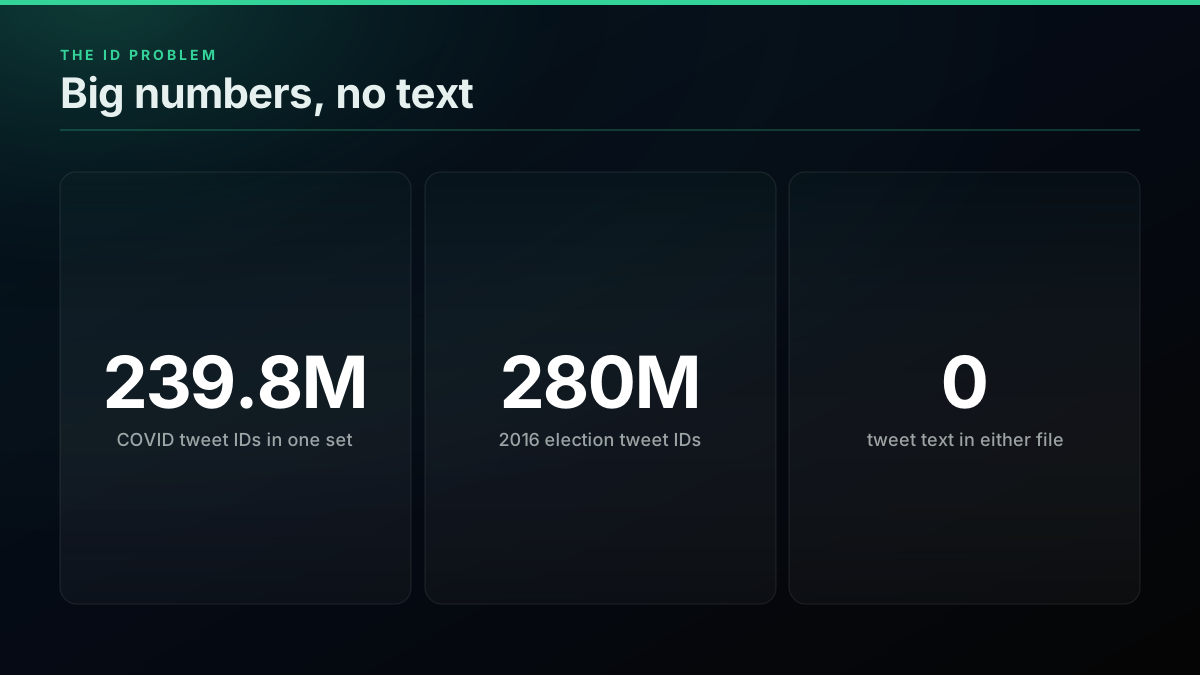
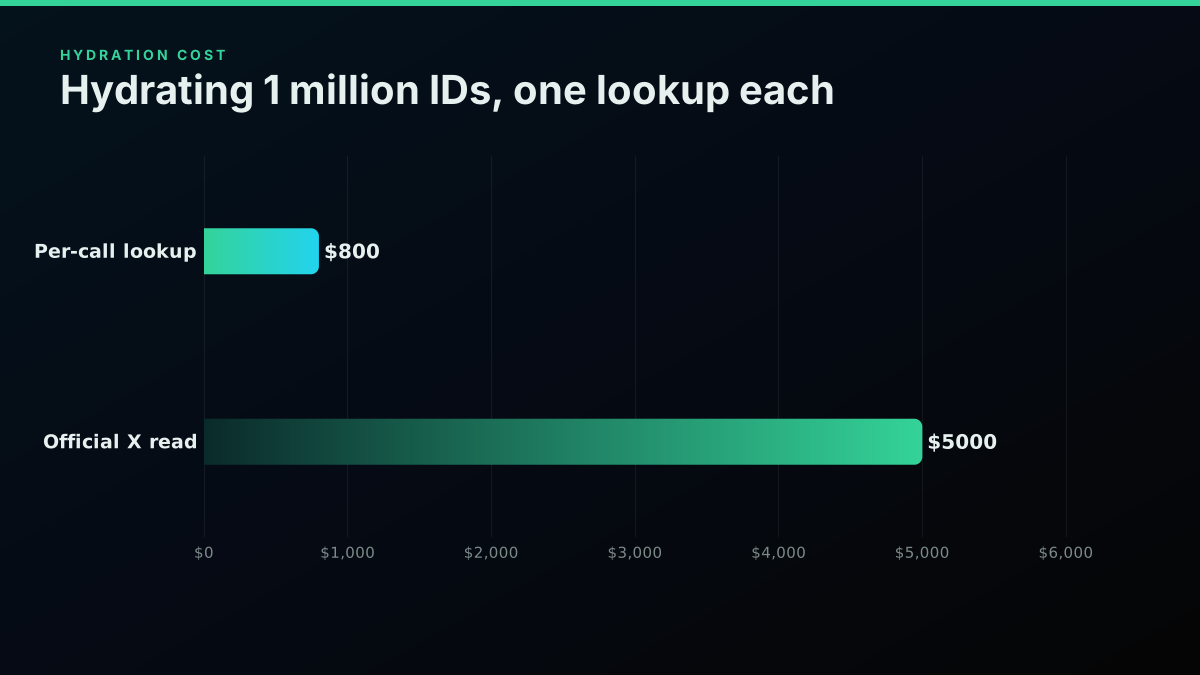
To use those files you hydrate them: one lookup per ID, and anything deleted since collection returns nothing. At $0.0008 a lookup, a million IDs is $800 here and $5,000 on the official read rate. Our cost of a 1M tweet dataset goes through every route, and how to scrape tweets covers the collection side.
People building models keep asking the same question, and the answer in most threads is to collect it yourself:
How do you guys find datasets for Fine-tuning domain specific llms? from r/mlops
A second thread shows the same gap from the other side, from someone trying to assemble their own set:
How to build a personal database for LLM fine tuning? from r/ArtificialInteligence
Should you download, hydrate or collect?
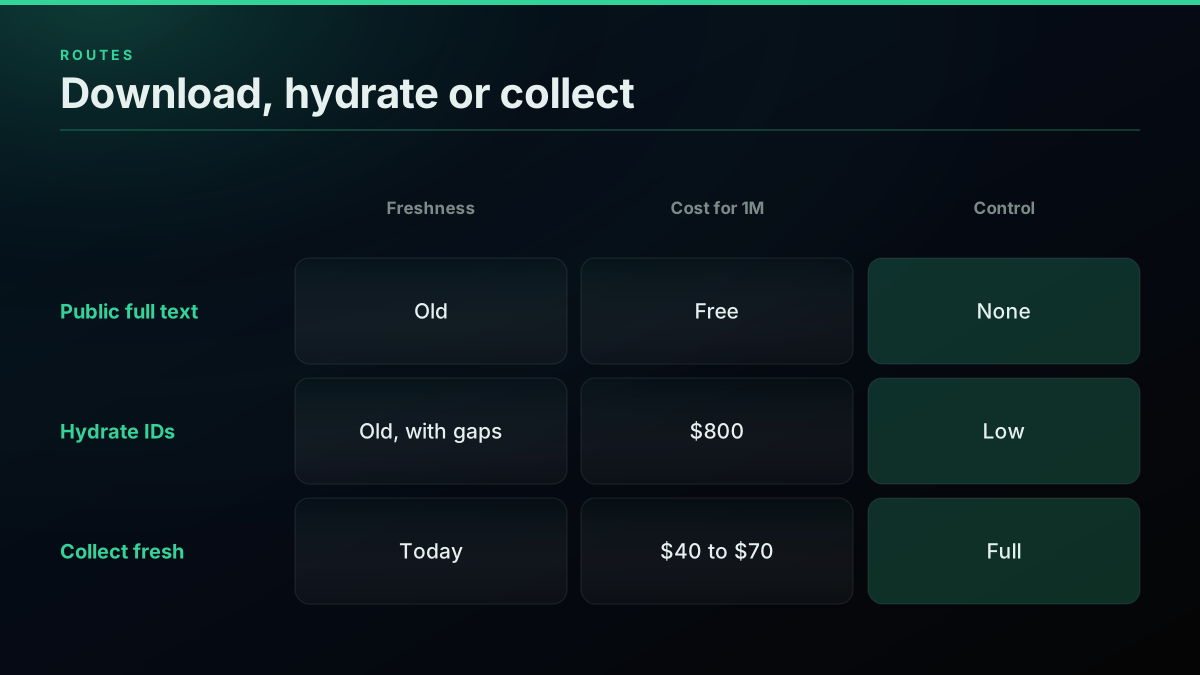
Choose by freshness first. If your model must understand this year's language, only fresh collection works. If you need a benchmark that other papers used, download the public set. Hydration sits awkwardly between them, costing more than fresh search while returning older posts with gaps.
Three ways to get a 1 million tweet dataset
| Route | Cost | Freshness | Main catch | Source |
|---|---|---|---|---|
| Download public full text | $0 | Usually years old | Licence, age, unknown cleaning | published |
| Hydrate an ID list | $800 | Old, with gaps | Deleted posts return nothing | derived |
| Collect at a full page | $40 | Today | You own the cleaning | derived |
| Collect at measured yield | $69.90 | Today | Sparse queries cost more | derived |
| Official X API reads | $5,000 | Today | 3M monthly post cap | derived |
Derived
Dollars to get 1 million tweets, by route
| Point | Value ($) |
|---|---|
| Full page | 40 $ |
| Measured yield | 70 $ |
| Hydrate IDs | 800 $ |
| Official reads | 5,000 $ |
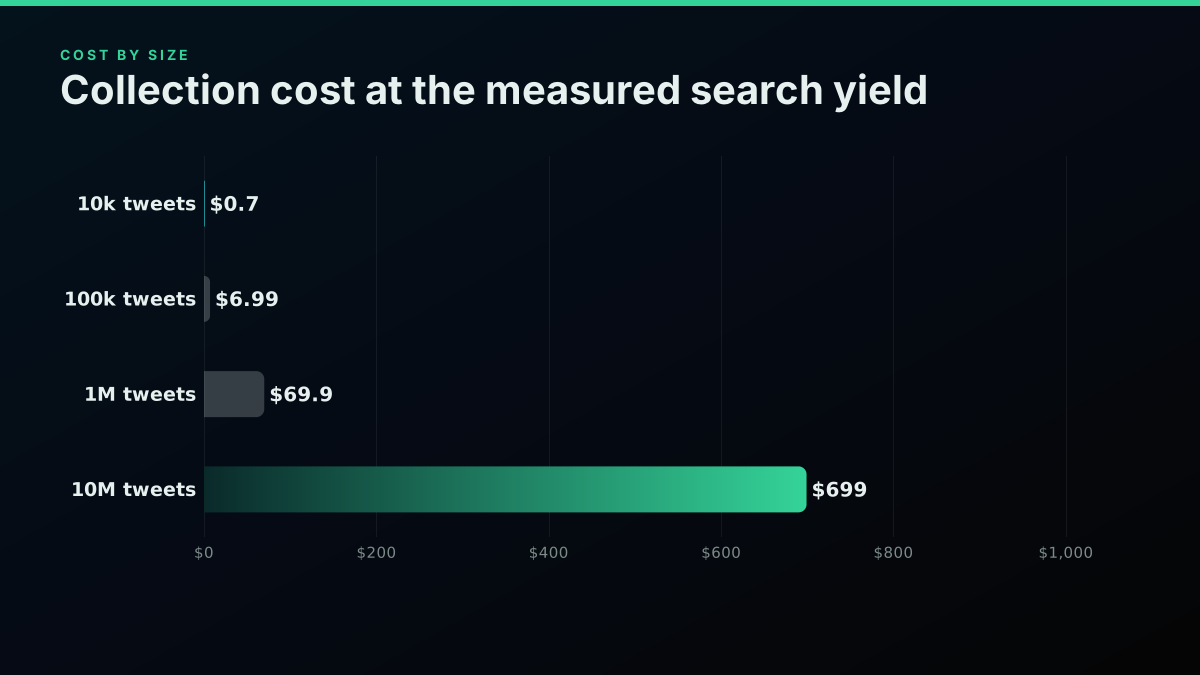
For a million posts the gap is large. The per-call route bills the page, not each post, which is why the X API pricing change pushed so many data jobs off official reads. X also caps pay-per-usage plans at 3 million post reads a month. Our cost benchmark and price sheet compare providers on the same job.
Start building with TwitterAPIs
$0.0008 a call, about $0.04 per 1,000 tweets at 20 tweets a page. $0.50 free credits. No credit card required.
How do you build your own Twitter dataset?
Write down the queries, collect them with the cursor, save raw rows as JSONL, and clean in a second pass. Keeping raw and clean files separate means a bad filter never costs you a re-collection. A first run of 100,000 tweets takes an afternoon and costs about $7.
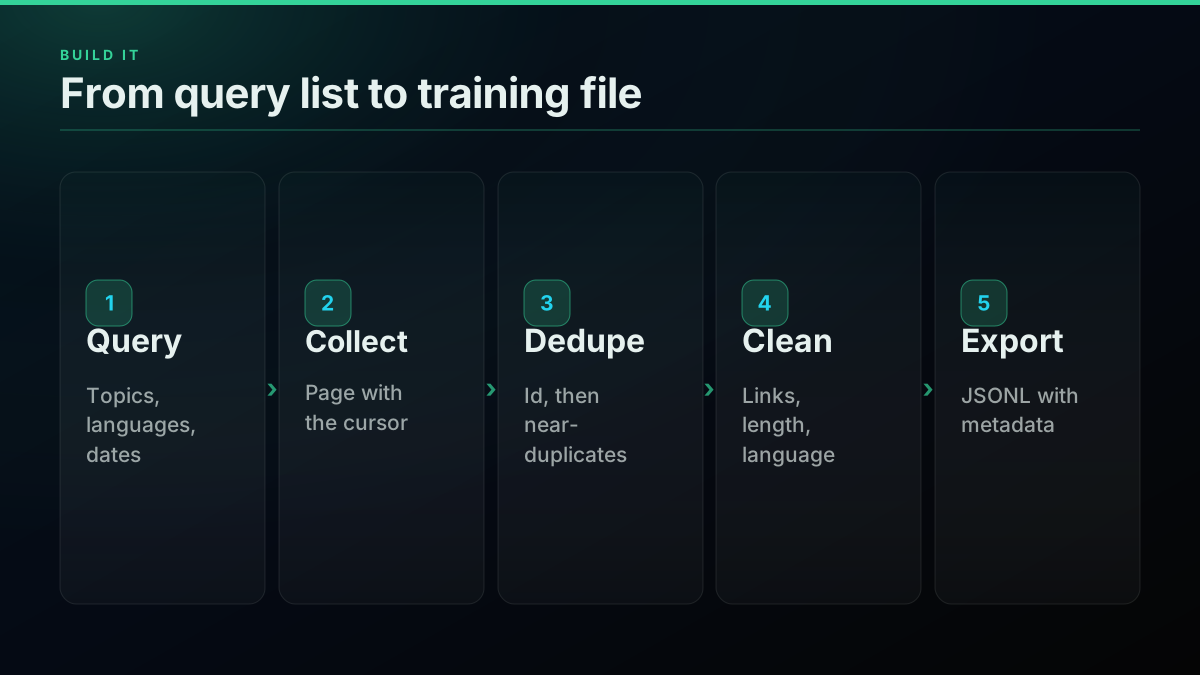
This collector pages through search results for each query and appends every row to a raw file. It needs a TwitterAPIs key, and the Python tutorial covers setup.
import json, os, time, requests

BASE = "https://api.twitterapis.com/twitter"
HEADERS = {"Authorization": f"Bearer {os.environ['TWITTERAPIS_KEY']}"}
QUERIES = ['"vector database" -filter:retweets lang:en',
           '"fine tuning" -filter:retweets lang:en']

def collect(query, max_pages=50):
    cursor = None
    for _ in range(max_pages):
        params = {"query": query, "product": "Latest"}
        if cursor:
            params["cursor"] = cursor
        r = requests.get(f"{BASE}/tweet/advanced_search", params=params,
                         headers=HEADERS, timeout=30)
        r.raise_for_status()
        data = r.json()
        for tweet in data.get("tweets", []):
            tweet["_query"] = query
            yield tweet
        cursor = data.get("next_cursor")
        if not cursor:
            return
        time.sleep(0.1)

with open("raw.jsonl", "a") as f:
    for q in QUERIES:
        for t in collect(q):
            f.write(json.dumps(t, ensure_ascii=False) + "\n")
Check the raw file before you spend more. These two commands show how many rows you have and how many unique ids:
wc -l raw.jsonl
python3 -c "import json;print(len({json.loads(l)['id'] for l in open('raw.jsonl')}))"
The cursor walk matters more than any request parameter, and the pagination guide explains how it behaves. For date ranges, use since: and until: in the query, as our date search guide shows, because that is how you get past the recent window on a busy term. Do the same job from an MCP client with our MCP server when you want a model to run the collection.
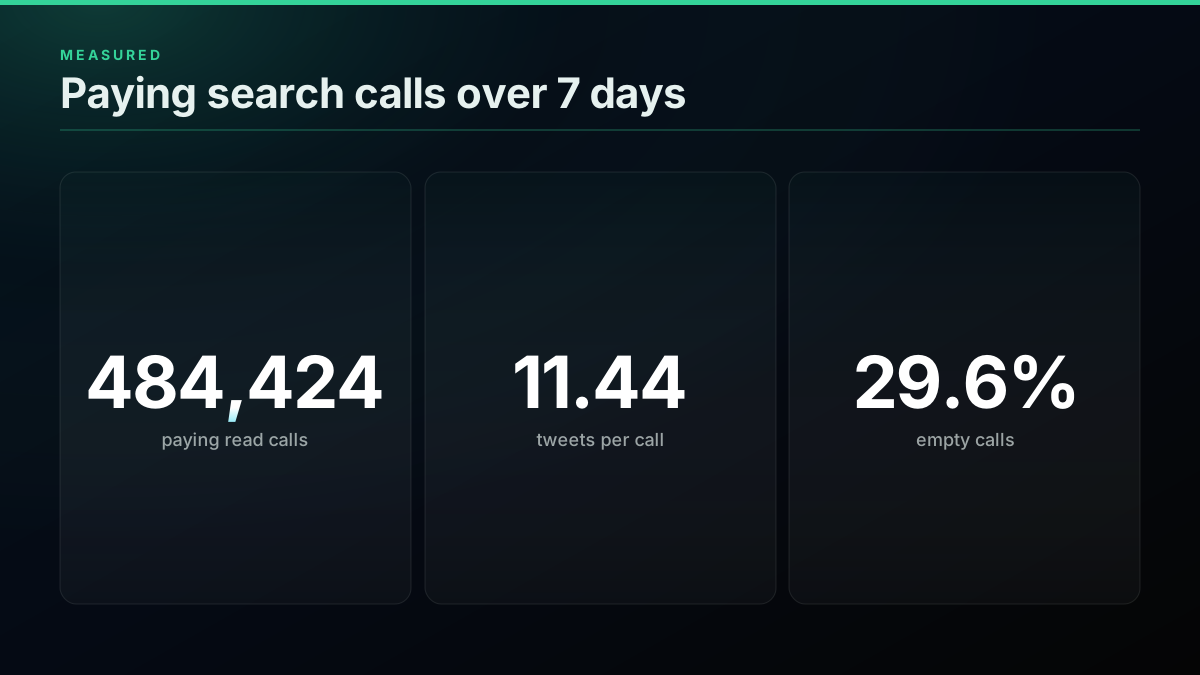
Budget on the delivered yield, not the best case. In a sample of 484,424 paying read calls between October 22 and 28, 2026, search averaged 11.44 tweets per call and 29.6 percent of search calls were empty.
target = 100_000
per_call = 11.44               # measured, empty calls included
calls = target / per_call
print(round(calls), round(calls * 0.0008, 2))   # 8741 6.99
Worked example
A 100,000 tweet pilot dataset, priced first
Target tweets: 100,000 · Calls at measured yield: 8,741 · Cost: $6.99
☑ 100,000 tweets at $0.0699 per 1,000 is $6.99 · ☐ Official post reads at $0.005 would be $500 (billed per post returned) · ☑ Expect to keep about half after cleaning (plan the query list for it)
An illustration at a stated volume, not a customer account. Keep rate depends on topic and filters.
Add a date window to any query when you need a fixed period:
"vector database" since:2026-09-01 until:2026-10-01 -filter:retweets lang:en
How do you clean tweets for training?
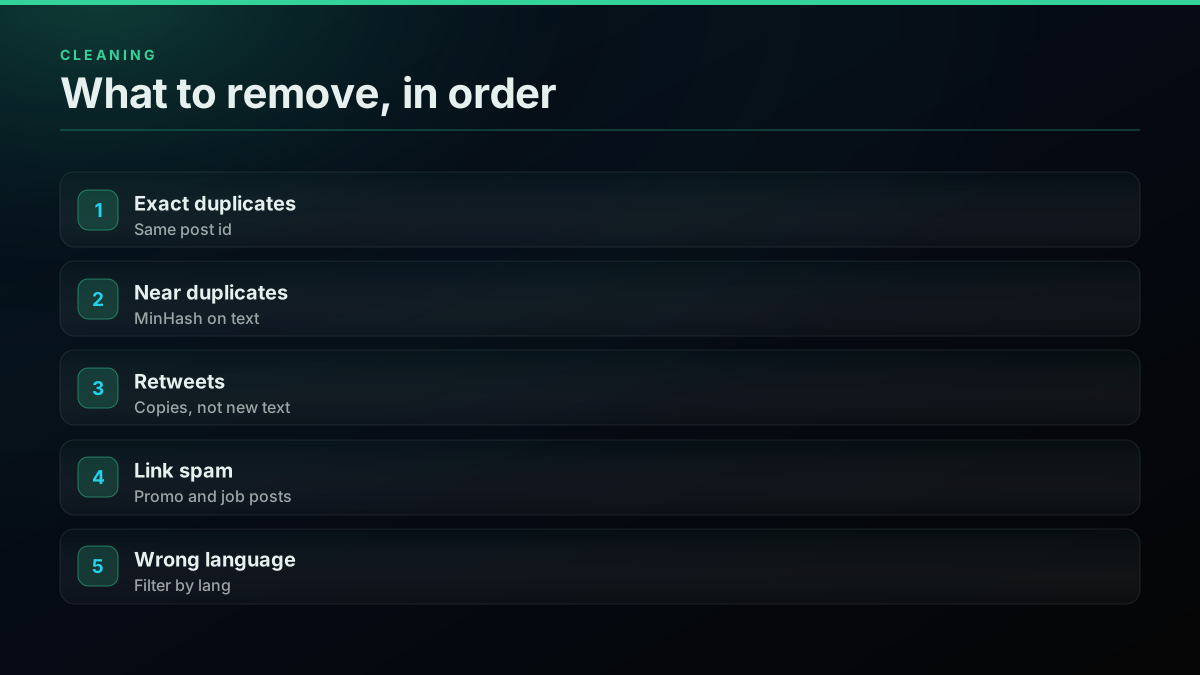
Run cheap checks first: exact duplicates by id, then retweets, then language and length. Run MinHash near-duplicate detection last, because it is the slowest step and works best on what survives. Raw search output is not training data, so expect to lose a large share of rows.
We looked at what raw output holds by reading one page of Latest results for an ordinary phrase.
45% of the 20 rows on one Latest page for "machine learning" carried a link, a quick measure of how much of raw search output is promotion or a pointer rather than text you can learn from.
Our data · Dataset:
x-raw-search-sample-2026· Source: public X posts, pulled through our API · Query:GET /twitter/tweet/advanced_search?query=%22machine+learning%22+-filter%3Aretweets+lang%3Aen&product=Latest· Pulled: 2026-11-05 · n = 20 · Method: share of rows whose text holds a t.co link, one Latest page.
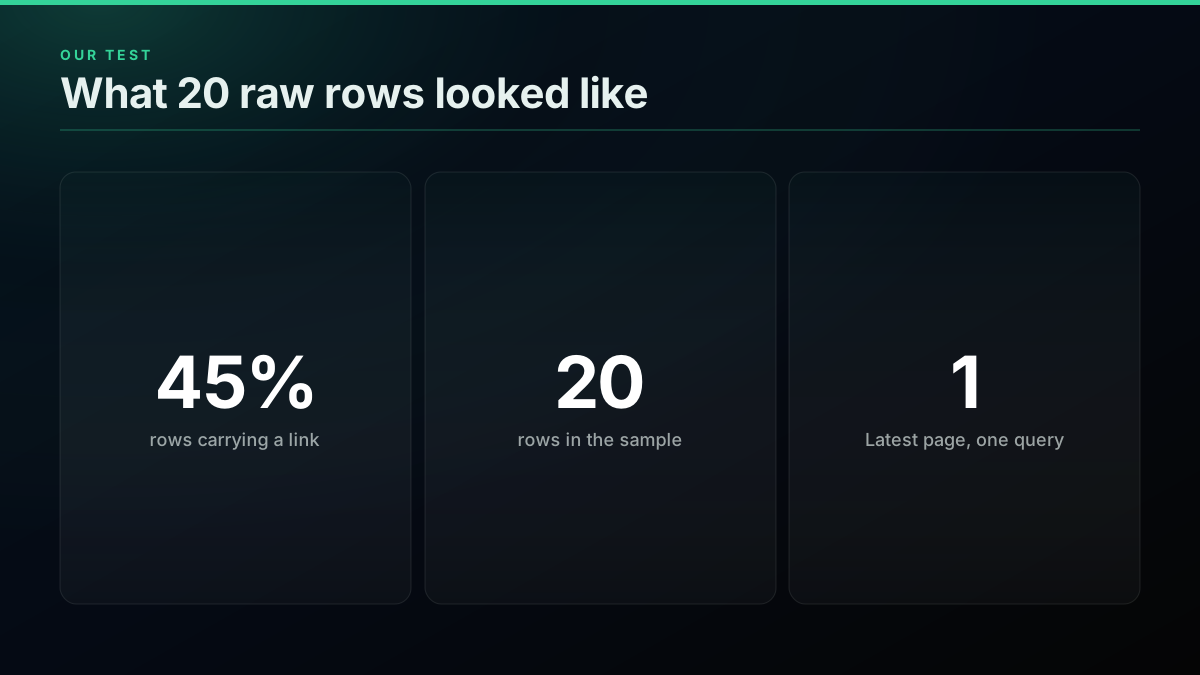
The page mixed job adverts, a call for papers, promotional threads and genuine opinion, all matching the same phrase. Links are a useful first signal, not a rule, since some useful posts carry them too. Here is the near-duplicate step using MinHash LSH from datasketch:
import json
from datasketch import MinHash, MinHashLSH

def signature(text):
    m = MinHash(num_perm=128)
    for word in set(text.lower().split()):
        m.update(word.encode("utf8"))
    return m

lsh = MinHashLSH(threshold=0.8, num_perm=128)
seen_ids, kept = set(), []

for line in open("raw.jsonl"):
    t = json.loads(line)
    if t["id"] in seen_ids or t.get("is_retweet"):
        continue
    seen_ids.add(t["id"])
    sig = signature(t["text"])
    if lsh.query(sig):         # a near-duplicate is already kept
        continue
    lsh.insert(t["id"], sig)
    kept.append({"id": t["id"], "text": t["text"], "lang": t.get("lang"),
                  "author": t["author"]["id"], "created_at": t["created_at"],
                  "query": t["_query"]})

with open("clean.jsonl", "w") as f:
    f.writelines(json.dumps(k, ensure_ascii=False) + "\n" for k in kept)
For a primer on what to look for in spam accounts, see our bot detection guide, and for a full walkthrough of the filtering trade-offs, the scraping in Python guide is the closest companion.
How do you split and export it?
Split by author, not by row. If one prolific account lands in both train and test, your scores look better than they are. Keep the metadata on every row, and export JSONL, because every common training stack reads it directly.
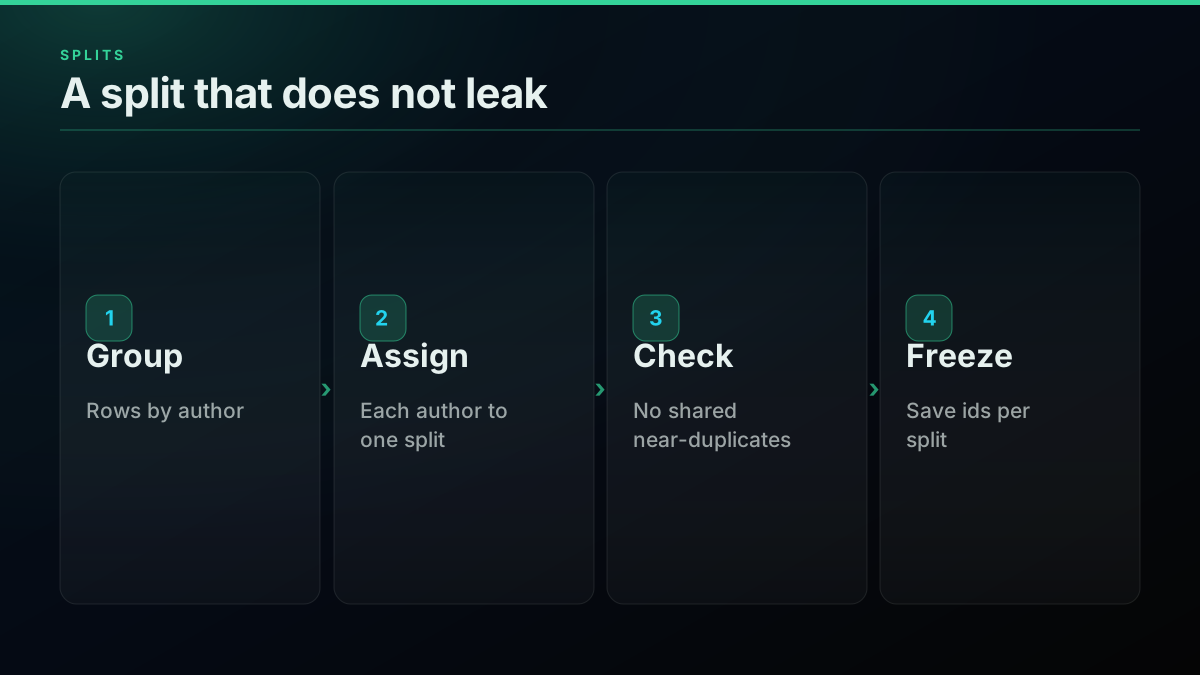
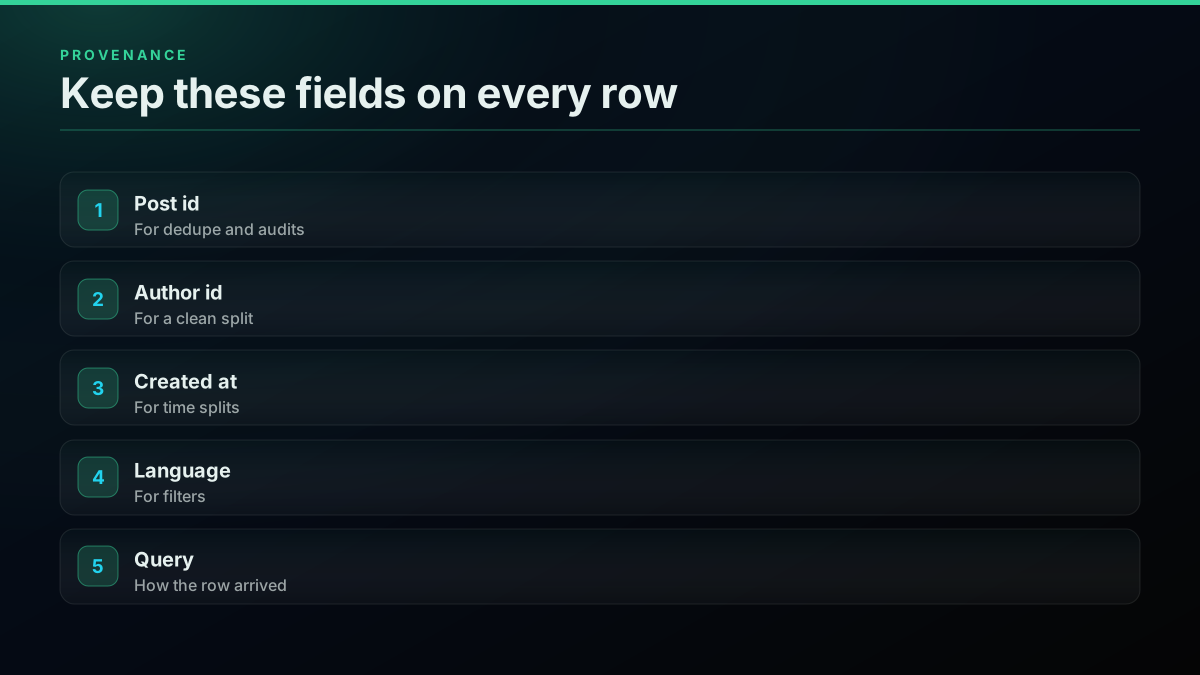
Hugging Face datasets loads JSONL in one line, and OpenAI's fine-tuning flow also starts from a JSONL file. For a labelled conversational format, pair each question with a reply in a messages array, one conversation per line.
from datasets import load_dataset

ds = load_dataset("json", data_files="clean.jsonl", split="train")
print(ds.num_rows, ds.column_names)
The cheapest pay-as-you-go Twitter API. Try it free.
$0.0008 a call, about $0.04 per 1,000 tweets at 20 tweets a page. $0.50 free credits. No credit card required.
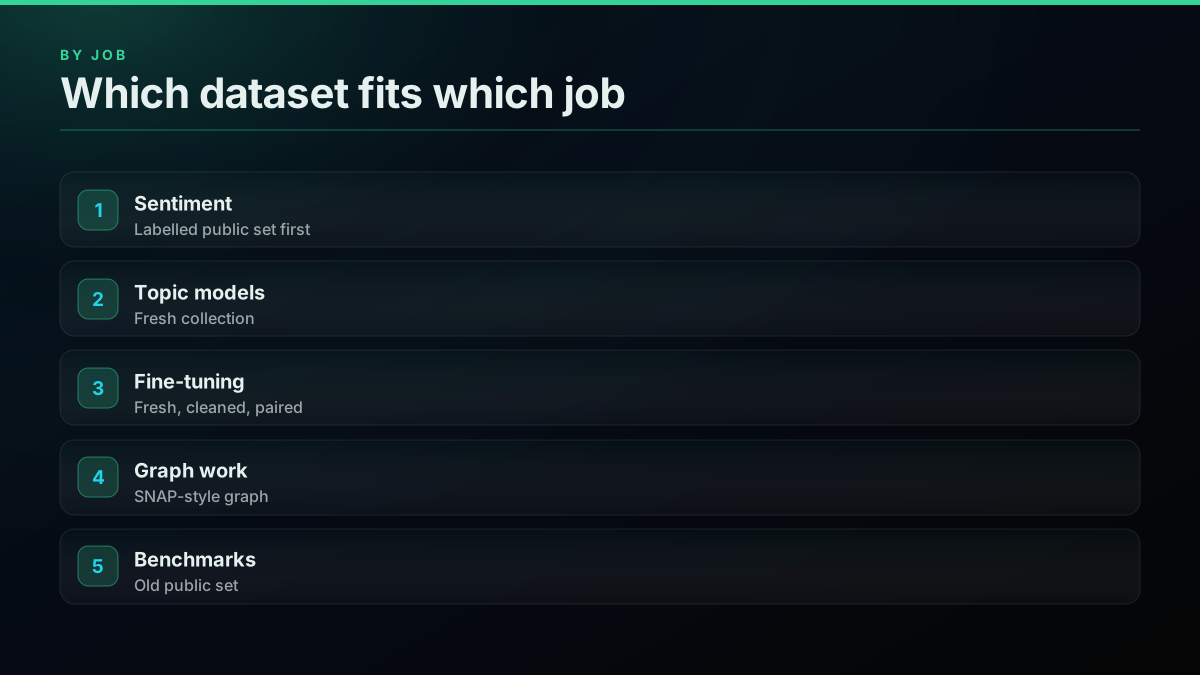
Which dataset fits which job?
Match the source to the job. Benchmarks want the same old public set everyone else used. Topic models and production fine-tuning want fresh, targeted rows. Graph research wants follow data, which is a different collection entirely and is covered on the followers API page.
A note on rules: every public corpus has its own terms, often research only, and X content is governed by the X Developer Agreement. Read the current text for your use. Our firehose explainer and API alternatives page cover the access routes.
How big does a Twitter dataset need to be?
Size follows the job, not a round number. A sentiment baseline can work with tens of thousands of labelled rows, a topic model wants hundreds of thousands, and a fine-tuned model usually needs fewer rows than people expect, as long as they are clean and on topic. Decide the size after a pilot, not before it.
Run the pilot first because the keep rate is the number you cannot guess. Collect 10,000 rows, clean them, and count what survives. If half survive, a target of 100,000 clean rows means collecting 200,000 raw rows, or about $14 at the measured yield. If a fifth survive, tighten the queries before you scale, because paying five times for noise is the wrong fix. Time matters as much as money here. A query with a steady stream of posts fills fast, while a niche term may only yield a few hundred posts a week, so widen the date range rather than the topic. Keep each query's yield in a small table, and retire the ones that return mostly promotion. Over a few rounds the query list becomes the real asset, since it can be re-run next quarter to refresh the dataset for the cost of a few API calls.
Where to go from here
The next questions are usually about tooling and scale. Our guide to Tweepy, Twikit and snscrape covers free libraries, the sentiment API buyer's guide covers labelled work, and cost by workload prices analysis jobs once the dataset exists.
The short version
A public Twitter dataset is fine for a benchmark and weak for anything that has to reflect today. Check the shape, the date and the licence before you download. If you need current, targeted data, collect it: about $40 to $70 per million tweets, then dedupe, clean and split by author.
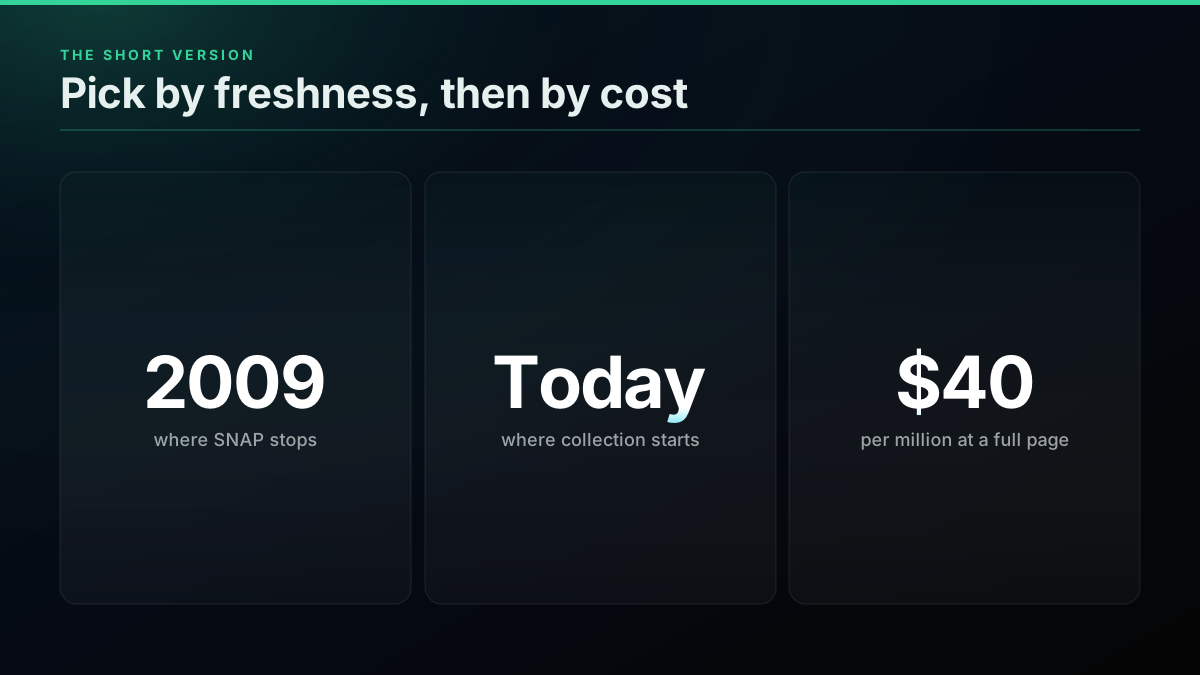
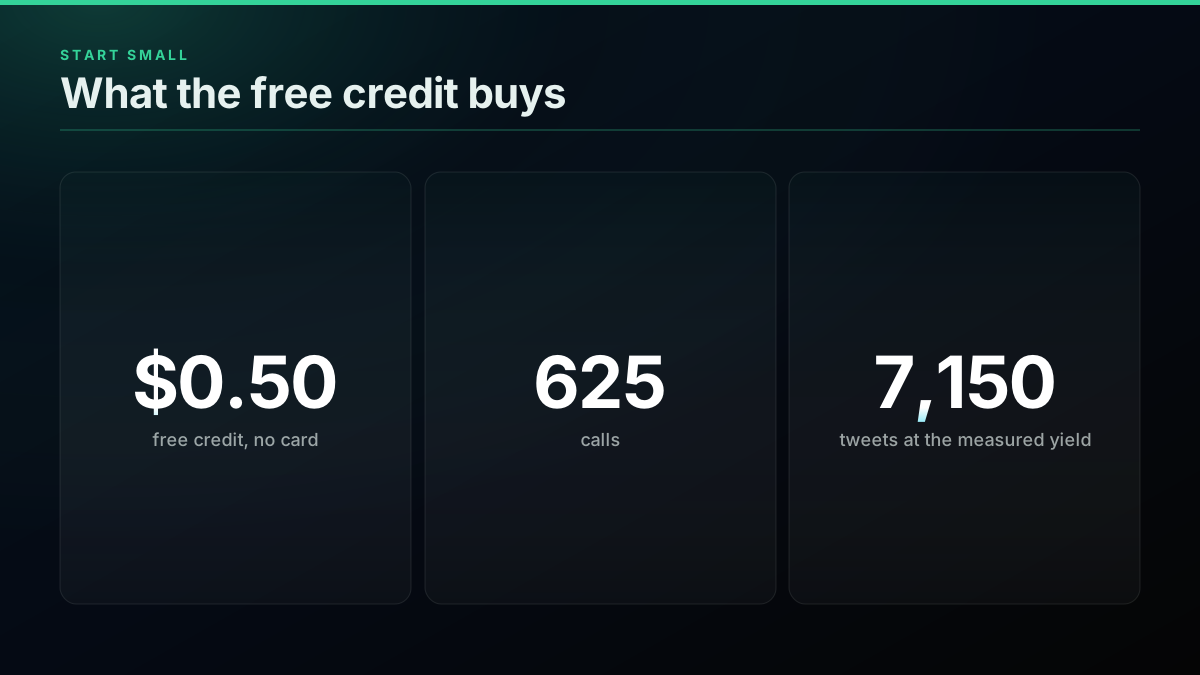
The $0.50 signup credit needs no card and covers about 7,150 tweets at the measured yield, which is enough to test your query list. Sign up, run a pilot, and check pricing and the cost calculator before you scale.
// sources
Where these numbers come from
Each row is a figure in this post and the artefact it was read from. Prices and limits on this platform move, so check the date on the source before you plan against it.
- awesome-twitter-data on GitHub
- The curated list and its entry types: full text, tweet IDs and graph.
- 476 million Twitter tweets, Stanford SNAP
- The 2009 corpus, its coverage notes and the statement that the data is no longer available at Twitter's request.
- Free Twitter datasets compilation, TrackMyHashtag
- Dataset sizes used here, including the COVID and election tweet ID collections.
- Create a dataset, Hugging Face docs
- Loading local json and jsonl files with load_dataset.
- MinHash LSH, datasketch docs
- The near-duplicate method and the Jaccard threshold used in the dedupe step.
- Model optimization, OpenAI docs
- The fine-tuning sequence and the JSONL training format.
- X API pricing, docs.x.com
- The $0.005 per post read rate and the 3 million post read cap.
- Sentiment140
- A labelled tweet corpus built from emoticons, listed on awesome-twitter-data.
Frequently Asked Questions
Start with Kaggle, Hugging Face and the awesome-twitter-data list on GitHub. Many listed corpora are full text, but plenty ship tweet IDs only, which means you must hydrate them yourself. Older sets stop in 2009 to 2023, so they will not hold current language, topics or the X era of the platform.
At $0.0008 a call and a full page of 20 tweets, one million tweets is about $40. Across paying search calls we measured $0.0699 per 1,000 delivered once empty pages are counted, so plan for about $70 on sparse queries. The official X API bills $0.005 per post read, which is $5,000 for the same million.
For method work, yes. For a model that has to understand current slang, products or events, no. The SNAP corpus covered June to December 2009 and is no longer available at Twitter's request, and other old sets have the same language drift. Use old sets to benchmark a pipeline, not to train a production model.
Redistributing tweet text runs into platform terms, so academic collections usually publish IDs and leave the text to you. Turning an ID back into a post is called hydration. It costs one lookup per ID and only returns posts that still exist, so a file of IDs is a to-do list rather than a dataset.
Dedupe by post id first, then remove near-duplicates with MinHash, because copy-paste spam survives an exact match. Drop retweets, strip or normalize links and mentions, filter by language and length, and keep the author id so you can split train and test by author rather than by row.
That depends on the source and your use, so read the current X Developer Agreement and the licence on any dataset before you start. Public corpora carry their own terms, often research only. Keep the source and date of every row, so you can answer the question if a customer or a lawyer asks later.
Check out similar blogs
More guides on the Twitter/X API, scraping, and pricing.
What a 1 Million Tweet Dataset Actually Costs in 2026: Every Route Priced
Ten results rank for the cost of a tweet dataset and one states a price. We fix the quantity at a million tweets and cost every route, with each number's source named.

Twitter Sentiment Analysis in Python (2026)
Harvest tweets through advanced search, score them with TextBlob, VADER, and a tweet-tuned transformer, roll the labels up by day, and plot the trend. Runnable code with honest cost math: 10,000 tweets for about $0.40.
Chatbot Training Data: Turn X Reply Threads Into Conversation Pairs
Build chatbot training data from X reply threads: find real questions, pair each with its best answer, clean the pairs and export JSONL for fine-tuning.
How to Compare Twitter Followers and Find the Overlap Between Accounts
Compare Twitter followers between two accounts: free tools, what they miss, and a Python method that finds common followers and overlap at any size.
Best Twitter/X API for Sentiment Analysis: A 2026 Buyer's Guide
Which Twitter (X) data source should actually power a sentiment-analysis pipeline in 2026? We compared the official X API v2, pay-per-call APIs, and scraping libraries on cost per 1,000 tweets, rate-limit headroom, historical depth, and the metadata a sentiment model needs.
What an AI Twitter Bot Costs to Run: Three Account Sizes, Priced
What an AI Twitter bot costs to run in 2026. Three account sizes priced line by line from live rate cards, plus the X rules that decide what it may do.
Twitter Keyword Alerts: Send Every New X Match to Slack or a Webhook
Set up Twitter keyword alerts that post new X matches to Slack or any webhook. Query syntax, a working Python loop, poll cadence and the real monthly cost.
X Starts Billing API Expansions on Nov 22: What One Request Costs Now
From November 22, X bills every object an API expansion returns. What changes, how the forum answers conflict, and what one request costs before and after.