GUIDE
Chatbot Training Data: Turn X Reply Threads Into Conversation Pairs
Build chatbot training data from X reply threads: find real questions, pair each with its best answer, clean the pairs and export JSONL for fine-tuning.
Chatbot training data is a set of example conversations that teach a model how to respond: a user message and the reply you want. Good data matches your domain and your tone. Generic datasets rarely do. Public reply threads on X are a cheap source of real questions and real answers, if you collect them with care and clean them hard.
This guide shows how to find question posts, pull their replies, turn them into pairs, and export a JSONL file that a fine-tuning job can read.
TL;DR: Search for question-shaped posts, read their replies with
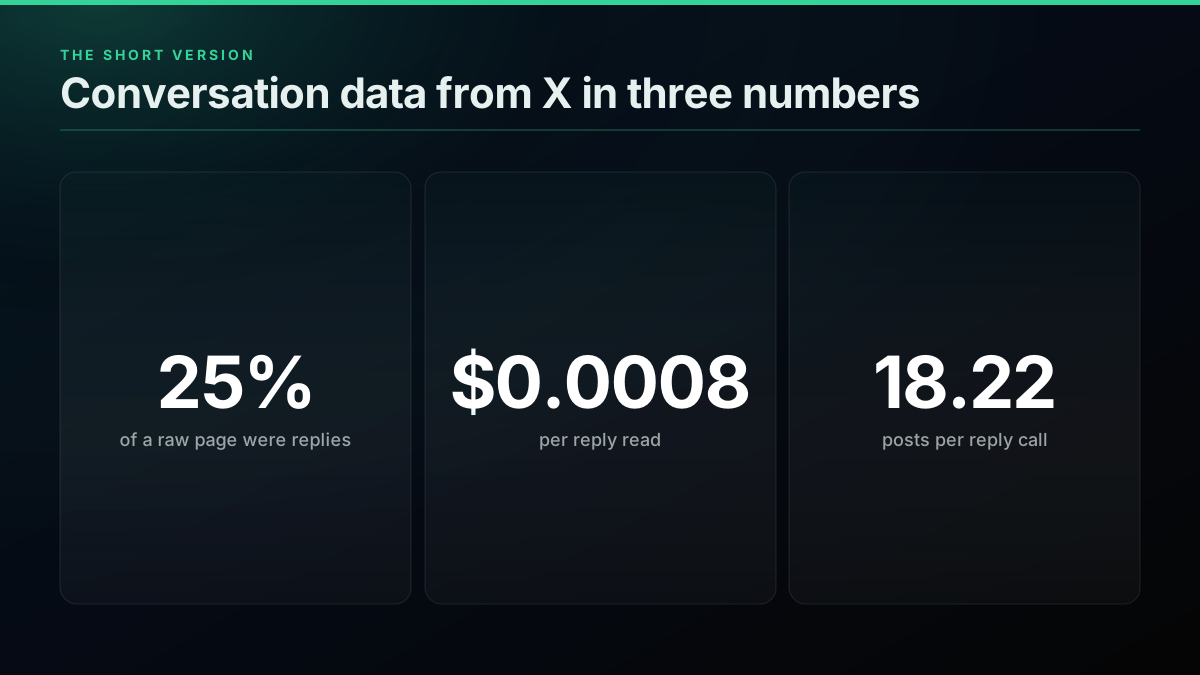
GET /twitter/tweet/replies, pair each question with its best reply, then filter hard on length, links and self-replies. Reply reads delivered 18.22 posts per call across paying traffic, at $0.0439 per 1,000 posts. Collecting 10,000 pairs costs about $8.80 if one reply call yields one usable pair, so measure your pass rate on a small sample first. Export one conversation per line as JSONL, keep the post id on every row, and hold out a test set split by author.
I just fixed a major blind spot in HuggingFace's fine-tuning skill!
@akshay_pachaar view on X
Fine-tuning an LLM locally is a lot easier than it sounds. Pick a model that fits your hardware, prep your data, train it with QLoRA, then check if it worked.
@TechWithTimm view on X
What makes good chatbot training data?
Good chatbot training data looks like the conversations your bot will actually have. Each example needs a complete question and a reply that answers it, in the tone you want back. A few hundred examples like that beat thousands of noisy rows, since a model learns your mistakes as readily as your intent.
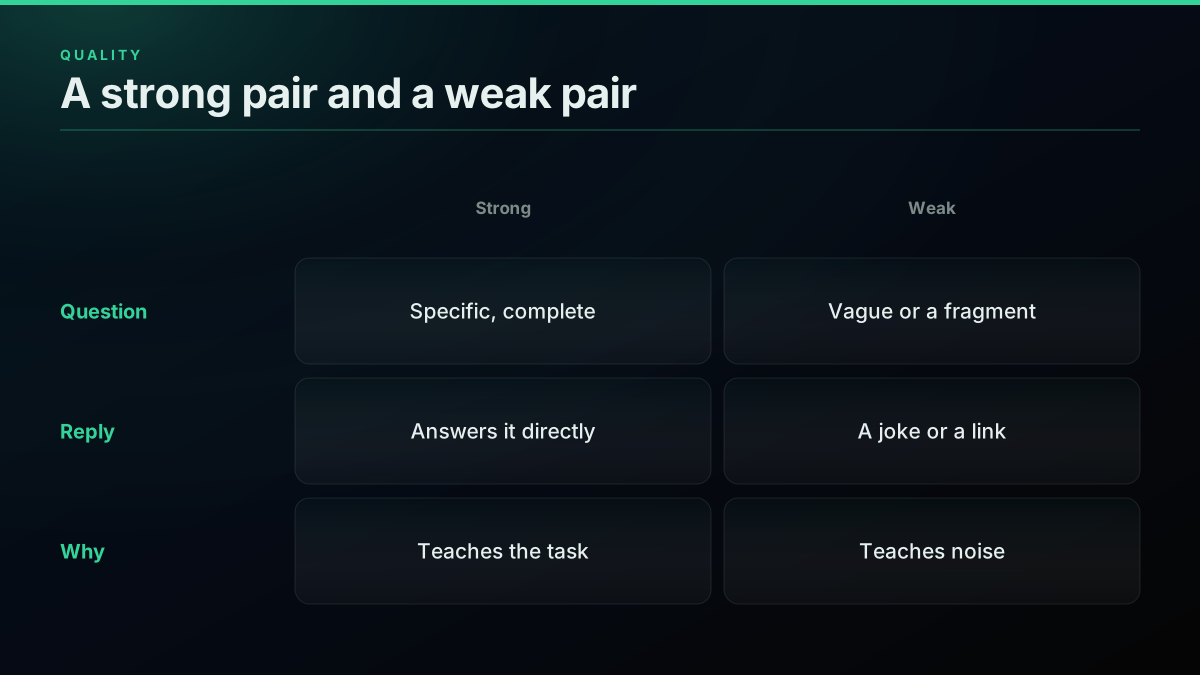
Three checks decide whether a pair stays: does the question stand alone, does the reply answer it, and would you be happy if your bot sent it? Overviews from Landbot, Labelbox and Unidata reach the same conclusion from different directions: source choice matters more than volume.
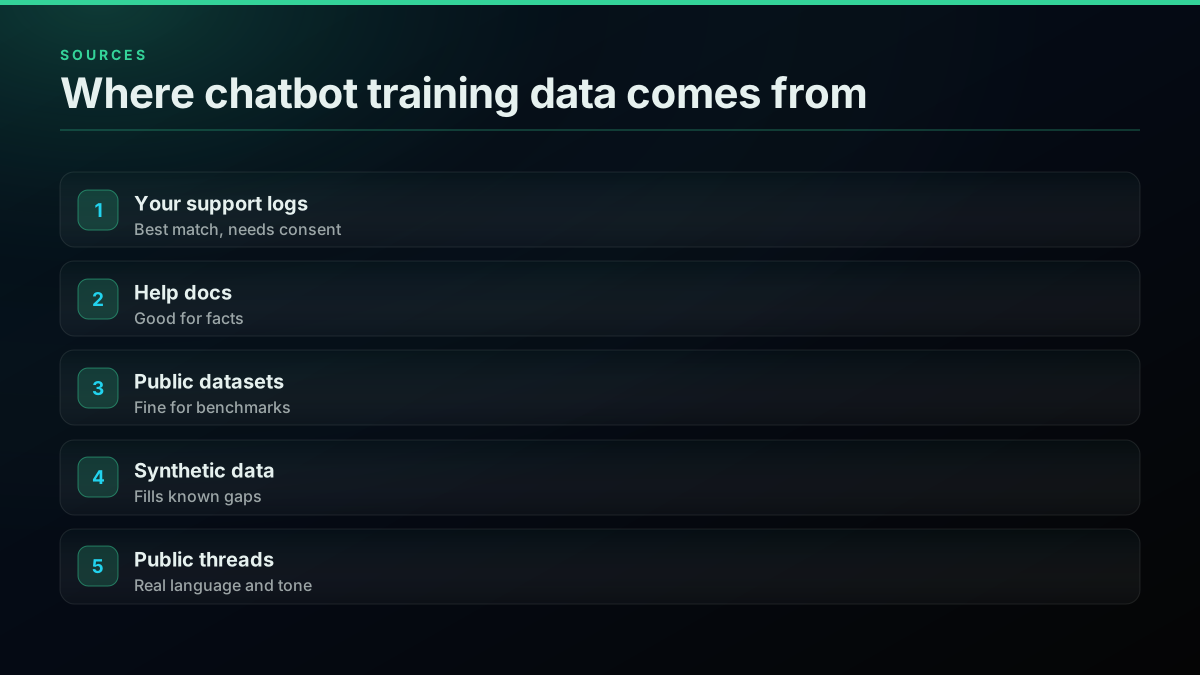
Start from what you own. Support logs are the closest match, and docs are the best source of facts. Public datasets such as the Bitext support set are fine for proving a pipeline. Reply threads add what the others lack: the words people really use. GeeksforGeeks' summary covers the general features if you are new to this. For broader sourcing, public dataset lists such as awesome-twitter-data are a good place to look.
Builders ask for this constantly, and most threads end at the same place, which is that no off-the-shelf set fits:
LLM FInetuning Dataset from r/LLMDevs
Others describe the same problem from the training side, where the data is scarcer than the tooling:
Making a synthetic dataset for fine-tuning from r/LocalLLaMA
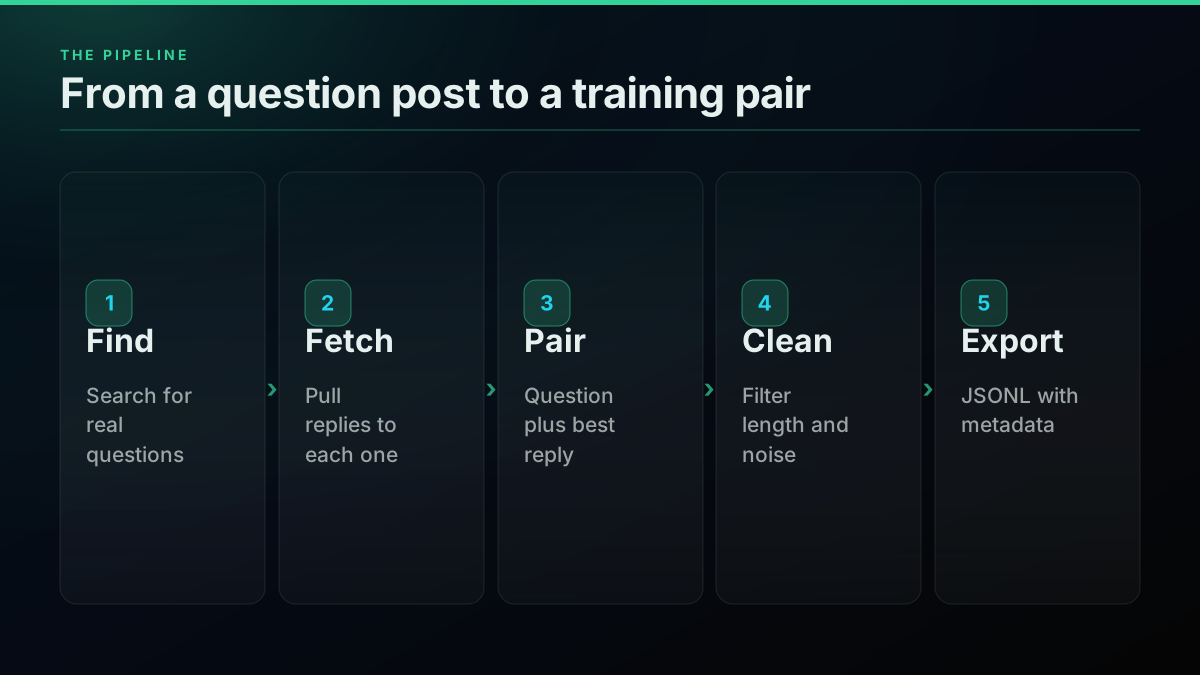
How do you turn X threads into conversation pairs?
Search for questions, read the replies to each, and keep the best reply as the assistant turn. The structure is already there: a reply points at its parent, so a thread is a ready-made conversation. Your work is choosing which replies deserve to be in the file.
Step one is finding real questions. X's search operators let you target question language in a topic:
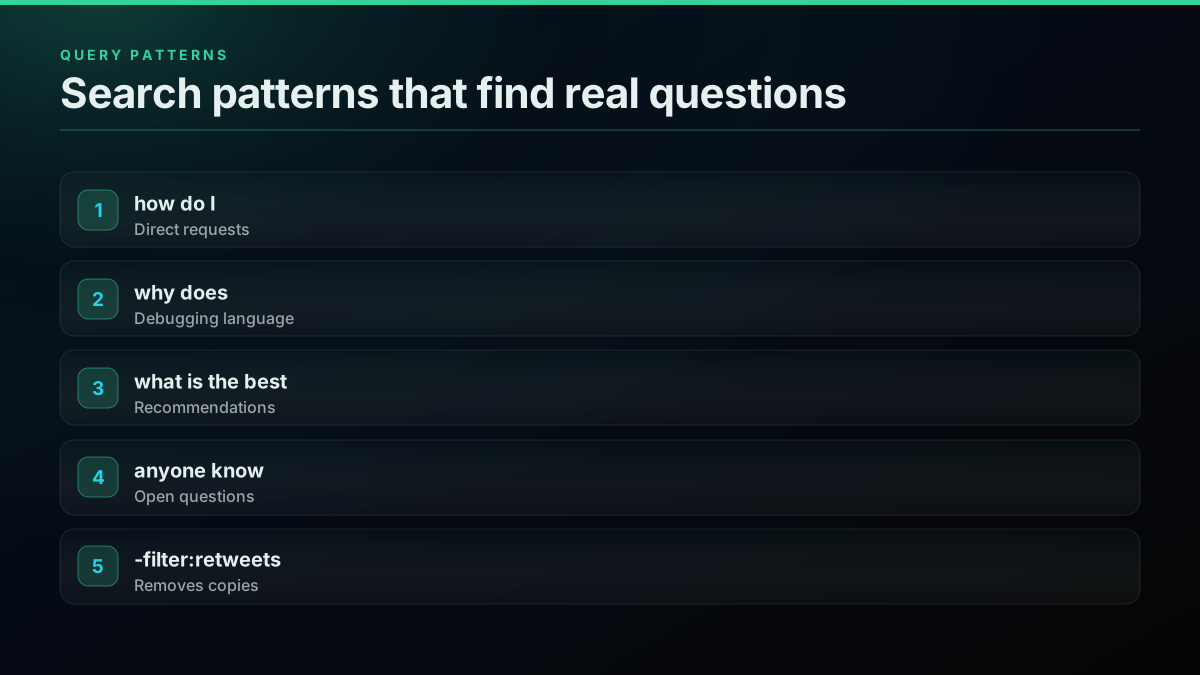
"how do I" python -filter:retweets lang:en
"why does" postgres -filter:retweets lang:en
"what is the best" crm min_faves:2 lang:en
"anyone know" kubernetes -filter:retweets lang:en
We ran the first query to see what raw output looks like.
25% of the 20 rows on one Latest page for a question-shaped query were replies, so plain search will never hand you enough conversations on its own.
Our data · Dataset:
x-question-search-sample-2026· Source: public X posts, pulled through our API · Query:GET /twitter/tweet/advanced_search?query=%22how+do+I%22+python+-filter%3Aretweets+lang%3Aen&product=Latest· Pulled: 2026-11-05 · n = 20 · Method: share of rows with is_reply true, one Latest page.
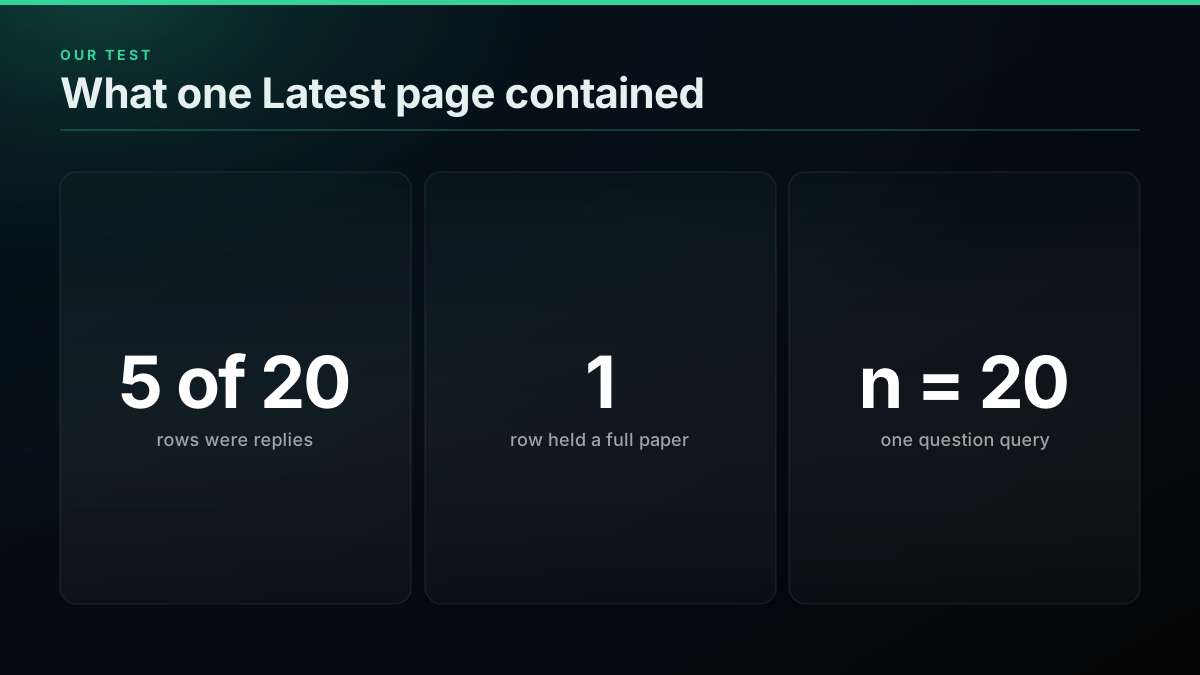
Most of the page was not a conversation. Several rows were adverts, one was a joke about a celebrity, and one post held the full text of a research paper. That row is why you need a length ceiling as well as a floor. It also shows why you collect replies directly rather than hoping search returns them.
Step two pulls the replies. This script reads question posts and writes candidate pairs, using the replies endpoint with a TwitterAPIs key:
import json, os, requests

BASE = "https://api.twitterapis.com/twitter"
HEADERS = {"Authorization": f"Bearer {os.environ['TWITTERAPIS_KEY']}"}

def search(query):
    r = requests.get(f"{BASE}/tweet/advanced_search",
                     params={"query": query, "product": "Top"},
                     headers=HEADERS, timeout=30)
    r.raise_for_status()
    return r.json().get("tweets", [])

def replies(tweet_id):
    r = requests.get(f"{BASE}/tweet/replies", params={"id": tweet_id},
                     headers=HEADERS, timeout=30)
    r.raise_for_status()
    return r.json().get("tweets", [])

def good(reply, parent):
    words = reply["text"].split()
    return (5 <= len(words) <= 120
            and "t.co/" not in reply["text"]
            and reply["author"]["id"] != parent["author"]["id"])

with open("pairs.jsonl", "a") as f:
    for q in search('"how do I" python -filter:retweets lang:en'):
        best = [r for r in replies(q["id"]) if good(r, q)]
        best.sort(key=lambda r: r.get("favorite_count", 0), reverse=True)
        if best:
            f.write(json.dumps({"question": q["text"], "answer": best[0]["text"],
                                "question_id": q["id"], "answer_id": best[0]["id"]},
                               ensure_ascii=False) + "\n")
Sorting by likes is a crude signal, and it is a fair first pass. Replace it with a model-based scorer once you have a labelled sample. For threads that run several turns deep, fetching the full thread gives you multi-turn conversations at $0.004 a call.
Inspect the candidates before you clean them. A quick look at the file tells you whether your query works:
wc -l pairs.jsonl
head -n 3 pairs.jsonl | python3 -m json.tool --no-ensure-ascii --json-lines
Why replies are the cheapest posts to collect
Reply reads return more posts per call than search does, and they are rarely empty. We measured 18.22 posts per reply call against 11.44 per search call across paying traffic, so the step that gives you conversations is also the cheapest per post.
Delivered yield by endpoint
| Endpoint | Paying calls | Posts per call | Empty calls | Cost per 1,000 posts | Source |
|---|---|---|---|---|---|
| tweet/replies | 21,674 | 18.22 | 4.5% | $0.0439 | measured |
| user/tweets | 136,706 | 16.74 | 1.6% | $0.0478 | measured |
| tweet/advanced_search | 280,273 | 11.44 | 29.6% | $0.0699 | measured |
Measured
Posts per paying call, by endpoint
| Point | Value |
|---|---|
| Replies | 18.22 |
| Timeline | 16.74 |
| Search | 11.44 |
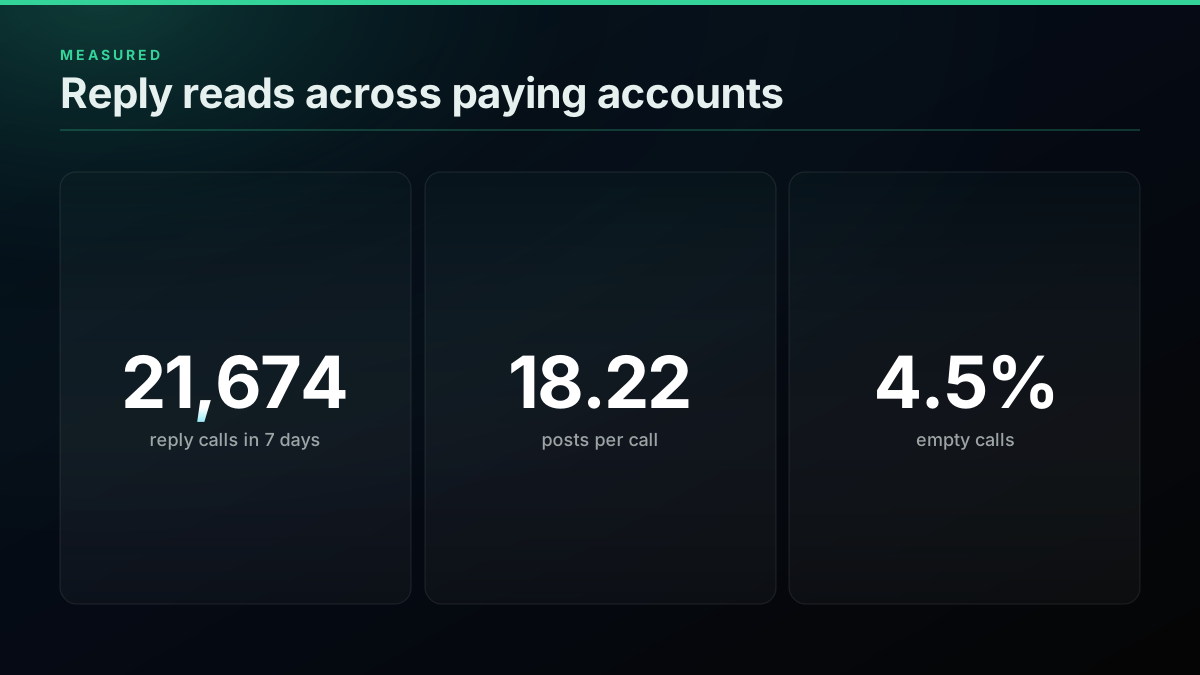
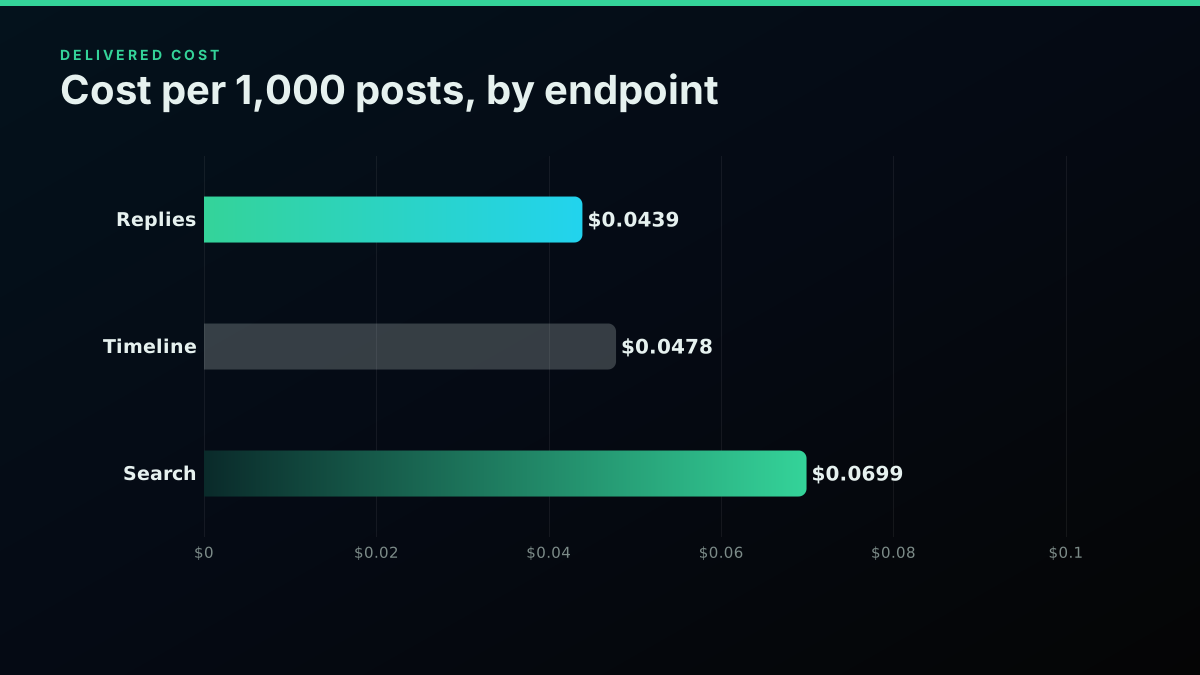
The gap comes from empty pages: 29.6 percent of search calls return nothing, against 4.5 percent of reply calls. Our reliability write-up explains how to read those figures, and the cost by workload rundown and pricing page put them in context.
Start building with TwitterAPIs
$0.0008 a call, about $0.04 per 1,000 tweets at 20 tweets a page. $0.50 free credits. No credit card required.
What does a set of pairs cost?
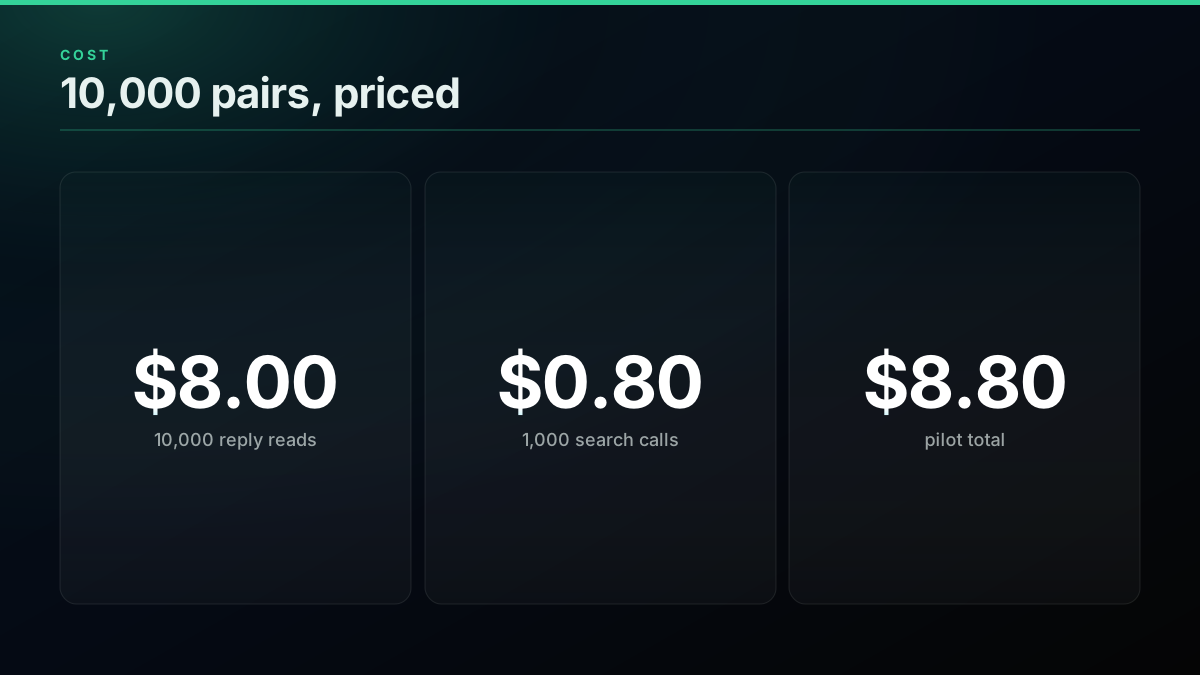
Budget about $8.80 per 10,000 pairs, assuming one usable pair per reply call. That assumption is the number to test. If your filters keep one pair in three reply calls, the cost triples, so run a small pilot, measure your pass rate, then size the full job.
What a set of pairs costs to collect
| Pairs | Reply reads | Search calls | Total | Source |
|---|---|---|---|---|
| 1,000 | $0.80 | $0.08 | $0.88 | derived |
| 10,000 | $8.00 | $0.80 | $8.80 | derived |
| 100,000 | $80.00 | $8.00 | $88.00 | derived |
Worked example
A 2,000 pair pilot, priced first
Target pairs: 2,000 · Calls: 2,200 · Cost: $1.76
☑ 2,000 reply reads x $0.0008 is $1.60 · ☑ 200 search calls x $0.0008 is $0.16 · ☐ A low filter pass rate multiplies both (measure it first)
An illustration at a stated volume, not a customer account. Assumes one usable pair per reply call.
pairs = 10_000
pass_rate = 1.0                 # usable pairs per reply call, measure yours
reply_calls = pairs / pass_rate
search_calls = reply_calls / 10  # about 10 questions on a search page
print(round((reply_calls + search_calls) * 0.0008, 2))   # 8.8
How do you clean conversation data?
Filter on length, links and self-replies while collecting, then dedupe and strip personal data afterward. Remove leading handles from every reply, since a model will learn to start sentences with them otherwise. Most candidates will not survive, which is the point.
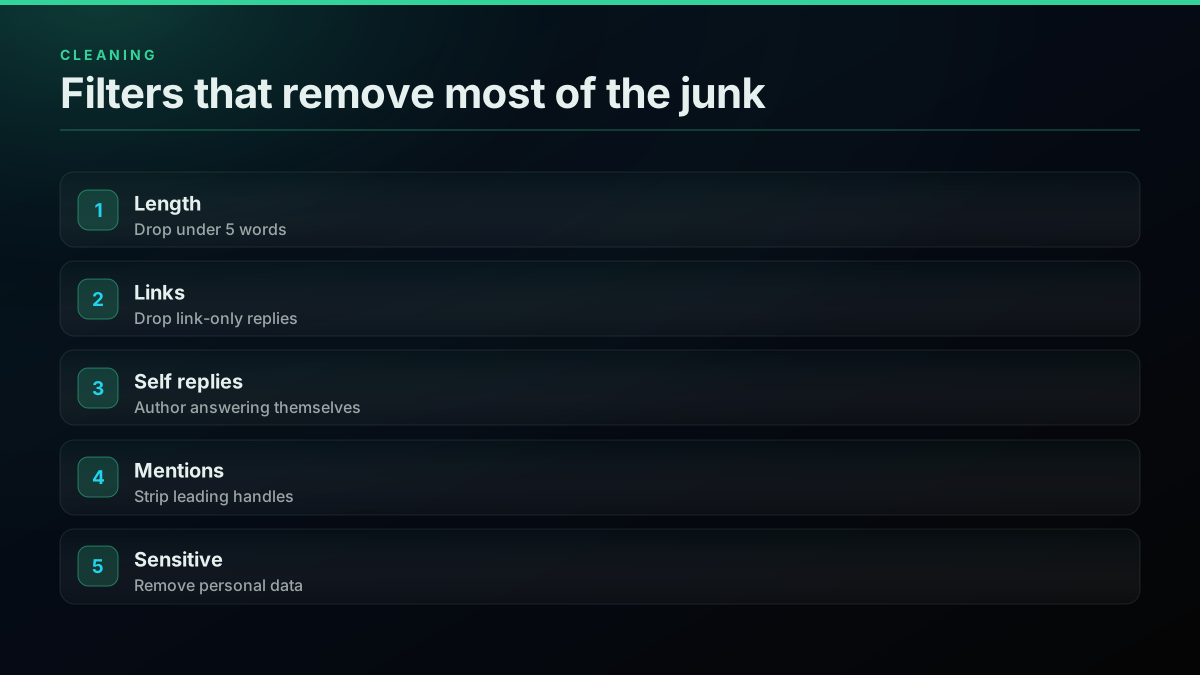
Dedupe with MinHash, since spam replies repeat with small changes. Our bot detection guide helps with spotting automated accounts, whose replies you do not want your model to imitate. This cleans one pair:
import re

HANDLE = re.compile(r"^(@\w+\s*)+")
EMAIL = re.compile(r"[\w.+-]+@[\w-]+\.[\w.]+")

def clean(text):
    text = HANDLE.sub("", text).strip()
    text = EMAIL.sub("[email]", text)
    return re.sub(r"\s+", " ", text)
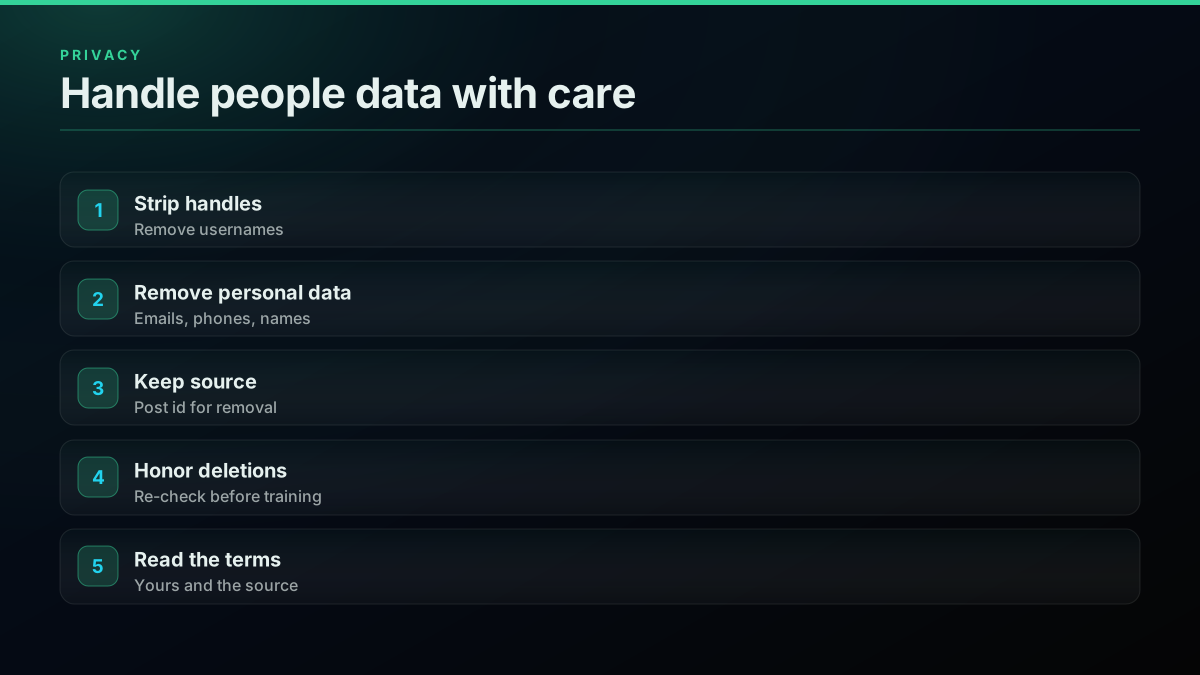
Keep the original post ids in a side file. If someone deletes a post, or a customer asks where a row came from, you need a way to find it. Rules vary by source and use, so read the current X Developer Agreement and any licence on data you combine with this.
How do you format it for fine-tuning?
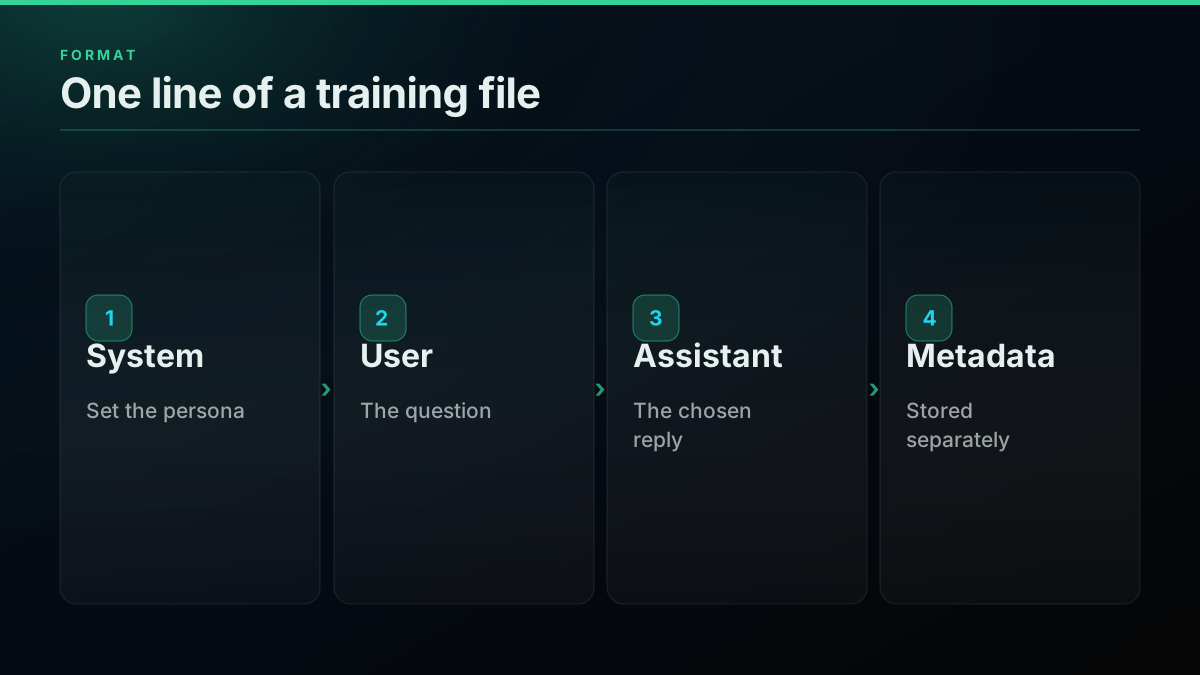
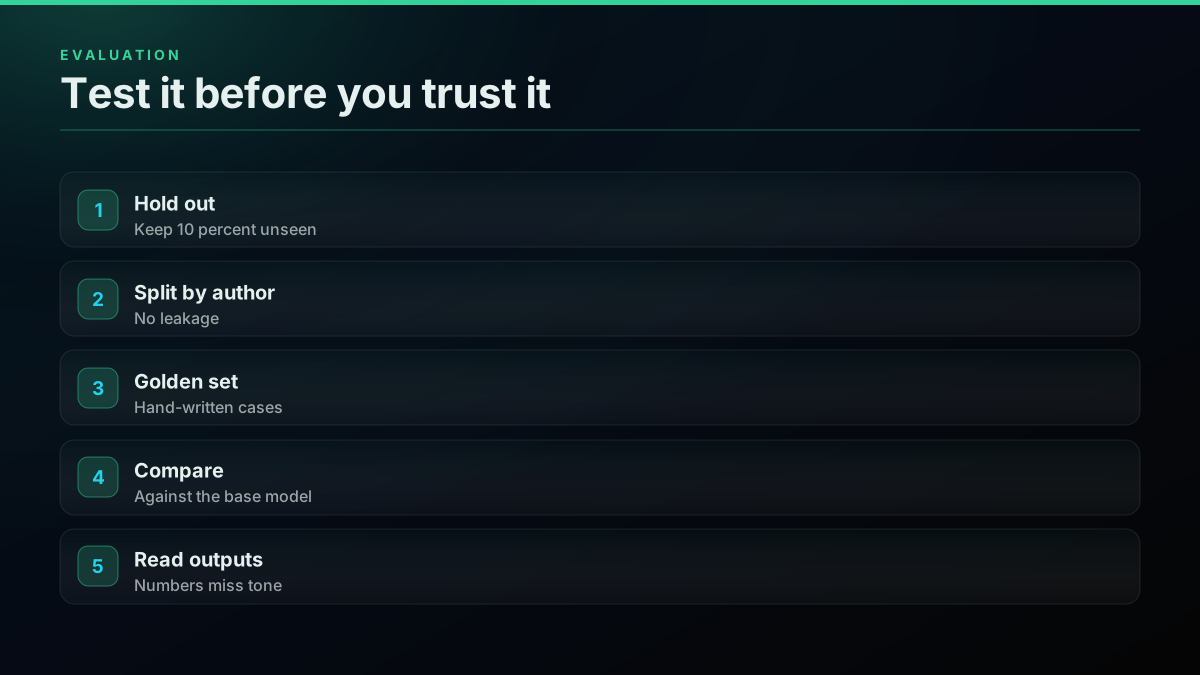
Write one JSON object per line, each with a messages array. Hold back 10 percent as a test set, split by the author of the question so that no one appears on both sides. OpenAI's guide starts from a JSONL file, and Hugging Face loads the same file directly.
By stack
Where the same JSONL goes
| OpenAI fine-tuning | Hugging Face | |
|---|---|---|
| File | JSONL upload | JSONL, CSV or Parquet |
| Loader | Files API | load_dataset |
| Structure | Messages array | Any columns |
| Validation | Checked at upload | Yours to write |
import json

SYSTEM = "You are a concise, friendly assistant for Python developers."

with open("pairs.jsonl") as src, open("train.jsonl", "w") as out:
    for line in src:
        p = json.loads(line)
        row = {"messages": [
            {"role": "system", "content": SYSTEM},
            {"role": "user", "content": clean(p["question"])},
            {"role": "assistant", "content": clean(p["answer"])},
        ]}
        out.write(json.dumps(row, ensure_ascii=False) + "\n")
Here is a short walkthrough of the fine-tuning step that follows:
https://www.youtube.com/watch?v=pxhkDaKzBaY
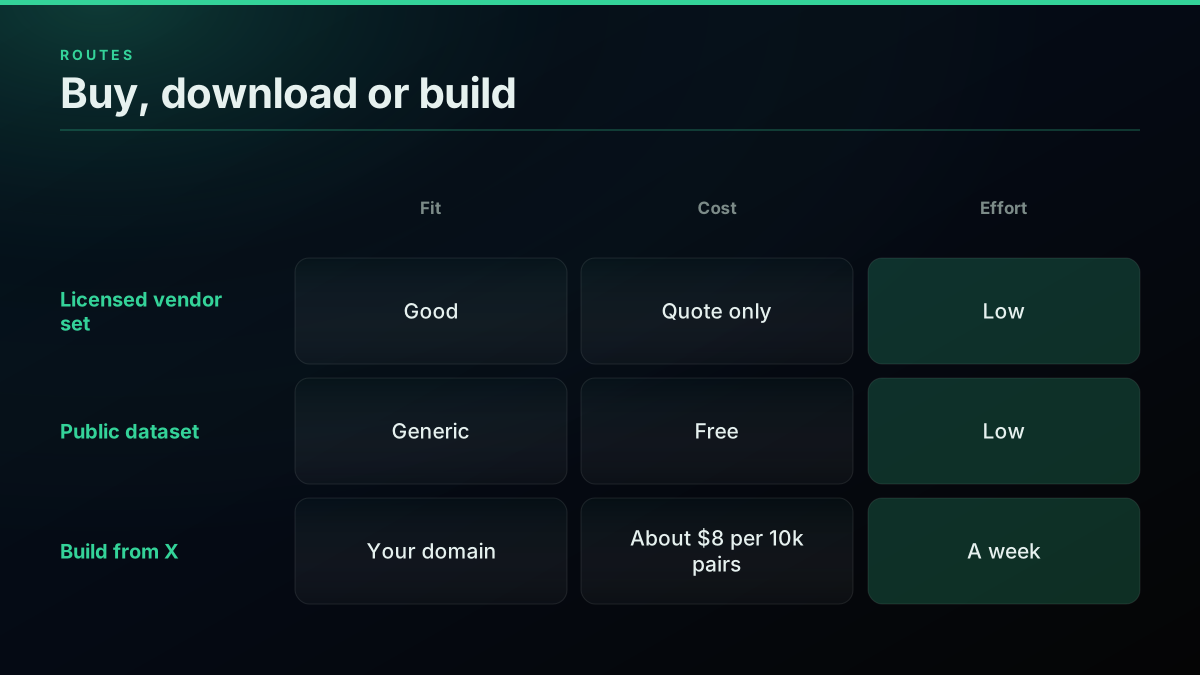
Should you buy, download or build?
Download when you need a benchmark, buy when a licensed vendor set fits your domain, and build when your bot must sound like your users. Building takes about a week of work and a small data bill, and it is the only route that gives you control of the source.
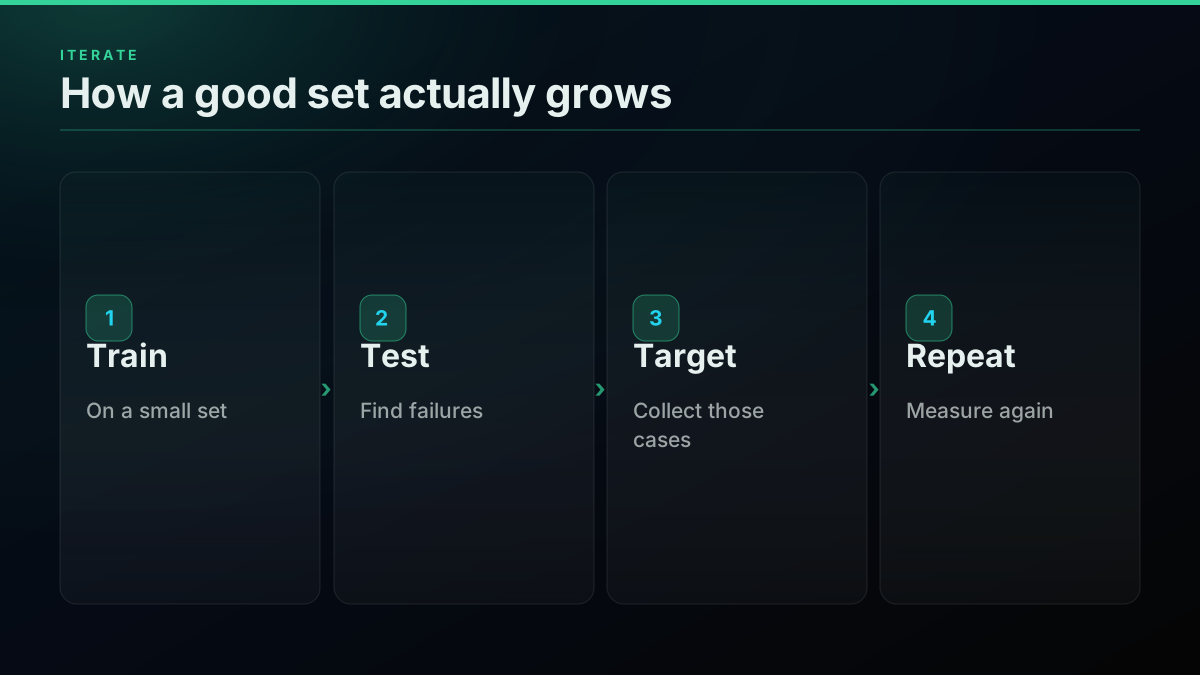
The fastest path to a good model is a loop. Train on a small set, read the failures, collect examples of exactly those failures, and train again. Our chatbot build covers deploying the bot this data might power. For agent use, the MCP server lets a model run the collection itself, and the Twitter API tutorial covers the basics.
The cheapest pay-as-you-go Twitter API. Try it free.
$0.0008 a call, about $0.04 per 1,000 tweets at 20 tweets a page. $0.50 free credits. No credit card required.
How do you score replies better than likes?
Likes measure how much an audience enjoyed a reply, not whether it answered the question. A joke often beats the correct answer. Use likes to sort your first pass, then replace them with a scorer as soon as you have a labelled sample.
Label 300 pairs by hand as good or bad. It takes an afternoon and gives you the most useful asset in the project. Then ask a small model to judge each remaining pair against the same rules, compare its answers with your labels on a held-out 50, and read the disagreements. Those disagreements tell you whether your rules are vague, and they usually are at first. Tighten the rules, then run the scorer across the full set.
Keep the score beside each row rather than deleting low scorers. If the model later needs more data, you can lower the threshold without collecting anything again. A record of why a row was kept is also what lets you explain the dataset to a colleague six months from now.
What goes wrong with conversation data?
Three failures show up again and again, and all of them look fine in a sample. The first is tone drift. Public replies are often sarcastic, and a model trained on them picks that up, so read a random hundred rows before you train and remove the style you would not want your bot to use. The second is context loss. A reply can make sense only because of an image, a quoted post or an earlier turn in the thread, and the pair then teaches a non-answer. Drop replies to posts with media, or pull the full thread and keep the conversation whole.
The third is topic imbalance. If one query supplies most of your rows, the model gets very good at that subject and stays weak everywhere else. Cap the rows per query and per author, so that one prolific account cannot shape the voice of your bot. A simple way to catch all three is a golden set: 50 to 100 questions you write by hand, with the answers you would accept. Run the base model and the tuned model against that set after every round. If the tuned model is not clearly better, the fix is usually in the data rather than in the training settings.
Where to go from here
To widen the pipeline, how to scrape tweets and scraping in Python cover collection at scale, the Python tutorial and pagination guide cover the request loop, and the 1M tweet dataset cost prices a much larger run. For a labelled starting point, try sentiment analysis in Python, and for other project ideas, see what to build with the API.
The short version
Chatbot training data is only as good as its match to your domain. Reply threads on X give you real questions and real answers cheaply, at $0.0439 per 1,000 reply posts delivered, but raw output needs heavy filtering. Measure your pass rate, keep the ids, and test against a held-out set.
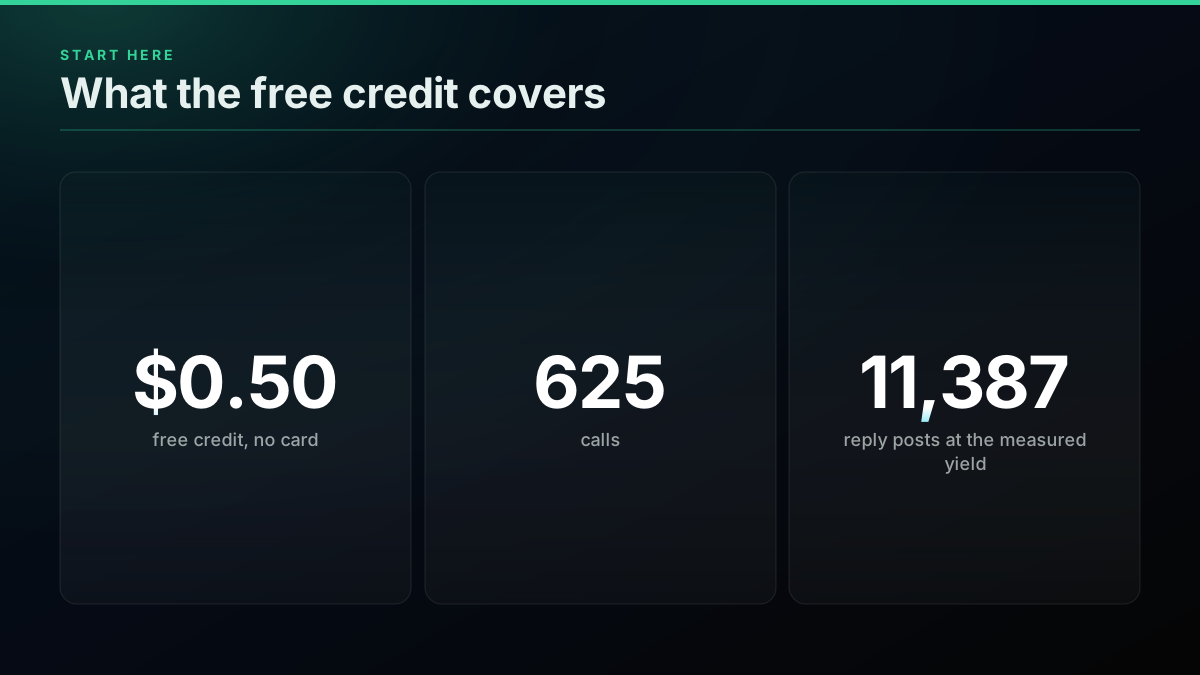
The $0.50 signup credit needs no card and covers about 625 calls, enough to measure your pass rate before you commit. Sign up, run one query through the pipeline, and use the cost calculator to size the full job.
// sources
Where these numbers come from
Each row is a figure in this post and the artefact it was read from. Prices and limits on this platform move, so check the date on the source before you plan against it.
- Model optimization, OpenAI docs
- The fine-tuning sequence: collect examples, upload JSONL, create a job, evaluate.
- Create a dataset, Hugging Face docs
- Supported file formats and load_dataset usage.
- Bitext customer support dataset on GitHub
- A public tagged training set for support chatbots.
- Chatbot training data, Landbot
- A practical overview of source choices.
- How to train a chatbot, Labelbox
- A walkthrough of labelling and training.
- Chatbot datasets, Unidata
- An overview of dataset types for chatbots.
- Dataset for chatbot, GeeksforGeeks
- A summary of dataset features and benefits.
- MinHash LSH, datasketch docs
- Near-duplicate detection for the dedupe step.
Frequently Asked Questions
Chatbot training data is the set of example conversations a model learns from: a user message and the reply you want, often with a system prompt. For fine-tuning it usually sits in a JSONL file, with one conversation per line. Quality matters more than size, so a few hundred clean pairs beat thousands of noisy ones.
Tweets work well for tone, slang and short answers to real questions, and poorly for long reasoning. Reply threads are the useful part, because they hold a question and a response. Check the terms that apply to your source and your use, and keep the post id and date on every row so you can audit it.
Search finds the questions and tweet replies finds the answers, each at $0.0008 a call. If one reply call gives you about one usable pair, 10,000 pairs is near $8 in reply reads, plus a few dollars of search. Your filter pass rate decides the true cost, so measure it on a small sample first.
There is no single number, since it depends on the model and the task. Start with a few hundred clean conversations, measure against a held-out test set, then add data only where the bot fails. Adding more rows of the same kind rarely fixes a weak model, while targeted examples usually do.
Write one JSON object per line, each holding a messages array with role and content fields, such as a user turn followed by an assistant turn. OpenAI's fine-tuning flow takes JSONL uploads, and Hugging Face datasets loads the same file with one call. Validate every line before you upload.
Ready-made sets are fine for general support and for benchmarks. They rarely match your domain, your vocabulary or your tone. Use one to prove the pipeline, then build a domain set from real conversations. Reply threads on X are useful when your users already talk about your topic in public.
Check out similar blogs
More guides on the Twitter/X API, scraping, and pricing.
How to Compare Twitter Followers and Find the Overlap Between Accounts
Compare Twitter followers between two accounts: free tools, what they miss, and a Python method that finds common followers and overlap at any size.
What an AI Twitter Bot Costs to Run: Three Account Sizes, Priced
What an AI Twitter bot costs to run in 2026. Three account sizes priced line by line from live rate cards, plus the X rules that decide what it may do.
Twitter Dataset: Free Sources That Still Work and How to Build Your Own
Where to get a Twitter dataset in 2026: what public corpora still offer, why most ship IDs only, and how to build a clean dataset from X for $40 a million.
Twitter Keyword Alerts: Send Every New X Match to Slack or a Webhook
Set up Twitter keyword alerts that post new X matches to Slack or any webhook. Query syntax, a working Python loop, poll cadence and the real monthly cost.
X Starts Billing API Expansions on Nov 22: What One Request Costs Now
From November 22, X bills every object an API expansion returns. What changes, how the forum answers conflict, and what one request costs before and after.
The X Chat API in v2.169: Group Endpoints and What a DM Really Costs
X shipped a full set of X Chat endpoints in API v2.169: groups, admins, invites and members. What you can build on encrypted chat, and the real cost per DM.

X/Twitter Statistics in 2026: What an API Can Actually Measure, and What Nobody Can
Most X statistics roundups re-cite the same handful of numbers. We measured what a public API can and cannot see across 34 accounts, printed the query behind every figure, and traced the rest to their real sources.
Twitter Competitor Analysis in 2026: Build the Dashboard or Buy Rival IQ
Nine of the ten pages ranking for this are dashboards selling you the answer. We show the calls that produce the metrics, price both sides, and find the crossover.