GUIDE
What an AI Twitter Bot Costs to Run: Three Account Sizes, Priced
What an AI Twitter bot costs to run in 2026. Three account sizes priced line by line from live rate cards, plus the X rules that decide what it may do.
Per our own spec, 72 of 125 endpoints bill $0.0008, 26 are free, and 27 sit between $0.0016 and $0.01. Every price ships inside our published OpenAPI document as an x-cost-usd field, so any figure in this post can be checked against the contract that bills it rather than taken on trust.
An AI Twitter bot is a program that reads posts on X, asks a language model what to do, and posts the result. Its X data bill depends on three things: how often it checks for work, how much context it reads, and how many posts it writes. On a per-call API that comes to $2.78 a month for a small bot and about $73 for a busy one.
Tutorials show you the code. This guide prices the running bot at three sizes, line by line, then covers the rule that matters most: X requires approval before an AI reply bot goes live.
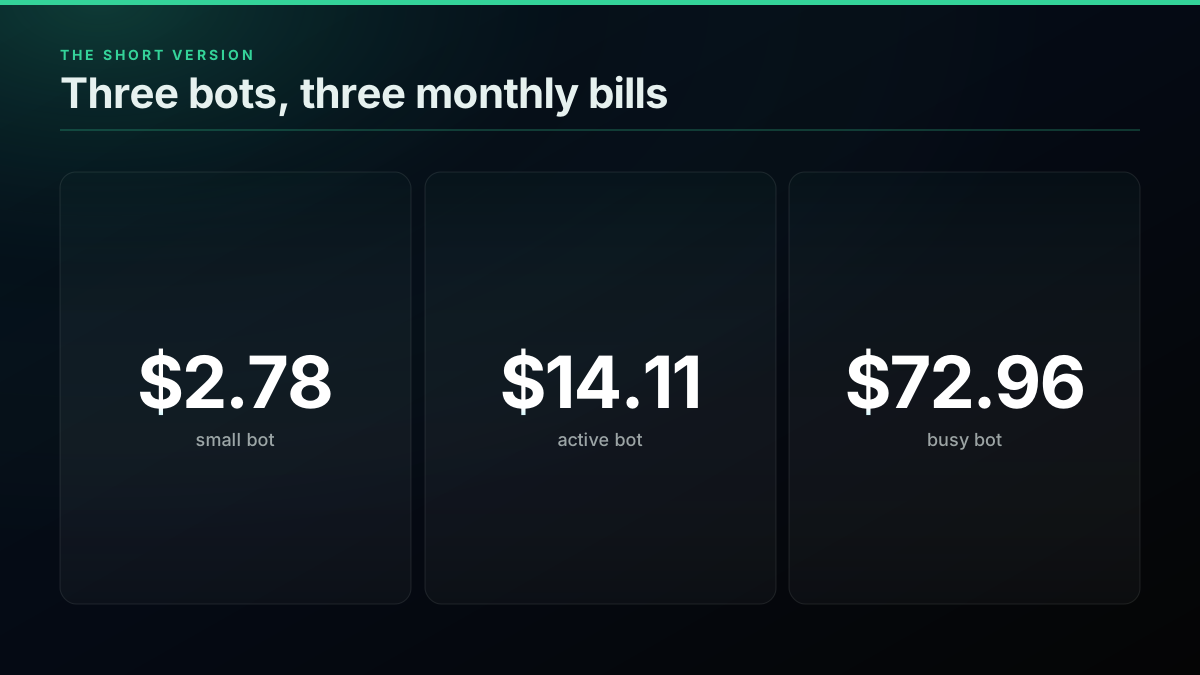
TL;DR: At $0.0008 a read and $0.0016 a create, a small AI bot costs $2.78 a month in X data, an active one $14.11 and a busy one $72.96. The same three on official X rates come to $7.50, $52.50 and $285, and a linked post costs $0.200 there. Model tokens are extra and depend on your provider. X allows AI reply bots but requires prior written approval, an opt-in from each recipient and one reply per interaction. Keyword-only auto-replies are not permitted.
Possibly the best AI reply bot I've ever encountered on here. But the formulaic nature of the replies made it smelly for me over time.
@levelsio view on X
What does an AI Twitter bot spend money on?
A bot spends money in three places: polling for new input, reading context, and writing. The model call sits beside these on a separate bill. Polling runs whether or not anything happened, which is why it is often the largest line on a quiet account.
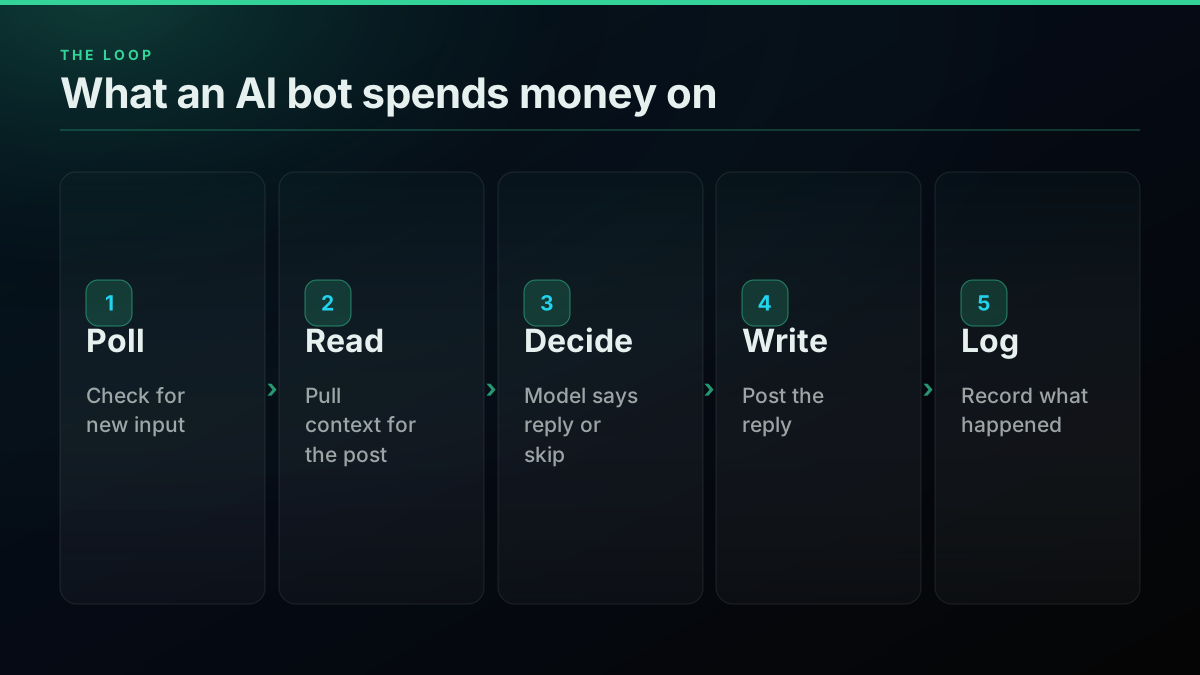
Those three lines map to two unit prices. Our how to build a Twitter bot guide covers the code for the loop, and the chatbot build covers one mention bot in depth. What neither does is price an always-on account across activity levels, so that is the job here.
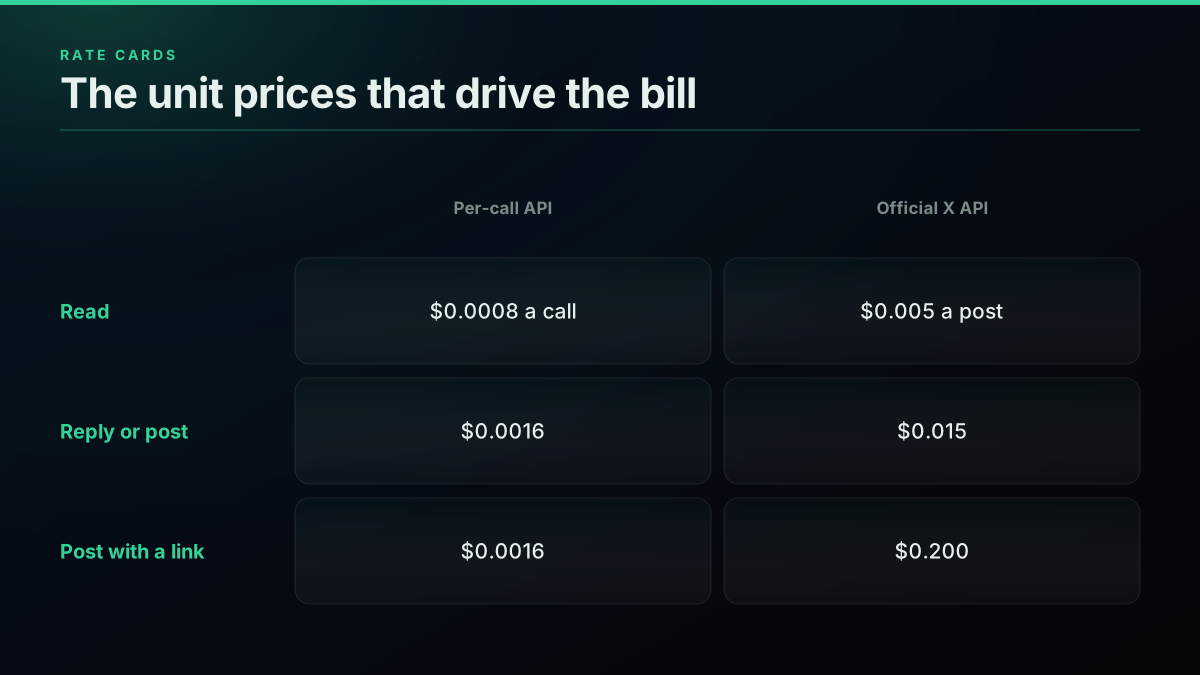
The rates behind every line
| Operation | Per-call API | Official X API | Source |
|---|---|---|---|
| Read | $0.0008 per call | $0.005 per post returned | published |
| User read | $0.0008 per call | $0.010 per user | published |
| Create a post | $0.0016 | $0.015 | published |
| Create a post with a URL | $0.0016 | $0.200 | published |
| Monthly read ceiling | None | 3M post reads | published |
The official card is from X's pay-per-usage pricing, read on November 5, 2026. Reads there bill per post returned, so a poll that finds nothing costs nothing, while a per-call API charges for the call. That is why the two models cross at different points, and why the X API cost-per-user breakdown matters if you are pricing a product.
What does each bot size cost per month?
We priced three realistic accounts over a 30-day month: a small bot posting from outside data, an active bot replying to mentions, and a busy bot running a support or community account. The per-call totals are $2.78, $14.11 and $72.96, before any model tokens.
Three AI bots, priced per month
| Line item | Small | Active | Busy | Source |
|---|---|---|---|---|
| Mention checks | 2,880 | 8,640 | 43,200 | derived |
| Context reads | 0 | 6,000 | 30,000 | derived |
| Posts and replies | 300 | 1,500 | 9,000 | derived |
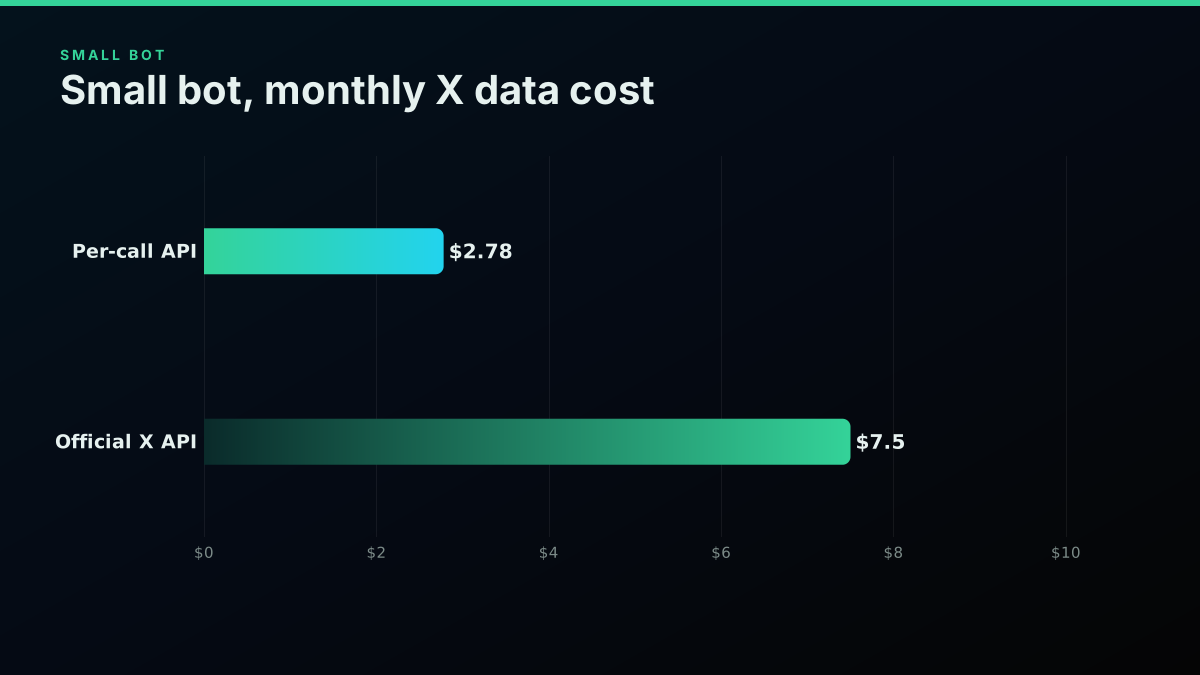
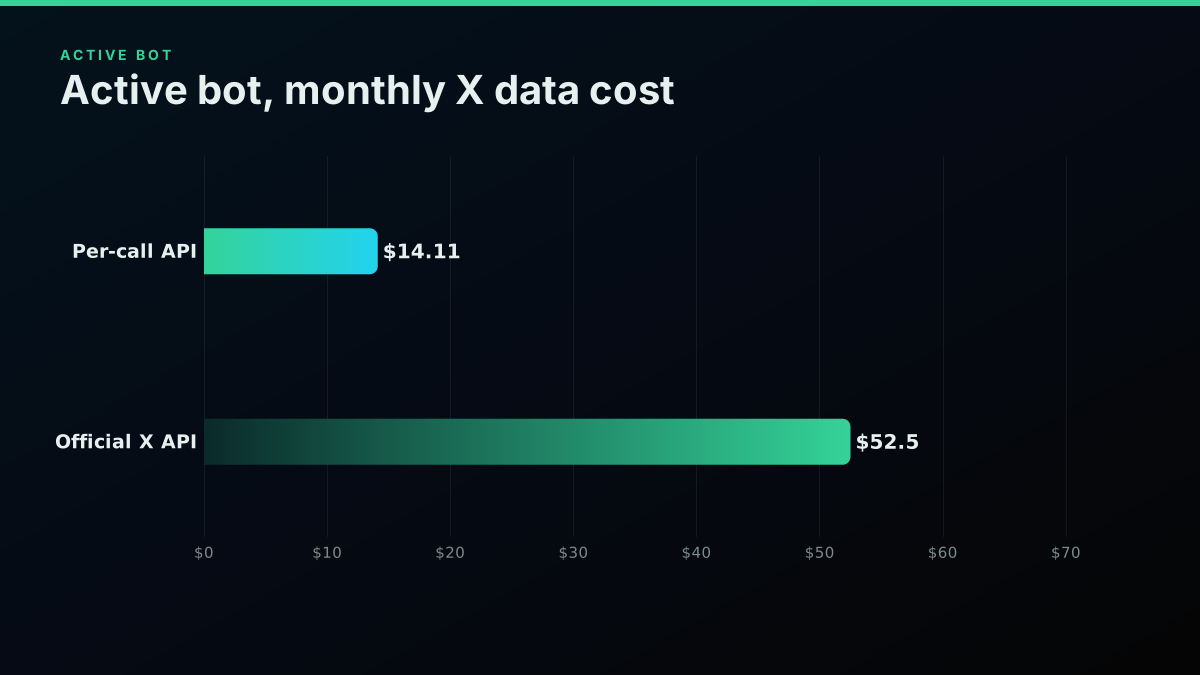
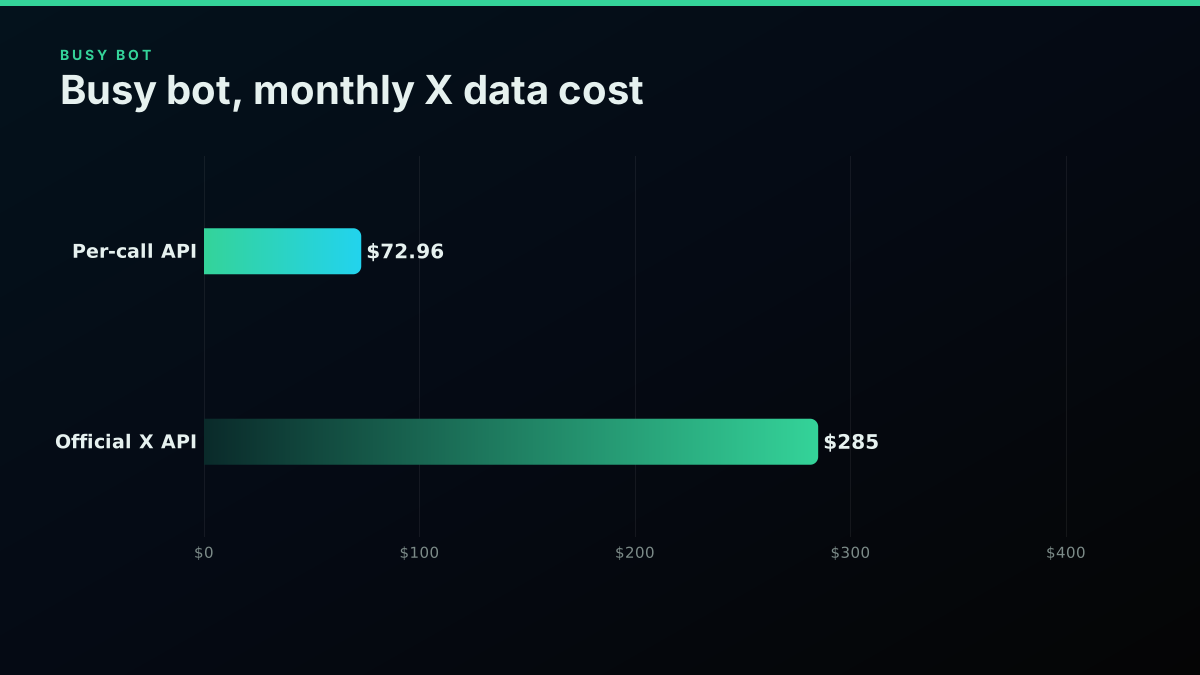
| Per-call API total | $2.78 | $14.11 | $72.96 | derived |
| Official X API total | $7.50 | $52.50 | $285.00 | derived |
Derived
Monthly X data bill by bot size, per-call API
| Point | Value ($) |
|---|---|
| Small | 2.78 $ |
| Active | 14.11 $ |
| Busy | 72.96 $ |
Here is the arithmetic so you can swap in your own numbers. The cost calculator does the same for other workloads.
READ, CREATE = 0.0008, 0.0016         # per-call rates
OFFICIAL_POST, OFFICIAL_CREATE = 0.005, 0.015

def monthly(polls, context_reads, writes, posts_returned):
    per_call = (polls + context_reads) * READ + writes * CREATE
    official = posts_returned * OFFICIAL_POST + writes * OFFICIAL_CREATE
    return round(per_call, 2), round(official, 2)

print(monthly(2_880, 0, 300, 600))            # small:  (2.78, 7.5)
print(monthly(8_640, 6_000, 1_500, 6_000))    # active: (14.11, 52.5)
print(monthly(43_200, 30_000, 9_000, 30_000)) # busy:   (72.96, 285.0)
The small bot
The small bot checks mentions every 15 minutes and posts 10 times a day. That is 2,880 reads and 300 writes, for $2.78 a month. On official rates, with about 20 posts returned a day, it comes to $7.50.
The active bot
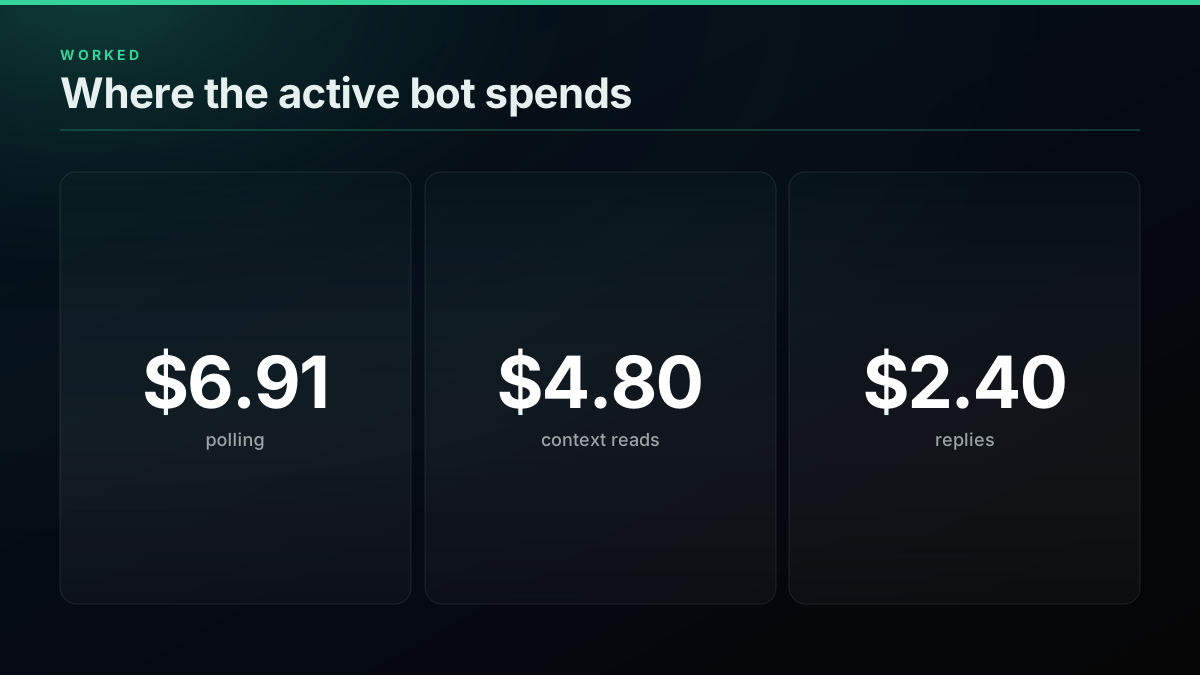
The active bot polls every 5 minutes, reads 200 posts of context a day, and sends 50 replies. That is $14.11 a month, or $52.50 on official rates. Nearly half of it goes to polling.
The busy bot
The busy bot polls every minute, reads 1,000 posts of context, and sends 300 replies a day. That is $72.96 a month, or $285 on official rates. At this size, ask whether a 60-second poll earns its $34.56.
Model tokens sit on top of all of this. Multiply your reply count by prompt and output tokens at your provider's rate. A bot that skips most inputs before calling the model pays far less than one that thinks about everything, which is the single largest saving on many accounts.
The reply chain matters too: reading a full thread costs $0.004, and fetching replies costs $0.0008 a call. For a wider view, see cost by workload.
Why links change the official bill
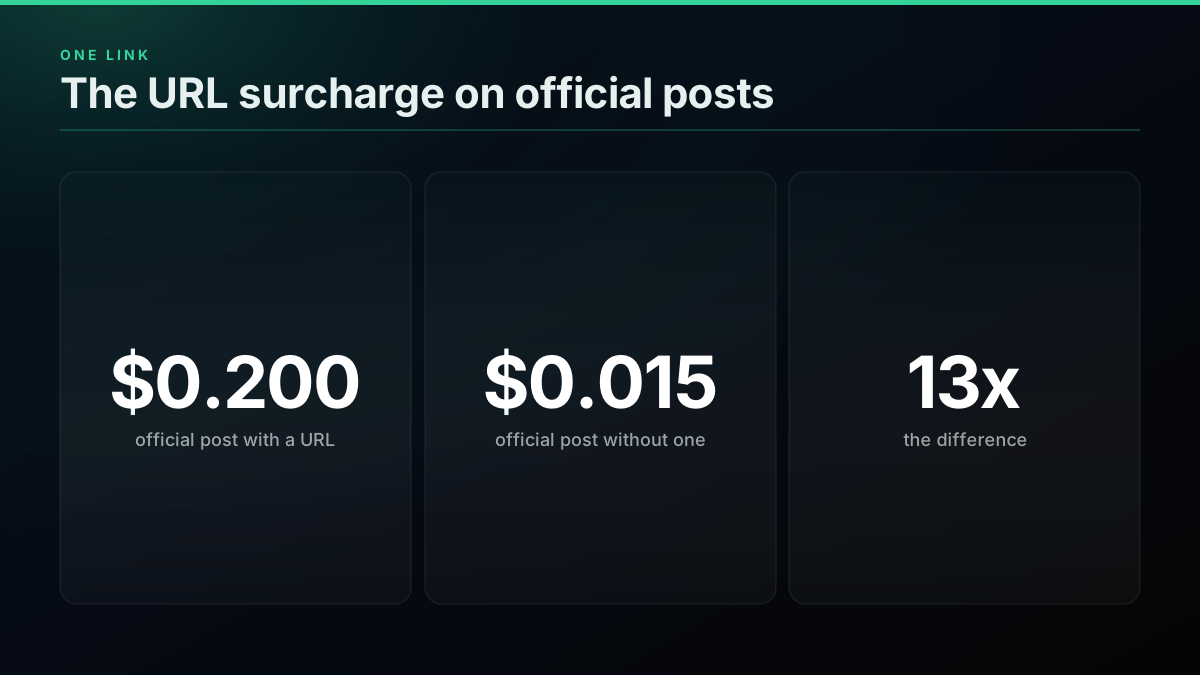
X charges 13 times more for a post with a URL on its pay-per-usage card: $0.200 against $0.015. For a bot that shares articles or product links, this line can dwarf everything else. A per-call API charges the same $0.0016 either way, which makes link-heavy bots the clearest case for checking your route.
Worked example
A news bot that links out, priced both ways
Linked posts a day: 30 · Official X API, 30 days: $180.00 · Per-call API, 30 days: $1.44
☐ 900 posts x $0.200 is $180 on Post: Create with a URL (the URL rate) · ☑ 900 posts x $0.0016 is $1.44 on the per-call route · ☑ Posting from outside data is allowed under the automation rules (authorized sources only)
An illustration at a stated volume, not a customer account. Rates read 2026-11-05.
linked_posts = 30 * 30               # 30 a day for 30 days
print(linked_posts * 0.200, round(linked_posts * 0.0016, 2))   # 180.0 1.44
A news bot posting 30 linked items a day pays $180 a month at the URL rate and $1.44 on the per-call route. Our X API pricing change breakdown covers how the card has moved, and our official versus third-party guide covers when each route makes sense.
Tested 6 AI reply tools for X over 3 months. They all failed the same test. from r/GrowthHacking
Does X allow AI reply bots?
Yes, but approval comes first. X's automation rules say any AI reply bot requires prior written and explicit approval, and every automated reply must go to someone who opted in. Price the bot only after you know your design can pass this, because a suspended account makes the budget irrelevant.
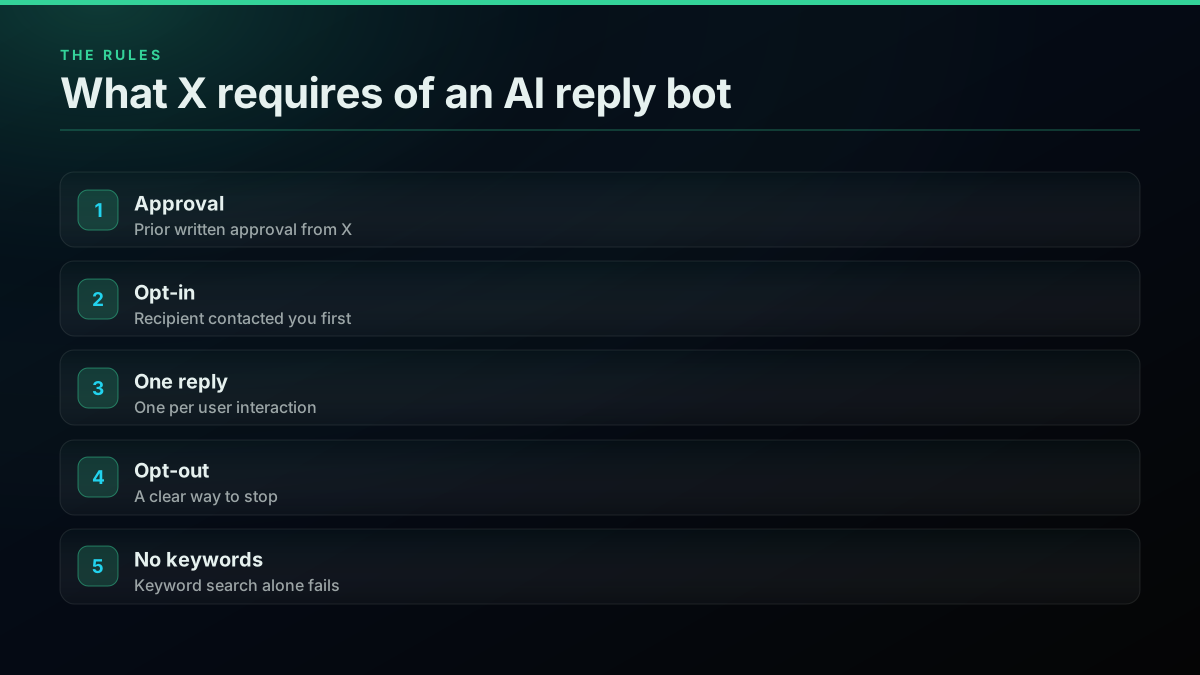
The automation rules, updated April 2026, are specific. You may use AI to generate dynamic replies, but deploying any AI reply bot needs approval through your contact at X or the developer portal. Recipients must have asked to hear from you, for example by mentioning your account. You get one automated reply per interaction, you must offer a clear opt-out, and following your account does not count as an opt-in. "Sending automated replies to posts based on keyword searches alone is not permitted."
The mood on the platform supports the rule. Plenty of accounts block on sight:
I work on a product that writes AI replies. And this week I mostly agree with the people trying to get them banned from X.
@hankleber view on X
The growth threads on Reddit show why people try it anyway, and how much of the result is reach rather than value:
Became a reply guy on twitter using automation and got 750k+ impressions in 30 days. from r/aiagents
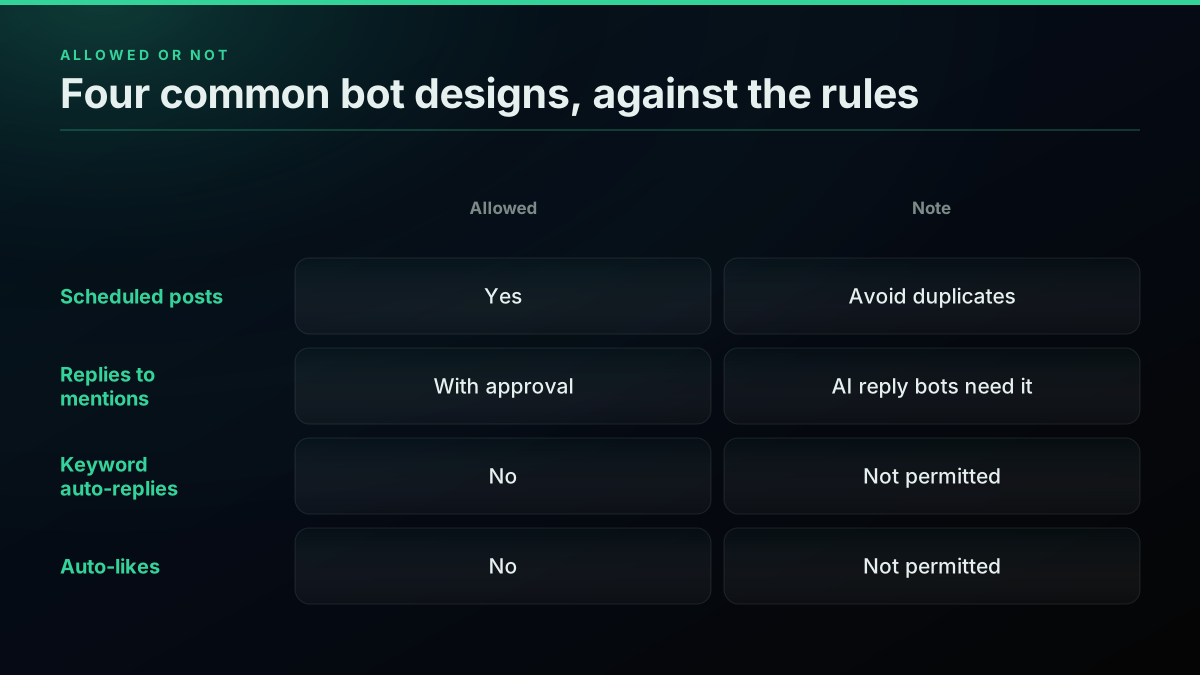
Automated posts sit in a safer place. The same rules allow posts from outside information sources, such as a feed you are authorized to publish, plus informational or novelty posts, as long as they are not duplicative. That is why the small bot in our table posts rather than replies. If what you want is to find conversations and join them yourself, a keyword alert that pings a person gets you there without automating the reply, and the real-time mentions guide shows the pattern.
A minimal AI reply loop
This loop reads new mentions, skips what it has seen, asks a model, and posts only if the model returns text. It respects the opt-in rule because a mention is the trigger. Run it behind a daily cap, and only after your approval from X is in place.
import json, os, pathlib, requests

BASE = "https://api.twitterapis.com/twitter"
HEADERS = {"Authorization": f"Bearer {os.environ['TWITTERAPIS_KEY']}"}
SEEN = pathlib.Path("seen.json")
DAILY_CAP = 50

def mentions(username):
    r = requests.get(f"{BASE}/user/mentions", params={"username": username},
                     headers=HEADERS, timeout=30)
    r.raise_for_status()
    return r.json().get("tweets", [])

def reply(text, to_id):
    r = requests.post(f"{BASE}/tweet/create",
                      json={"text": text, "reply_to": to_id},
                      headers=HEADERS, timeout=30)
    r.raise_for_status()

def generate(post_text):
    """Call your model here. Return None to skip."""
    raise NotImplementedError

seen = set(json.loads(SEEN.read_text())) if SEEN.exists() else set()
sent = 0
for tweet in reversed(mentions("yourbot")):
    if tweet["id"] in seen or sent >= DAILY_CAP:
        continue
    seen.add(tweet["id"])
    answer = generate(tweet["text"])
    if answer:
        reply(answer, tweet["id"])
        sent += 1
SEEN.write_text(json.dumps(sorted(seen)))
Test each piece on its own before you run the loop. This reads your mentions:
curl -G "https://api.twitterapis.com/twitter/user/mentions" \
  --data-urlencode "username=yourbot" \
  -H "Authorization: Bearer $TWITTERAPIS_KEY"
This posts a reply, and it bills $0.0016:
curl -X POST "https://api.twitterapis.com/twitter/tweet/create" \
  -H "Authorization: Bearer $TWITTERAPIS_KEY" \
  -H "Content-Type: application/json" \
  -d '{"text": "Thanks for the mention.", "reply_to": "2118260613042622720"}'
Writes act as the X session you link, so the authentication guide is worth a read, and the API key page covers getting started. The rate limit guide covers backing off. Here is a video walkthrough of an AI posting workflow in Python:
https://www.youtube.com/watch?v=aot3UXFnAb8
Add a kill switch and a log before you add features. Both fit in a few lines:
import json, os, time

def writes_enabled():
    return os.environ.get("BOT_WRITES", "off") == "on"

def log(event, **fields):
    with open("bot.log.jsonl", "a") as f:
        f.write(json.dumps({"t": time.time(), "event": event, **fields}) + "
")
Start building with TwitterAPIs
$0.0008 a call, about $0.04 per 1,000 tweets at 20 tweets a page. $0.50 free credits. No credit card required.
Should you use MCP instead of a script?
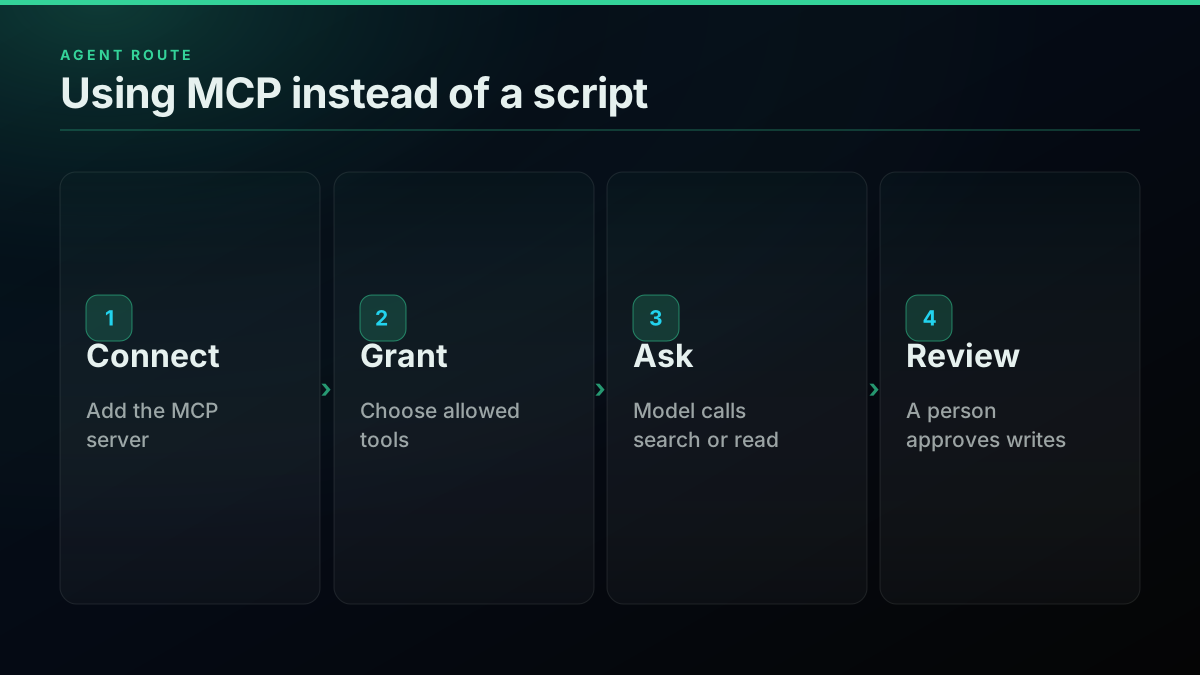
Use MCP when a person stays in the loop, and a script when the bot runs on its own. An MCP client lets a model call read tools directly, which suits research and drafting. For anything that writes to a live account, keep a person approving each post.
By route
Three ways to give a model access to X
| Your own script | MCP client | Bot builder | |
|---|---|---|---|
| Setup | A day | Minutes | Minutes |
| Control | Full | Tool by tool | Limited |
| Cost visibility | Per call | Per call | Plan price |
| Best for | A product | Human-in-the-loop work | A quick trial |
Model Context Protocol connects a client to tools, and our MCP server exposes 118 of them. The Twitter MCP guide covers setup in Claude and Cursor, and every call bills the same rates as the REST API, so the tables above hold. For open-source reference builds, see ai-twitter-bot and twitter-reply-bot, and n8n's bot walkthrough covers the no-code route. freeCodeCamp's tutorial is a good beginner build, and the X developer forum shows what builders run into.
What do the model tokens add?
Tokens are the line we cannot price for you, because they depend on your provider, your model and your prompt. The shape of the bill is still easy to reason about. Each model call costs input tokens plus output tokens, and an AI bot sends far more input than it receives as output, since every call carries your system prompt, the post being answered and any context you pulled.
Work it out from your own rate card with four numbers: calls per month, average input tokens, average output tokens, and the two token prices. A reply bot sending 1,500 replies a month that also evaluates 6,000 mentions makes 7,500 model calls if it thinks about each one. Filter first, with plain rules or a cheap small model, and that number falls to something close to the replies you send. That single choice usually matters more than which provider you pick.
Three habits keep the number down. Trim the system prompt, because it is charged on every call for the life of the bot. Send only the post being answered plus one or two parent posts, not the full thread. Cache anything that repeats, such as product facts, rather than pasting them into each prompt. Most providers now discount repeated prompt prefixes, so check yours.
def model_bill(calls, input_tokens, output_tokens, input_price, output_price):
    """Prices are per million tokens, from your provider's rate card."""
    per_call = (input_tokens * input_price + output_tokens * output_price) / 1_000_000
    return round(calls * per_call, 2)
Which bot design costs the least?
The design decides the bill more than the volume does. A bot that posts from a data feed never has to poll for mentions, so its read cost is close to zero. A bot that answers mentions polls forever. A bot that researches topics and drafts posts for a person to approve reads a lot but writes little, which is the cheapest way to get real value from a model on X.
Here are the four common designs, in rising order of cost.
A digest bot reads a set of accounts or searches once a day, summarises what it finds, and posts one thread. That is a few dozen reads and a handful of writes a day, usually under $2 a month in X data, and because it posts from information rather than replying, it sits in the safer part of the rules.
A feed bot posts from an outside source, such as releases, prices or status changes. Reads hit your own feed rather than X, so the X bill is only the writes: 300 posts is $0.48 on a per-call API. On official rates the same 300 posts cost $4.50, or $60 if each one carries a link. This is the design where the URL rate hurts most.
A drafting assistant watches conversations and proposes replies for a person to send. It reads as much as an active bot, but the writes are made by a person. You pay for reads and tokens, keep human judgment, and stay clear of the approval requirement for automated replies, because nothing is automated at the moment of posting.
A mention bot replies on its own to people who tag it. It is the priciest design per month, the slowest to launch because of the approval step, and the only one here that speaks for you without review.
What does each reply really cost?
Divide the monthly bill by the replies sent and the picture changes. The active bot sends 1,500 replies for $14.11, or under a cent each in X data. The busy bot sends 9,000 for $72.96, about the same per reply. Scale barely moves the unit cost, because polling and context grow with volume, so a bigger bot is not a cheaper one per reply.
On official rates the same replies cost 3.5 cents and 3.2 cents each, which is three to four times more. That gap is real, but it is small in absolute terms against what a person costs to do the same work. The decision should turn on quality and the rules, not on a few cents.
for name, bill, replies in [("active", 14.11, 1500), ("busy", 72.96, 9000)]:
    print(name, round(bill / replies, 4))   # active 0.0094, busy 0.0081
What do these tables leave out?
The tables price X data, and three other costs sit beside them. Hosting is usually a small server or a scheduled function, often a few dollars a month. Monitoring is the time someone spends reading samples of what the bot said, which is the cost teams forget. The last is the risk cost: a suspended account loses its followers and its history, and no API rate covers that.
There is one more assumption to check. Our polls assume one mention query. If your bot watches several handles or searches, multiply the polling line, or combine terms with OR into one query. Empty pages matter here too. Across paying accounts 29.6 percent of search calls came back empty, so a bot that treats an empty page as an error will retry more than you planned, and one that treats it as proof of silence will miss posts.
The cheapest pay-as-you-go Twitter API. Try it free.
$0.0008 a call, about $0.04 per 1,000 tweets at 20 tweets a page. $0.50 free credits. No credit card required.
How do you get approval from X?
Apply before you build the expensive parts. The automation rules say to contact your point of contact at X or submit a request through the developer portal. Describe what triggers a reply, how a person opts in and opts out, what the bot says, and how you stop it. A clear, narrow use case is easier to explain than a general engagement bot.
Build the case as you go. Keep the logs from your read-only phase, since they show what the bot would have said. Have a written opt-out process. Label the account as automated in its profile, and name who runs it. If your use is really a brand campaign, the rules add a further step: advertisers, publishers and brands using auto-response campaigns must request approval and may face extra rules. Until approval is in hand, stay in draft mode, where a person reads and posts each reply.
How do you choose a poll interval?
Choose the slowest interval your readers will accept. Polling is the one line you pay for whether or not anything happened, so it deserves more thought than any other number in the table. A support bot answering product questions can usually wait 5 minutes, because a person tagging a brand does not expect an instant answer. A status bot or a trading tool may need a minute. A community account that posts a daily digest can check once an hour.
Look at your own traffic before you decide. Pull a week of mentions, then count how many arrived per hour and how far apart they were. Many accounts get bursts around their own posts and long silences otherwise, which suggests an adaptive schedule: poll every minute for an hour after you post, then every 15 minutes the rest of the day. That single change can drop the polling line by more than half on a quiet account while keeping fast replies at the moment people are watching.
Your cadence also sets the worst-case delay, so state it plainly in your approval request and in the bot's profile. People forgive a slow bot far more readily than a wrong one.
Should the bot run on a schedule or a server?
Start with a schedule. A short job that runs every few minutes, does its work and exits has no connection to maintain, needs no process manager, and fails safely, since a crash only skips one run. Keep state outside the process, in a small file or a database table, so a restart never repeats a reply.
Move to a long-running worker only when the numbers call for it, such as a 1-minute cadence across many accounts or a queue of model calls that must not overlap. Wherever it runs, make one rule absolute: a job must check its daily cap and its kill switch before each write, not once at startup, because a stuck loop is exactly the case those controls exist for.
How do you keep the bill and the account safe?
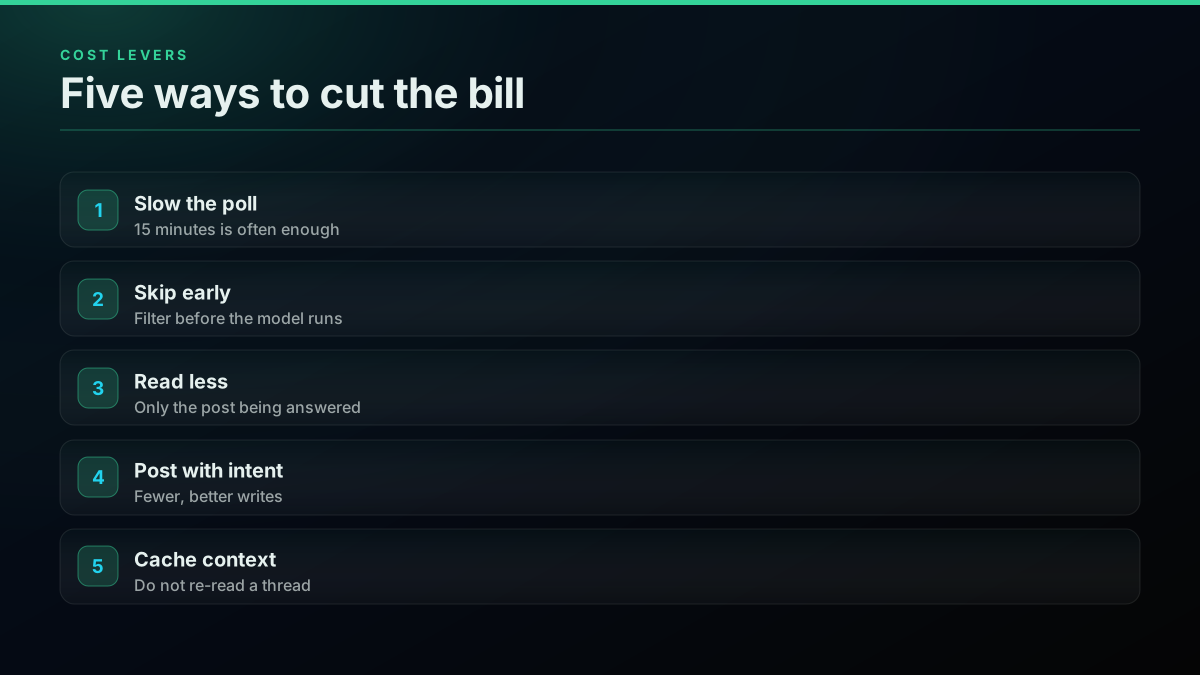
Slow the poll, filter before the model, and cap writes. Then add a kill switch and a log. These controls cost nothing to build and they protect both the budget and the account, since a looping bot can post hundreds of bad replies before anyone notices.
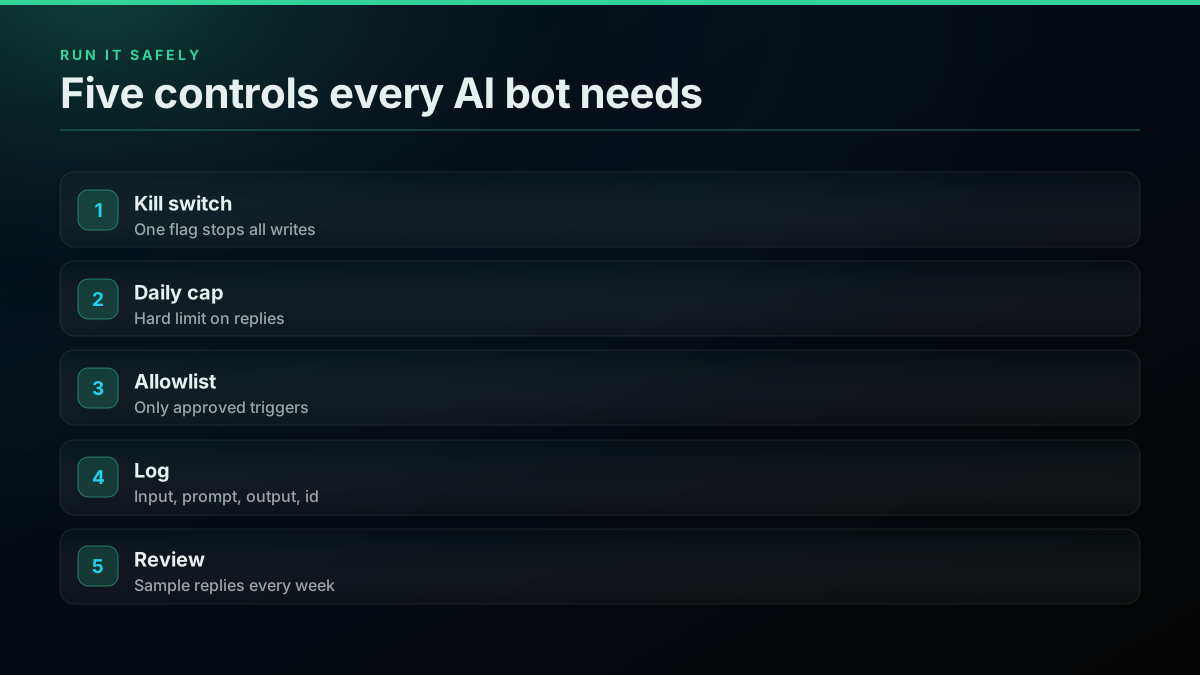
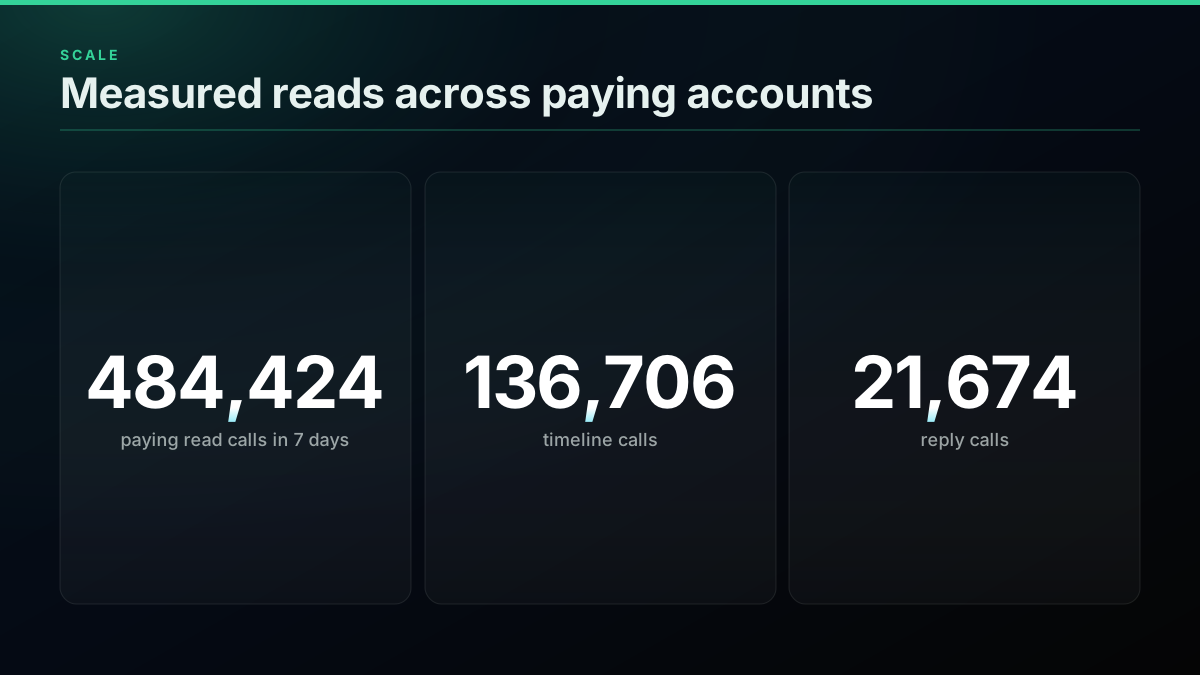
Read volume is rarely the problem at this scale. Across paying accounts we served 484,424 read calls in seven days between October 22 and 28, 2026, including 136,706 timeline reads and 21,674 reply reads, so a single bot is a small workload. The risk is behavior, not throughput.
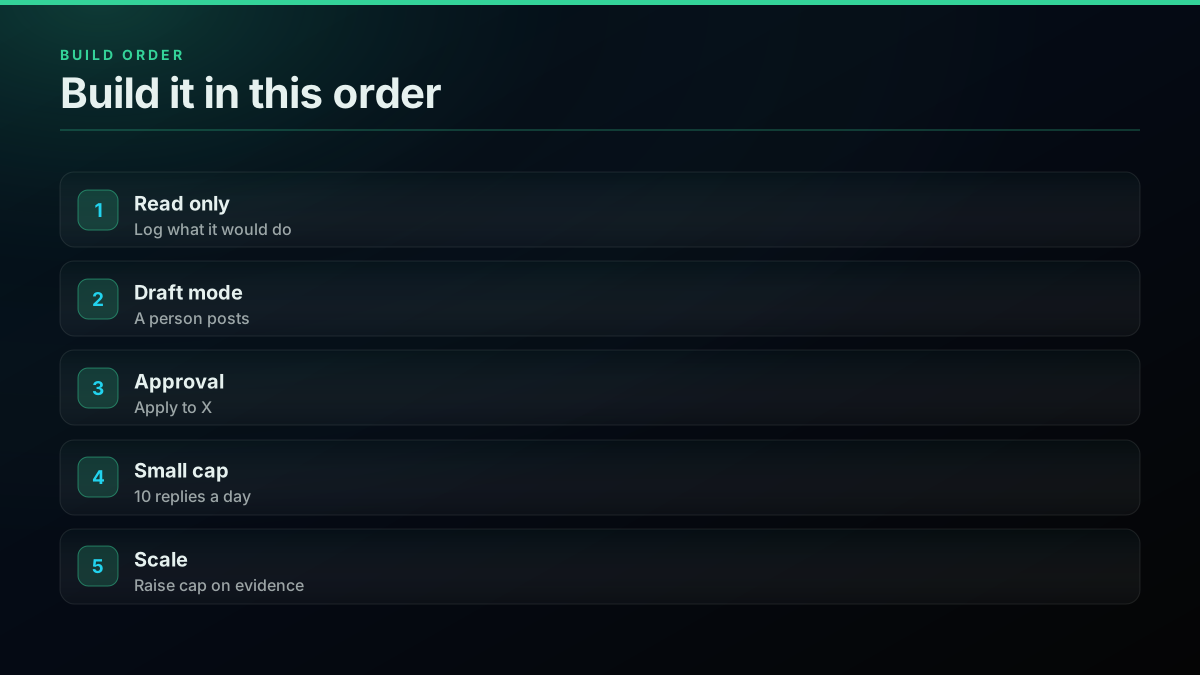
Build in stages. Start read-only and log what the bot would have said. Move to draft mode, where a person posts. Apply to X, then launch with a low cap and raise it on evidence. See what to build with the Twitter API for other ideas, and the bot detection guide for how accounts like this get flagged.
Where to go from here
If you are still deciding on a route, using the API without a developer account explains the setup, and the Grok Bot comparison covers when X's own agent is enough on its own.
The short version
An AI Twitter bot costs $2.78 to $72.96 a month in X data on per-call rates, plus your model bill. Polling is usually the largest line, and links are the expensive surprise on official rates. Price it before you build, and get X's approval before any AI reply goes live.
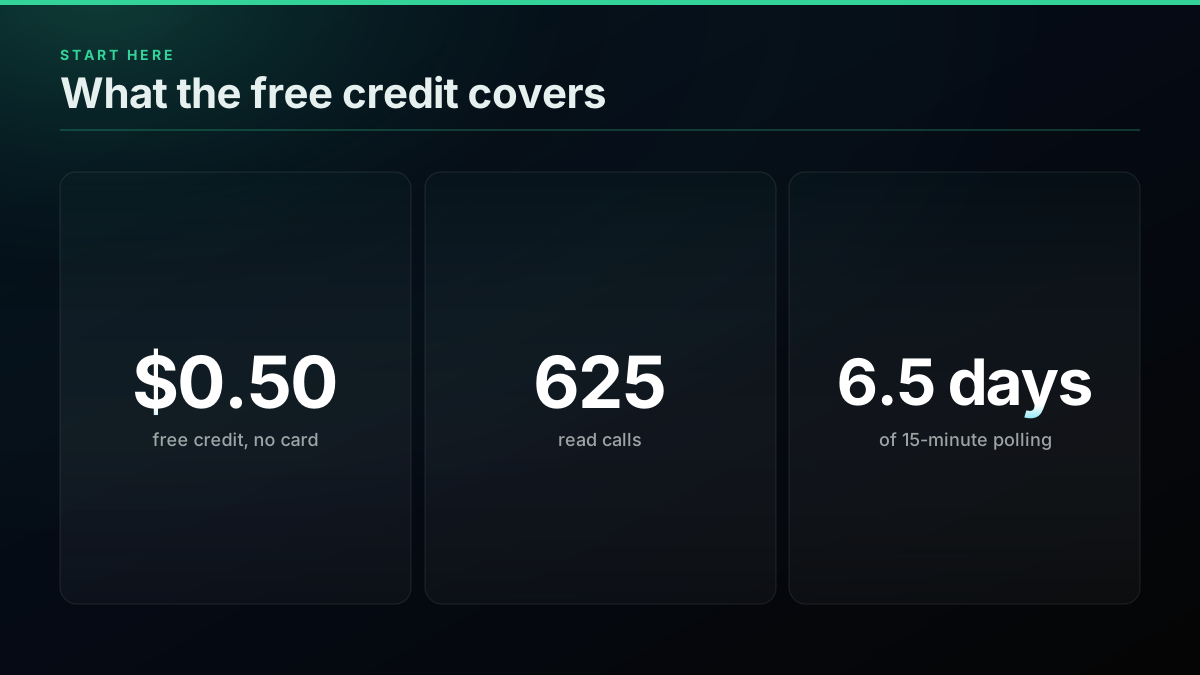
New accounts get a $0.50 credit with no card, enough for 625 reads or about 6.5 days of 15-minute polling. Sign up, run it read-only first, and check pricing and rate limits before you turn on writes.
// sources
Where these numbers come from
Each row is a figure in this post and the artefact it was read from. Prices and limits on this platform move, so check the date on the source before you plan against it.
- Automation rules, X Help Center
- AI-powered automated replies, the approval requirement, opt-in conditions and the ban on keyword-only replies. Updated April 2026.
- X API pricing, docs.x.com
- Post: Create, Post: Create with URL and per-resource read rates.
- n8n on Twitter bots
- A published walkthrough of bot types and workflow builds.
- How to create an AI-powered bot, freeCodeCamp
- A step by step tutorial for a model-driven posting bot.
- Model Context Protocol introduction
- What MCP is and how a client connects to tools.
- ThePhoenix77 ai-twitter-bot on GitHub
- An open-source example of the build, for reference.
- twitter-reply-bot on GitHub
- An open-source bot that answers mentions with an LLM.
- X Developer Community
- The forum where builders ask which plan a mention reply bot needs.
Frequently Asked Questions
On a per-call API, a small bot that checks mentions every 15 minutes and posts 10 times a day is $2.78 a month in X data. An active bot is about $14.11 and a busy one about $72.96. Add your model provider's token bill on top, which depends on prompt size and the model you pick.
Post more than you reply, poll on a slower cadence, and read only the context you need. A bot that posts from outside data and checks mentions every 15 minutes stays under $3 a month in API costs. Replying to everything at a 1-minute cadence is what pushes the bill up.
No. You can read and post through a per-call API with a bearer key and a linked X session, or connect an MCP client so the model calls tools directly. Whichever route you use, X's automation rules still apply to what the account does, because those rules govern behavior rather than the API.
Yes, with conditions. X's automation rules allow AI technology in reply bots, but deploying any AI reply bot requires prior written and explicit approval from X. Automated replies also need an opt-in from the recipient, such as mentioning your account, and keyword searches alone do not count.
X's pay-per-usage card lists Post: Create at $0.015 a request, or $0.200 a request when the post carries a URL, read on November 5, 2026. Reads bill per resource, at $0.005 a post. A per-call API charges $0.0016 for a create, link or no link.
Log every input post, the prompt version, the generated text, the decision to post or skip, and the resulting post id. When a reply goes wrong you need to see why it was sent. Keep a kill switch too, since a loop that misfires can post hundreds of replies before anyone notices.
Check out similar blogs
More guides on the Twitter/X API, scraping, and pricing.
X Starts Billing API Expansions on Nov 22: What One Request Costs Now
From November 22, X bills every object an API expansion returns. What changes, how the forum answers conflict, and what one request costs before and after.
The X Chat API in v2.169: Group Endpoints and What a DM Really Costs
X shipped a full set of X Chat endpoints in API v2.169: groups, admins, invites and members. What you can build on encrypted chat, and the real cost per DM.
Chatbot Training Data: Turn X Reply Threads Into Conversation Pairs
Build chatbot training data from X reply threads: find real questions, pair each with its best answer, clean the pairs and export JSONL for fine-tuning.
How to Compare Twitter Followers and Find the Overlap Between Accounts
Compare Twitter followers between two accounts: free tools, what they miss, and a Python method that finds common followers and overlap at any size.
Twitter Keyword Alerts: Send Every New X Match to Slack or a Webhook
Set up Twitter keyword alerts that post new X matches to Slack or any webhook. Query syntax, a working Python loop, poll cadence and the real monthly cost.

X/Twitter Statistics in 2026: What an API Can Actually Measure, and What Nobody Can
Most X statistics roundups re-cite the same handful of numbers. We measured what a public API can and cannot see across 34 accounts, printed the query behind every figure, and traced the rest to their real sources.
Twitter Competitor Analysis in 2026: Build the Dashboard or Buy Rival IQ
Nine of the ten pages ranking for this are dashboards selling you the answer. We show the calls that produce the metrics, price both sides, and find the crossover.
Best Twitter/X API for Sentiment Analysis: A 2026 Buyer's Guide
Which Twitter (X) data source should actually power a sentiment-analysis pipeline in 2026? We compared the official X API v2, pay-per-call APIs, and scraping libraries on cost per 1,000 tweets, rate-limit headroom, historical depth, and the metadata a sentiment model needs.