GUIDE
Scrape Full Tweet History of Any Account in 2026 (Beyond the 3,200 Limit)
Why the X timeline stops at 3,200 tweets and how to pull an account's full history with date-window search, cursor pagination, and dedup. Live-tested code in Python and curl.
Per our own spec, 70 of 123 endpoints bill $0.0008, 26 are free, and 27 sit between $0.0016 and $0.01. Every price ships inside our published OpenAPI document as an x-cost-usd field, so any figure in this post can be checked against the contract that bills it rather than taken on trust.

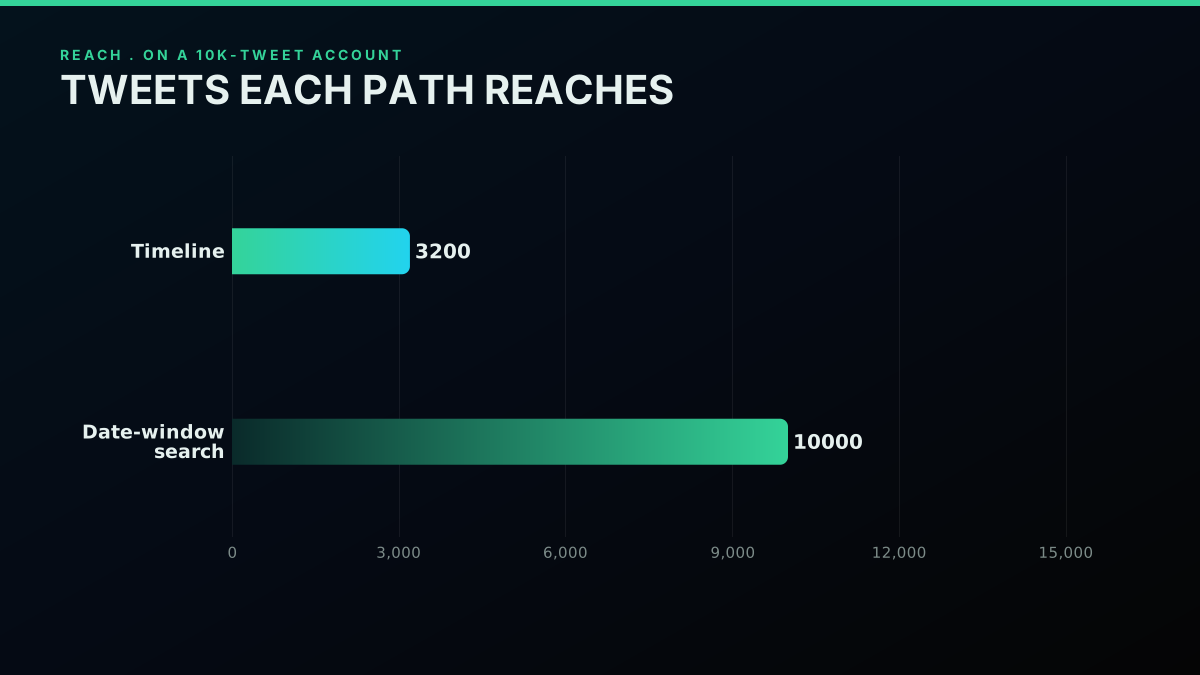
Pulling the complete tweet history of a public X account takes two reads working together, not one. The timeline endpoint serves the newest 3,200 tweets and nothing older, because that ceiling is wired into how the timeline is built rather than into any rate counter. Everything before that line sits behind search. You carve the account's life into back-to-back date ranges, ask search for from:username since:DATE until:DATE on each range, walk each range with a cursor, and collapse repeats by tweet id as the two reads merge.
TL;DR: The timeline only ever hands back an account's newest 3,200 tweets, and harder paging never breaks that ceiling, because it is a serving limit and not a rate limit. To recover the whole history of a public account, drop the timeline and read through date-window search: fire
from:username since:DATE until:DATEacross adjacent ranges that span the account's life, page each range with a cursor, and dedupe on tweet id. Timeline gives you the recent 3,200 in a flash; search gives you the rest. Every snippet below ran against the live API before this went out.
Anyone who has tried to assemble a full record of an account's posts has probably hit the same dead stop: you scroll the timeline, tweets keep loading, then they simply quit. Nothing went wrong and nothing throttled you. You reached the 3,200-tweet timeline ceiling, a fixed cap on how far back the endpoint will serve, and it has stood for years. For idle scrolling that is no problem. For a researcher assembling a dataset, an engineer backfilling a monitor, or an archivist preserving a record, it is the gap between a partial sample and the genuine thing.
The job here is to clear that ceiling. We cover what the 3,200 cap actually is and why paging cannot route around it, then the method that does work: chopping an account's life into date ranges and reading each through search, which the cap does not touch. Every step ships with runnable Python and curl, all of it run against the live API before publishing, so you copy patterns that hold up rather than ones that merely read well. If the read path is new to you, our how to scrape tweets primer covers the fundamentals and the best ways to read tweet data piece weighs the options; this one drills into the gap they leave open, the full archive.
What the 3,200 cap actually is
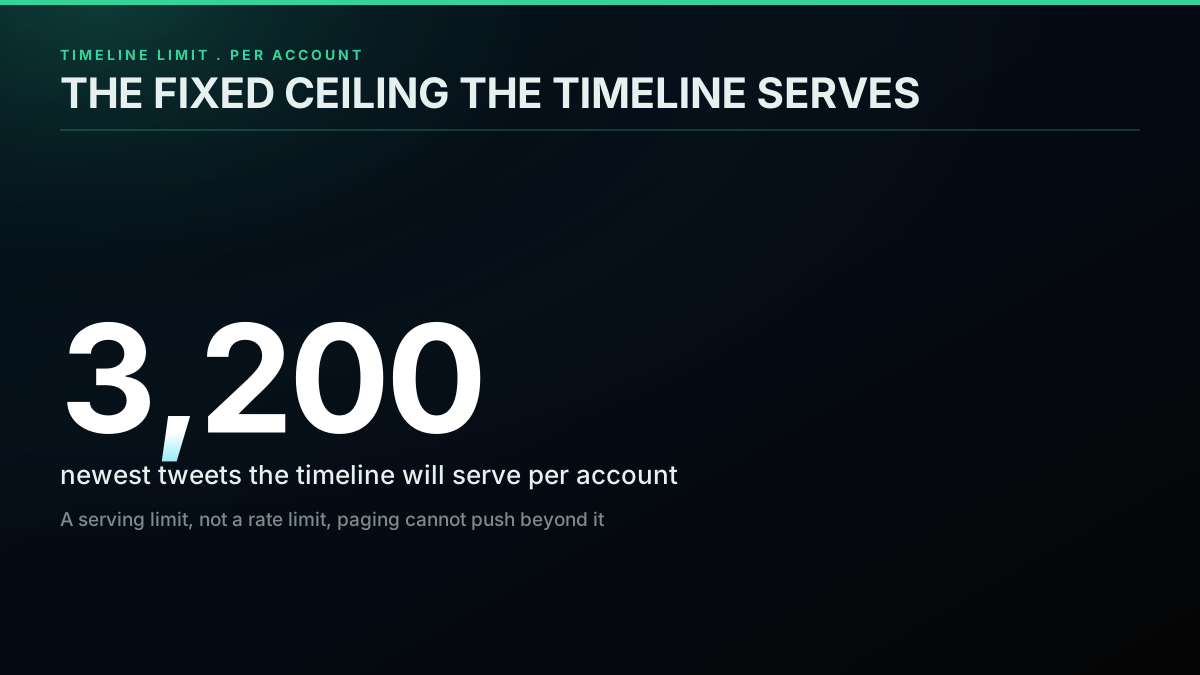
The 3,200 number is a serving limit, not a rate limit, and that distinction is exactly why the obvious fix flops. A rate limit only delays you: ride out the window and you carry on. The serving cap does not delay you, it ends you. X exposes an account's newest 3,200 tweets through the timeline and declines to go deeper, no matter the call count or the care you take paging. The official X timeline documentation has spelled out this ceiling on the user timeline for years. So once the goal becomes the full history instead of the recent slice, hammering the timeline harder is not tactics, it is a wall.
Where the old tweets actually live
The cap exists for a structural reason. Serving timelines means parking a recent slice of every account's tweets in fast storage that can be stitched into a feed on demand, and holding that slice to 3,200 keeps the storage bill bounded across hundreds of millions of accounts. Older tweets are not erased; they roll out of the fast-serving slice and into systems tuned for lookup by id or by query instead of reverse-chronological paging. That is the whole reason search can still reach them while the timeline will not page that far: the tweets sit in a different store with a different access shape. History backs this up. The Library of Congress archived public tweets from 2010 to 2017 precisely because the complete record counted as a primary source worth keeping, and the wider history of the platform is full of episodes researchers later had to rebuild. None of that holds if older tweets vanished at the 3,200 line. They survive; they just leave the timeline.
This is not arcane developer lore. Regular users trip over it all the time and find it baffling, since nothing in the app explains why their own older posts dropped from view. One r/Twitter member asked it directly:
how to go back further in my tweets
The hunch in that thread, that wiping recent tweets might surface the old ones, misses, but it lands on the right picture: the timeline is a fixed-size porthole onto a far bigger history, and the older tweets persist, just out of timeline reach. The answer is not to fiddle with the porthole. It is to walk in through another entrance.
Timeline versus search: two endpoints, two ceilings
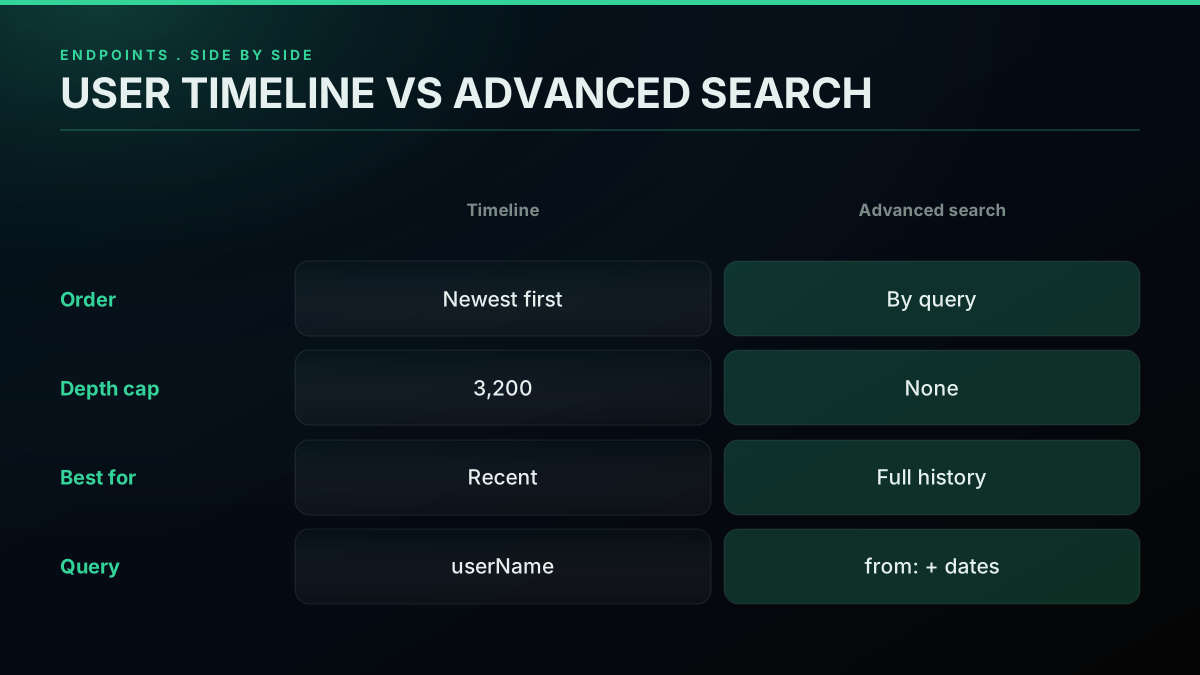
There are two ways to read an account's tweets, and their limits are nothing alike, which is the realization the rest of this rests on. The timeline path returns tweets newest-first, quick and plain, but it floors out at the newest 3,200. The search path returns tweets that match a query, including from:username paired with a date range, and it carries no 3,200-tweet ceiling. Most people only ever touch the timeline path because it is the obvious one, hit the cap, and decide the rest is lost. It is not lost. Search reaches it.
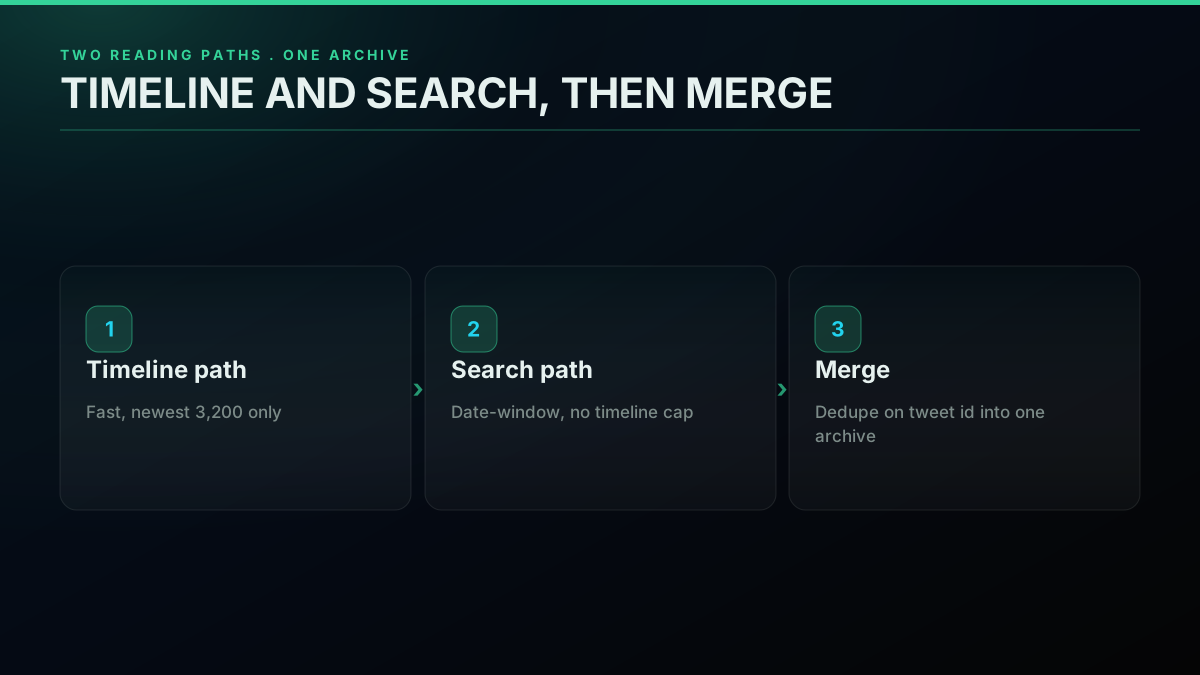
The upshot is that a complete pull leans on both paths for what each does best. The timeline grabs the recent 3,200 fast in a few paged calls, and date-window search reaches everything older. Knowing which endpoint answers which question is most of the game, so it pays to line the two up before any code lands.
A developer on X compressed the whole situation into a single post that spoils the rest of this guide:

Richard H
@TheHoogie
Did you know you can only scroll back through a timeline for 3,200 tweets? It sounds like a lot but for example I can only scroll back to July last year. To see anything further back you have to use the search function, grok says. So we’re only as good as our last 3,200 tweets!
Exactly so, and the rest of this turns "use the search function" into a working routine.
Step 1: grab the recent layer off the timeline
Start with the simple half. To gather an account's newest tweets up to the 3,200 line, hit the user timeline endpoint and page it with a cursor. Each response carries a tweets array and a next_cursor; feed the cursor into the next request and stop once next_cursor comes back null or empty, or once you have enough. This is the standard paging loop, and it is the right fit for recent data because it is fast and ordered. It just cannot cross the 3,200 line, so treat it as the recent-history grabber, not the full-history one.
Here is the timeline loop, run live against the API ahead of publishing:
import requests

API_KEY = "YOUR_API_KEY"
BASE = "https://api.twitterapis.com"


def collect_recent_layer(handle, page_cap=2):
    """Page the user timeline. Quick for recent tweets, ceilinged near 3,200."""
    out, cursor, page = [], None, 0
    while page < page_cap:
        qs = {"userName": handle, "count": 20}
        if cursor:
            qs["cursor"] = cursor
        resp = requests.get(
            f"{BASE}/twitter/user/tweets",
            params=qs,
            headers={"Authorization": f"Bearer {API_KEY}"},
        )
        payload = resp.json()
        out.extend(payload.get("tweets", []))
        cursor = payload.get("next_cursor")
        if not cursor:
            break
        page += 1
    return out


recent = collect_recent_layer("nytimes", page_cap=2)
print(f"Grabbed {len(recent)} recent tweets off the timeline")
Bump page_cap and the loop keeps walking the timeline until next_cursor comes back empty or you reach roughly the 3,200 wall, whichever lands first. For an account that posted fewer than 3,200 times total, the timeline alone is the whole history and you are done. For anyone busier, the timeline is just the top layer, and the next section is where the real work sits. This same cursor shape recurs across the read API; our Python Twitter API tutorial and the TwitterAPIs best practices guide go deeper on it, and the rate limits guide covers the pacing.
Step 2: reach the deep archive with date-window search
This is the move that clears 3,200. Rather than asking the timeline for an account's recent tweets, you ask search for an account's tweets inside a set date range, with a query shaped like from:username since:YYYY-MM-DD until:YYYY-MM-DD. Search does not serve from the capped slice, so a range from years back returns tweets from years back. Slice the account's whole life into adjacent date ranges, query each one, page it with the same cursor loop, and you have covered the full public archive the timeline refused to show.
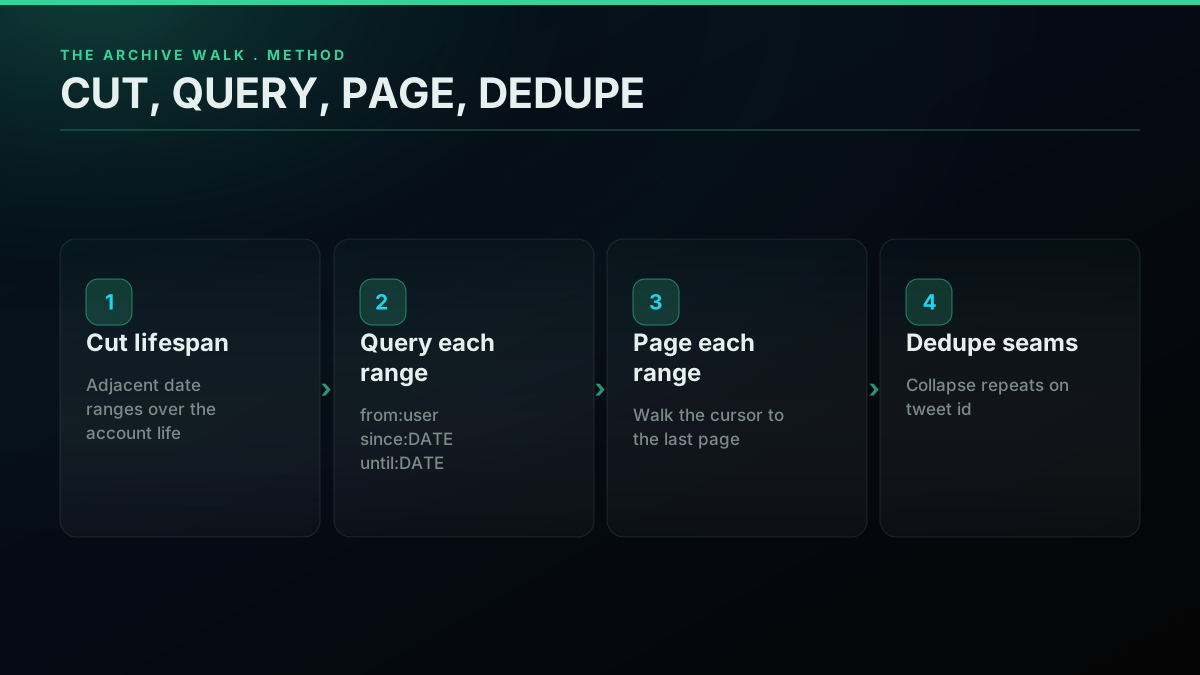
The single-range function is the same cursor loop as before, aimed at the search endpoint with a from: plus date-range query. This block ran live before publishing:
import requests

API_KEY = "YOUR_API_KEY"
BASE = "https://api.twitterapis.com"


def search_one_range(handle, since, until, page_cap=3):
    """Read an account's tweets inside a date range. No 3,200 ceiling here."""
    bucket, cursor, page = [], None, 0
    while page < page_cap:
        query = f"from:{handle} since:{since} until:{until}"
        qs = {"query": query, "product": "Latest"}
        if cursor:
            qs["cursor"] = cursor
        resp = requests.get(
            f"{BASE}/twitter/tweet/advanced_search",
            params=qs,
            headers={"Authorization": f"Bearer {API_KEY}"},
        )
        payload = resp.json()
        bucket.extend(payload.get("tweets", []))
        cursor = payload.get("next_cursor")
        if not cursor:
            break
        page += 1
    return bucket


# A range from a year or two back still returns tweets, unlike the timeline
slice_2023 = search_one_range("nytimes", "2023-06-01", "2024-01-01")
print(f"Range 2023-H2 returned {len(slice_2023)} tweets")
The detail to catch is that the date range is historical and the call still returns tweets, which is the precise thing the timeline cannot do. The same request as a one-liner curl reads like this, also verified live:
curl -s -G "https://api.twitterapis.com/twitter/tweet/advanced_search" \
  --data-urlencode "query=from:nytimes since:2023-06-01 until:2024-01-01" \
  --data-urlencode "product=Latest" \
  -H "Authorization: Bearer YOUR_API_KEY"
Mind that the parameter is query. The from: operator is what makes this an archive walk instead of a keyword search; a bare keyword with a very old date range often returns nothing, but from:account inside a range reliably returns that account's tweets for the period. For the full operator set you can stack here, including language, replies, and media filters, see the Twitter advanced search operators reference. Set against the timeline path, that reach gap is the entire point of this guide.
Start building with TwitterAPIs
$0.0008 a call, about $0.04 per 1,000 tweets at 20 tweets a page. $0.50 free credits. No credit card required.
Building the window list
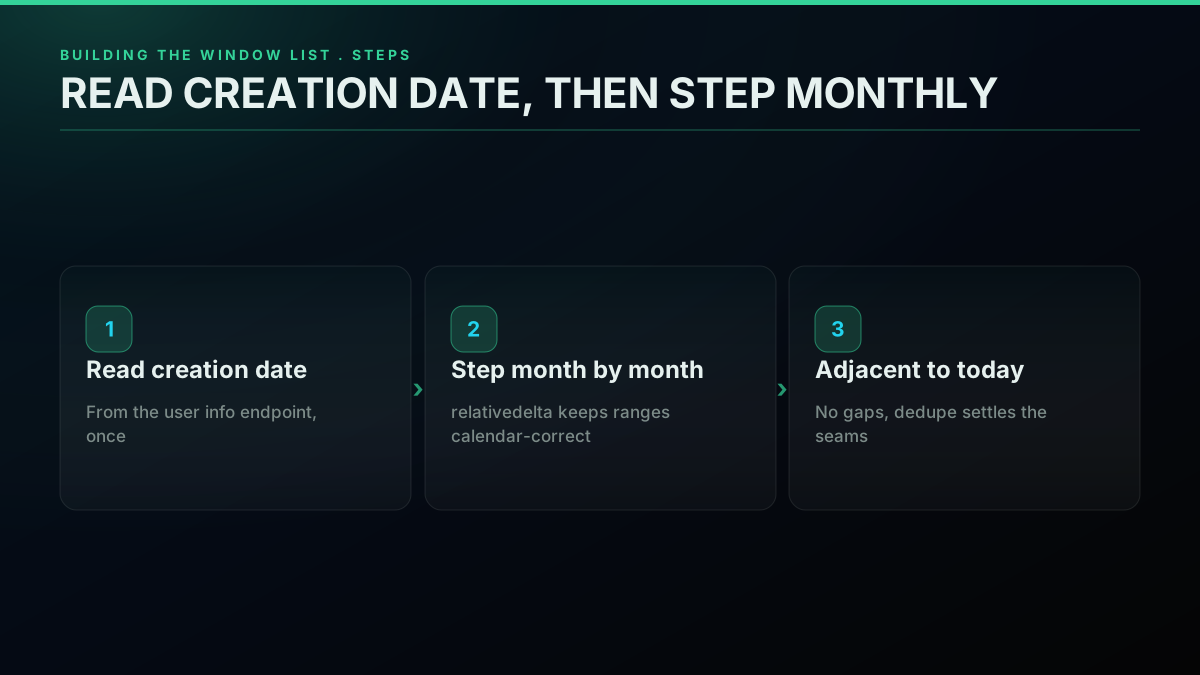
The walk is only as good as the ranges feeding it, so the next piece is generating a clean, adjacent list of date ranges from the account's first tweet to today. Read the account's creation date once from the user info endpoint, then step month by month, or week by week for a heavy poster, to assemble the list. There is no deliberate overlap to engineer; keep the ranges touching and let dedup settle the seams later. Nailing the start date matters because guessing a start that is too recent silently drops the oldest tweets, the exact ones the timeline already buried.
First, read the account's creation date. This block ran live before publishing:
import requests

API_KEY = "YOUR_API_KEY"
resp = requests.get(
    "https://api.twitterapis.com/twitter/user/info",
    params={"userName": "nytimes"},
    headers={"Authorization": f"Bearer {API_KEY}"},
)
info = resp.json().get("user", {})
print("Account created:", info.get("created_at"))
With a start date in hand, building the ranges is plain date math and needs no API at all. The one library worth reaching for is python-dateutil, whose relativedelta steps calendar months correctly, sidestepping the off-by-a-few-days drift you get adding fixed 30-day deltas. Calendar-correct stepping matters more than it seems: over a multi-year account, raw 30-day ranges drift, eventually falling out of step with the months you reason about and making per-range counts harder to sanity-check.
from datetime import date
from dateutil.relativedelta import relativedelta


def chunk_into_months(start, end):
    """Adjacent month ranges from start to end as (since, until) pairs."""
    ranges, cur = [], start
    while cur < end:
        step = cur + relativedelta(months=1)
        ranges.append((cur.isoformat(), min(step, end).isoformat()))
        cur = step
    return ranges


months = chunk_into_months(date(2023, 1, 1), date(2024, 1, 1))
print(months[0], "->", months[-1], f"({len(months)} ranges)")
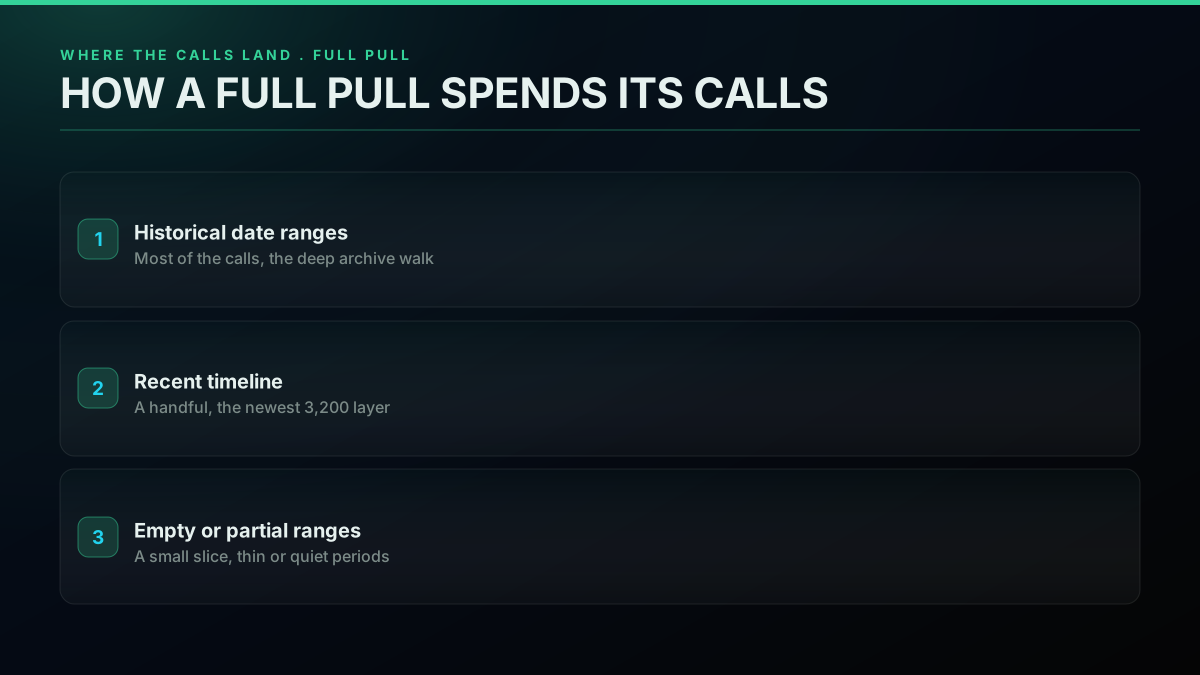
For an account posting dozens of times a day, a month can carry more tweets than one range pulls cleanly, so drop to weekly ranges for those. For a quiet account, monthly or even yearly ranges are fine. The sizing rule is plain: if a range comes back full with more pages still queued, it was too wide for that period and should shrink. Reading per-account volume is what separates a complete pull from a quietly clipped one.
Killing duplicates at the seams
Because touching ranges can each return the same tweet at a boundary, and because re-running a range can overlap an earlier pull, you have to dedupe on the tweet id before anything gets stored. This is not optional housekeeping; skip it and your archive double-counts, which poisons any volume or frequency work you run later. The dedup itself is trivial, a set of seen ids, but doing it while you merge each range keeps memory flat even for huge archives. Treat the tweet id as the single source of identity, never the text or the timestamp, since retweets and edits can collide on those.
This is a pure in-memory step with no API call:
def absorb_new(store, batch, seen):
    """Append only tweets whose id is unseen, mutating store in place."""
    for tweet in batch:
        tid = tweet.get("id")
        if tid and tid not in seen:
            seen.add(tid)
            store.append(tweet)
    return store


archive, seen = [], set()
# for since, until in months:
#     absorb_new(archive, search_one_range("nytimes", since, until), seen)
Run that merge after each range pull and the boundary repeats vanish with no second pass. With recent tweets arriving from the timeline path and historical tweets arriving from the range walk, the same seen set stitches both halves into one archive cleanly, so a tweet that shows up in both the recent timeline and the newest date range gets stored exactly once.
Running a long backfill without babysitting it
A full-history pull is not one request, it is hundreds, so two operational concerns surface that a quick snippet never shows: pacing and resumption. Pacing means not firing every range back to back as fast as the loop will go. Even on a read endpoint where the provider runs the access layer, a steady cadence is gentler all around and lets a transient hiccup get absorbed by a short backoff instead of a crash. A simple shape is to sleep briefly between ranges and to retry a failed range once or twice with a growing delay before moving on, which the requests library makes easy with its session and timeout handling. A backfill is a marathon, and pacing it like one keeps it boring, which is exactly what you want from infrastructure.
Resumption matters because a pull of a very busy account can run for a while, and a dropped connection at range three hundred should not mean starting over. The fix is to checkpoint as you go. Since the ranges are deterministic and ordered, you only need to note which range you last finished; on restart, skip every range up to and including that one and continue. If you append to storage as you pull, rather than holding the whole archive in memory until the end, a restart just keeps writing where it stopped. That is the line between a backfill you can leave running and one you have to watch. Designing for resumption from the start costs a few lines and saves the whole run when something inevitably blinks.
A worked example makes the payoff concrete. Picture a ten-year account that posts twenty times a day: weekly ranges put that history at roughly five hundred and twenty windows, and a busy week can need several pages each, so the run is comfortably into the thousands of calls and may stretch across an hour or more of wall-clock time. Somewhere in that hour a connection will reset, a range will time out, or the machine will sleep. With a checkpoint file holding the index of the last completed range, the restart reads that number, fast-forwards past the windows already on disk, and resumes mid-archive with nothing re-fetched and nothing dropped. Without it, the same blip throws away every range gathered so far and bills you a second time to redo them. The checkpoint is a single integer written after each range clears, and that one integer is what turns a fragile long pull into a routine one.
Checking the archive is whole
Gathering tweets is half the job; the other half is knowing whether what you gathered is actually complete, because a quietly clipped archive is worse than an obviously empty one. The first check is per-range counts: log how many tweets each range returned, and a range that comes back unexpectedly empty in the middle of an account's active stretch is a flag to look into, not a result to trust. A run of zeros across months when the account was clearly posting usually means a range was sized wrong or a request failed silently and got skipped. The second check is continuity: sort your gathered tweets by timestamp and scan for gaps that do not match the account's known quiet spells. Real accounts have natural lulls, but a sharp cliff that then resumes often marks a range that needs a re-pull.
These habits come straight out of the research-archiving world, where the integrity of a tweet dataset decides whether any analysis built on it stands. Projects like Documenting the Now exist precisely because gathering social media data responsibly and completely is its own craft, not an afterthought. You do not need their whole apparatus for a single-account pull, but the core lesson carries: treat the archive as something to validate, not just something to pile up. A few counting and continuity checks at the close of a run catch the silent holes that would otherwise only show up when an analysis returns something strange and you cannot say why.
The honest limits
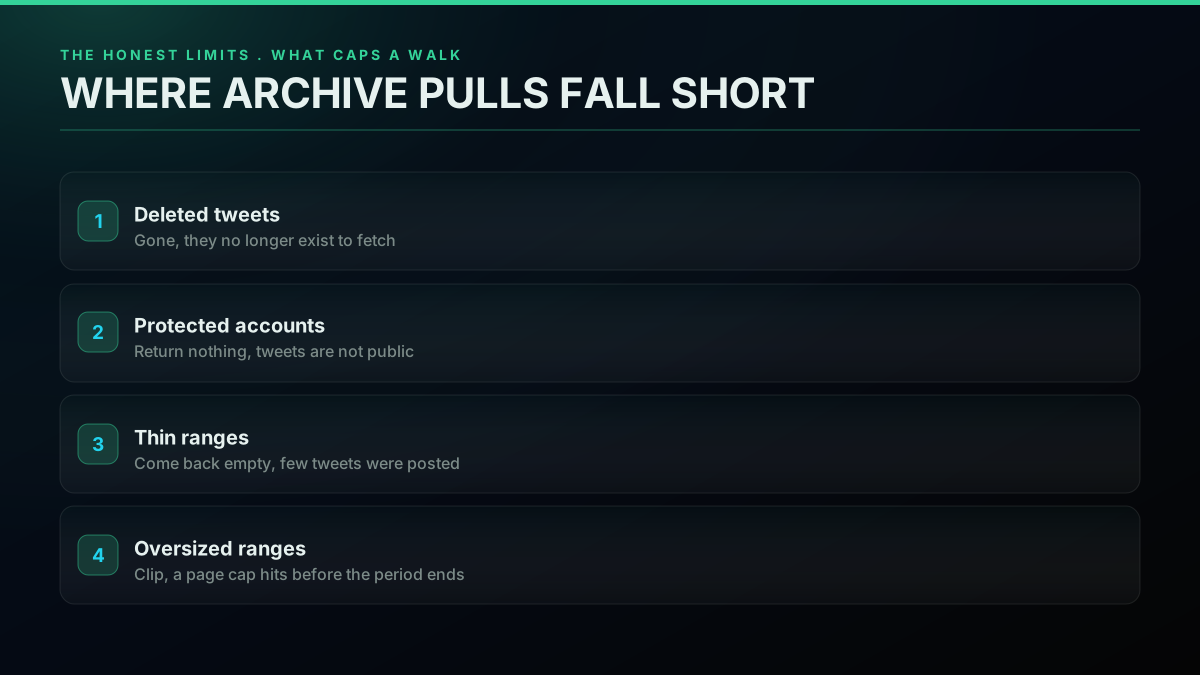
No archive method is flawless, and pretending otherwise sets you up to ship a dataset with silent holes, so here is what genuinely caps a date-window walk. Deleted tweets never return, because they no longer exist anywhere to fetch. Protected accounts return nothing, because their tweets are not public. Very old or very quiet ranges can come back thin or empty, not because the method broke but because there genuinely were few tweets then. And an oversized range on a heavy poster can hit a page count before it has served the whole period, which is why range sizing matters. None of these is a bug in your code; they are properties of what public tweet data is.
The other real limit is emotional, not technical: people expect their own full history to sit one click away, and it does not. A game developer on r/Twitter described losing visual access to years of build-in-public posts after platform changes, a record of real work that simply stopped showing:
All Tweets from before last September are hidden
The good news for that exact case is that the tweets were not deleted, only hidden from the timeline, which means a date-window walk over that stretch can recover them. The method does not conjure data that is gone; it recovers data that was merely out of reach, which is most of what people actually lose.
The cheapest pay-as-you-go Twitter API. Try it free.
$0.0008 a call, about $0.04 per 1,000 tweets at 20 tweets a page. $0.50 free credits. No credit card required.
Choosing a storage shape
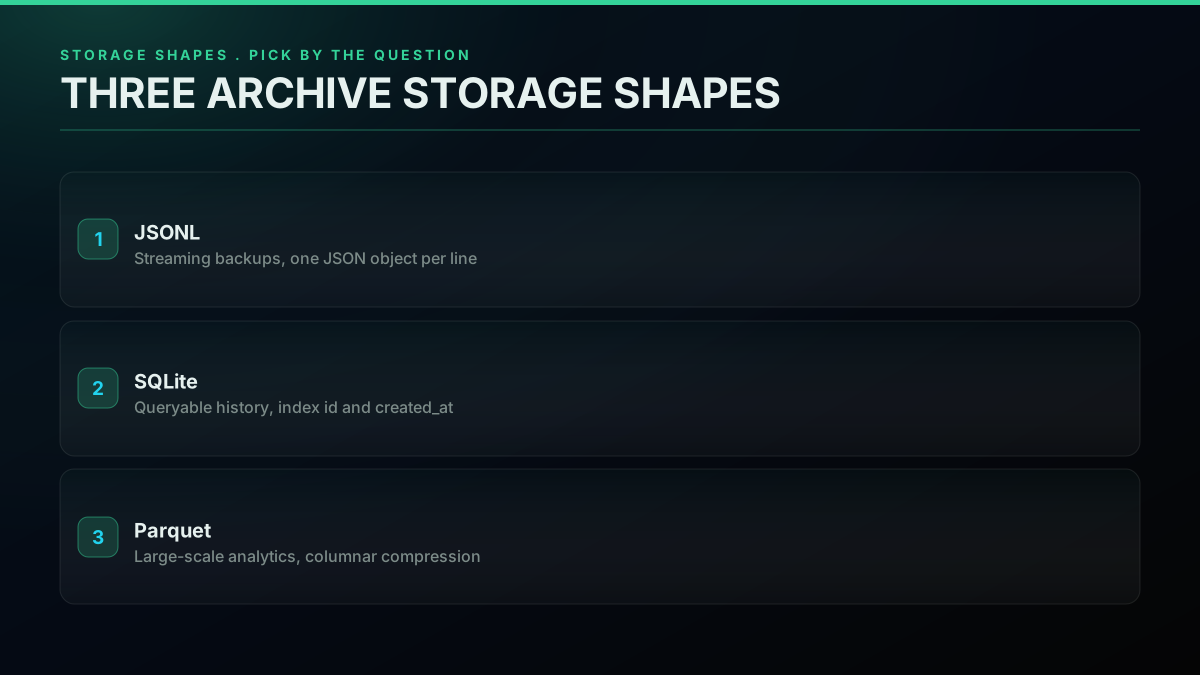
Once tweets start flowing in, you need somewhere to keep them that supports the questions you will ask later, and the right shape follows the job. For a plain backup or a feed into another tool, append each tweet as one JSON object per line to a JSONL file, which streams cheaply and never holds the whole archive in memory. For querying by date, author, or engagement, load into SQLite with an index on id and created_at. For analytics over millions of tweets, a columnar format like Parquet earns its keep. Pick the shape from how you will read it, not from how you gathered it, because re-shaping a big archive after the fact is the costly part.
The JSONL append pattern is the simplest and the one most pipelines open with. It is a pure file operation with no API call:
import json


def write_to_jsonl(path, tweets):
    """Append tweets to a JSONL archive, one object per line."""
    with open(path, "a", encoding="utf-8") as fh:
        for tweet in tweets:
            fh.write(json.dumps(tweet, ensure_ascii=False) + "\n")
For querying, the Python standard library sqlite3 module hands you a zero-dependency store with real indexes, usually the right next step once a JSONL file gets unwieldy. SQLite handles archives of a few million rows comfortably on a laptop, and a unique index on the tweet id turns your dedup logic into a database constraint, so a re-run that re-pulls an overlapping range cannot create duplicates even if your in-memory set was lost. That belt-and-suspenders pairing, a seen set during the run plus a unique index at rest, is what makes a long backfill safe to stop and restart.
When the archive outgrows what a single SQLite file wants to carry, or when the work is analytical rather than transactional, a columnar format is the move. Apache Parquet stores each field in its own column, so a query that only reads timestamps and engagement counts never touches the tweet text, and the compression on repetitive fields like author ids is dramatic. The rule of thumb is the same one that governed range sizing and storage choice throughout this guide: pick the shape from the question you will ask. A backup wants JSONL, a queryable history wants SQLite, and a multi-million-tweet analysis wants columnar. If your archive feeds an analysis rather than a backup, the Twitter sentiment analysis tutorial shows the kind of pipeline a clean historical dataset unlocks.
What a full pull costs
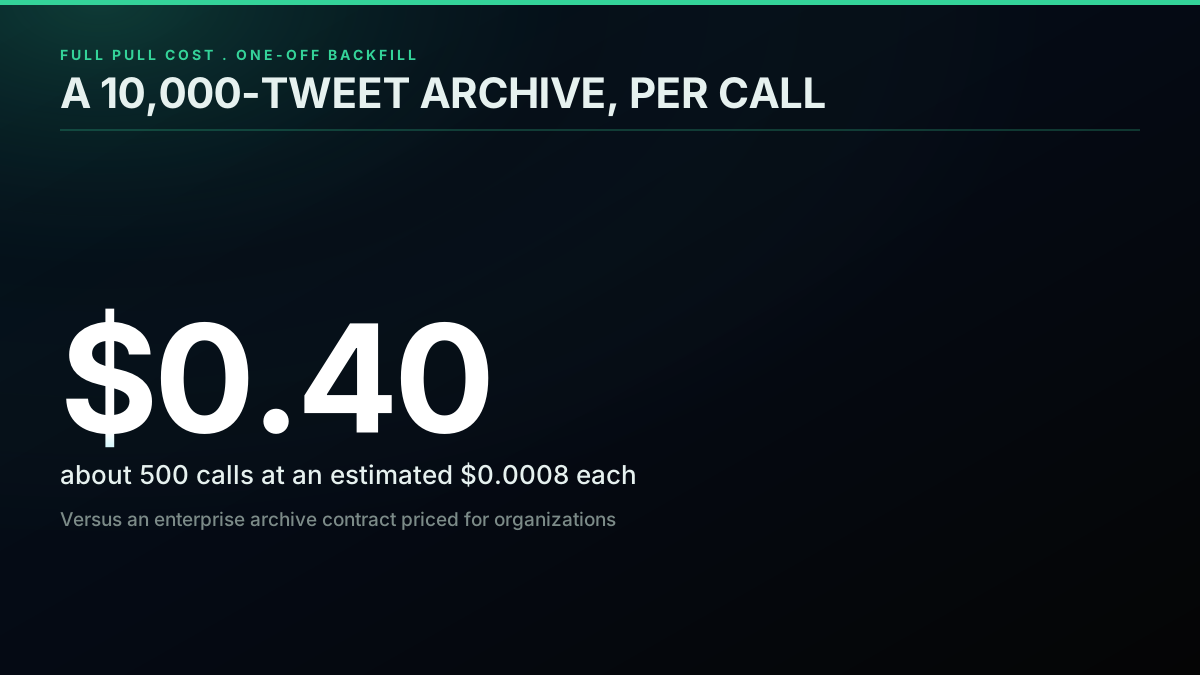
A full archive pull sounds pricey and is not, because it is a one-off backfill billed per call rather than a recurring subscription. Each search call returns up to about 20 tweets, so an account with 10,000 tweets is roughly 500 calls when every page fills. At the standard per-call rate on the pricing page, an estimated $0.0008 a call, that is near $0.40 for the entire history, plus a little slack for the empty or partial ranges the walk inevitably hits. There is no monthly tier to clear and no enterprise contract to sign for archive access; you pay for the calls you make to backfill, and a finished archive then costs nothing to hold.
It is worth setting that against the alternatives, because the cost shape is what makes the per-call route practical for archives. Official enterprise archive access is sold on yearly contracts priced for organizations, not individuals, which puts a full-history pull out of reach for most researchers and indie builders. A per-call read endpoint turns the same job into pocket change for a one-off backfill.
For the full pricing model across read workloads, our Twitter API cost guide carries the workload-by-workload math, the cost calculator lets you plug in your own volumes, and the breakdown of whether the Twitter API is free covers what the official free tier does and does not include.
The official archive download, and when to use it
There is one legitimate alternative worth naming plainly, because it answers a different question than this guide does. X lets you download your own account's archive as a ZIP from account settings, documented in the official help on downloading your X archive. That is the right tool for a personal backup of your own data and nothing past that. It does nothing for any other account, it is not programmatic, you cannot run it across many accounts, and you cannot fire it on a schedule. The most-viewed community tutorials on getting tweet history at scale are all about code paths for that exact reason, like this walkthrough of pulling tweets in Python without the official write API:
https://www.youtube.com/watch?v=MNEw3Mplm7E
The frustration in threads about lost old tweets usually traces back to not knowing this split exists. Users who only want their own backup reach for the archive download; developers who need any account's history, in JSON, on a schedule, reach for date-window search. One user caught the despair that comes before learning the difference:

Nikki heard the black dog live ❤️🔥
@daylightnikki
Why can't we see tweets older than 3200 tweets ago? I lost my favorite tweet 😐
The favorite tweet is almost certainly still there. It just sits behind the search door rather than the timeline door, and once you know that, the recovery is one date-window query away.
The whole pipeline in one view
The full pipeline is small once the parts are clear. Read the account creation date, build adjacent date ranges from then to now, pull the recent layer off the timeline and every historical range out of search, dedupe on tweet id as you merge, and append to whatever storage shape fits how you will read it later. The recent timeline gives you speed, the range walk gives you depth, and dedup stitches them into one clean archive. For wider context on the read API this builds on, the complete Twitter API tutorial ties the endpoints together, how to get an API key covers setup, and if you are moving off the official API, the Twitter API v2 versus this API comparison and the twitterapi.io migration guide walk the switch. For neighboring jobs, exporting an account's followers and pulling trending topics by location lean on the same paged pattern.
Bottom line
The 3,200-tweet limit feels like a bolted door, and for the timeline path it is. But it was never a wall around the data, only a porthole onto the most recent slice of it. The slip almost everyone makes is treating the timeline as the only way in, hitting the cap, and deciding the rest is gone. The whole shift here is to stop picturing an account's tweets as one ordered feed and start picturing them as a dataset you query by date, which turns an impossible scroll into a routine backfill.
The full history of any public account stays retrievable; you just reach it through date-window search instead of timeline paging, page each range with a cursor, dedupe on id, and store the result in a shape that fits your analysis. It is a one-off backfill, billed per call, that runs about forty cents for a ten-thousand-tweet archive and needs no enterprise contract. The people in those Reddit and X threads who think their old tweets are gone are mostly wrong: the tweets sit behind the search door, not deleted. Start on the pricing page, grab a key through the sign up flow, and the Apify scraper comparison shows how the per-call route stacks up if you are weighing a marketplace actor for the same job.
// sources
Where these numbers come from
Each row is a figure in this post and the artefact it was read from. Prices and limits on this platform move, so check the date on the source before you plan against it.
- X timeline documentation
- The official source for the 3,200 tweet serving cap on the user timeline, which the post distinguishes from a rate limit because waiting out a window does not get past it.
- X help article on downloading your account archive
- Backs the one legitimate alternative the post names, a ZIP export of your own account from settings, and its limits: not programmatic, one account only, and not schedulable.
- python-dateutil relativedelta documentation
- The library the post uses to step calendar months correctly when building date-window ranges, avoiding the drift that fixed 30-day deltas accumulate over a multi-year account.
- Python sqlite3 module documentation
- Backs the storage step where a unique index on the tweet id turns dedup into a database constraint, so a re-run over an overlapping range cannot create duplicates.
- Apache Parquet project
- The columnar format the post recommends once an archive outgrows a single SQLite file, because a query reading only timestamps and engagement counts never touches the tweet text.
- Documenting the Now project
- The research-archiving project the post cites for its validation habits, the counting and continuity checks that catch silent holes in a completed backfill.
Frequently Asked Questions
The 3,200 figure is a timeline-serving limit, not a rate limit. X keeps an account's newest 3,200 tweets reachable through the timeline endpoint and stops there, however many calls you fire and however patiently you page. That ceiling has held on the user timeline for years. Reaching anything older than the newest 3,200 cannot be done by paging the timeline further. You move to a separate retrieval path, search, which is not tied to the timeline window.
Any public, non-protected account can be pulled in full. Protected accounts return nothing because their tweets are not public. Deleted tweets never surface because they no longer exist. Very old or very quiet ranges can come back thin or empty simply because few tweets were posted then. For an active public account, back-to-back date-window search reliably returns tweets from across its whole life, which the recent-only timeline cannot reach.
No. The official X archive download is a ZIP of your own account, and only yours. It is the right move for a personal backup. It does nothing for any other account, it is not programmatic, and it cannot run across many accounts or fire on a schedule. Date-window search through an API works on any public account, returns structured JSON you can process in code, and runs unattended, which is what a research or monitoring pipeline actually needs.
No. Proxies spread direct-scraping requests across many IPs so a target does not throttle one address. Reading through an API flips that: the provider runs the access layer and you hit one authenticated endpoint, so there is no IP pool to rotate, no ban rate to watch, and no proxy invoice. You page date windows with a bearer token. The only thing that grows is your call count, billed per call rather than per IP plus bandwidth.
Read through search rather than the timeline. A query shaped like from:username since:2022-01-01 until:2022-02-01 hands back that account's tweets inside that range, and search is not bound to the newest 3,200. Cut the account's lifespan into adjacent date ranges, query each, and you cover the whole public archive, then collapse the results by tweet id. The timeline is the fast lane for recent tweets; date-window search is the depth lane for the full record.
That scales with how much the account has posted. A search call returns roughly 20 tweets a page, so a 10,000-tweet record is about 500 calls when every page fills. At $0.0008 a call, the whole archive runs near $0.40, plus a little slack for thin or partial ranges. Cost tracks the size of the history, not a monthly tier, so a one-off backfill stays cheap and a finished archive carries no recurring charge.
Size the window to the account's volume. A heavy poster who tweets dozens of times a day can flood many pages in one week, so reach for week or month ranges and page inside each. A quiet account can take year-long ranges because a year may hold only a few hundred tweets. If a range returns a full page with more still queued, it is too wide for that period and should shrink. Aim for ranges small enough to page through cleanly with nothing skipped.
Check out similar blogs
More guides on the Twitter/X API, scraping, and pricing.

Twitter Scraping, Best Practices for Production in 2026
Production-grade Twitter scraping patterns, retry logic, pagination, proxy strategy, rate-limit handling, and cost optimization for any third-party API.

How to Track a Tweet's Performance in Real Time with the X API
Poll a tweet's engagement counts over time with the X API, compute a views-to-likes ratio, and read the quote-tweet layer to tell an organically growing launch tweet from a boosted one. Tested Python and curl.

How to Get Image URLs from X Tweets via API in 2026 (Full Resolution, Python and Node)
Pull image URLs out of X tweets with runnable Python and Node.js, then get the full-resolution original instead of the scaled copy the API hands you by default. Measured on 14 live images, with the video poster-frame trap and the per-call cost.
Twitter API Authentication in 2026: OAuth, Bearer Tokens, and Fixing 401
How Twitter (X) API authentication works in 2026: the four credential types, OAuth 1.0a versus OAuth 2.0, generating and using a bearer token, runnable Python and Node.js, and a fix for every 401 Unauthorized and 403 error, plus the one-header alternative.
How to Get Everyone Who Retweeted a Tweet via API (2026)
Pull the full list of accounts that reposted any tweet with a real 2026 API. Runnable Python and Node.js, cursor pagination for the whole list, a real amplifier ranking over live data, a bot filter, and the honest per-call cost.
How to Get All Replies to a Tweet via API (2026)
Pull the replies under any tweet with a real 2026 API. Runnable Python and Node.js, cursor pagination, the conversation_id tail sweep for the long tail, nested replies-to-replies, signal-versus-noise filtering over live data, and the honest per-call cost.
Twitter API Pagination 2026: How next_token Works (and a Simpler Alternative)
How Twitter API pagination works in 2026. The official next_token loop explained field by field, a simpler single-cursor alternative, runnable Python and Node code, and the real per-call cost of a paginated pull.
How to Search Tweets by Hashtag via API 2026 (Python + Node.js)
Search tweets by hashtag with a real 2026 API in Python and Node.js. Runnable code for the hashtag operator, engagement filters, cursor pagination, deduping retweets, counting authors, and the real per-call cost.