GUIDE
What a Twitter Scraper API Bills Per Job: Profiles, Followers, Replies and Search
A rate card for twitter scraper api jobs by data type. What 10,000 profiles, followers, following, replies and search results each bill, on live rates.
Per our own spec, 65 of 112 endpoints bill $0.0008, 24 are free, and 23 sit between $0.0016 and $0.01. Every price ships inside our published OpenAPI document as an x-cost-usd field, so any figure in this post can be checked against the contract that bills it rather than taken on trust.
Every twitter scraper api publishes a per-call rate. None of them publishes the one thing a buyer actually needs, which is what a job costs. A rate is a number per request. A job is "pull 10,000 profiles" or "grab the followers of these fifty accounts", and the distance between those two facts is where almost every scraping budget goes wrong. The rate is the easy part. The number of calls the job takes is the part nobody writes down, and it is set by how many items a single call hands back, which is different for every data type.
This post is the rate card nobody publishes. It prices six real jobs by data type, on live per-call rates, with the page size for each one measured against a real account rather than assumed. The headline is a seventy times spread across data types on a single read rate, and once you see where it comes from you can size any job in your head.
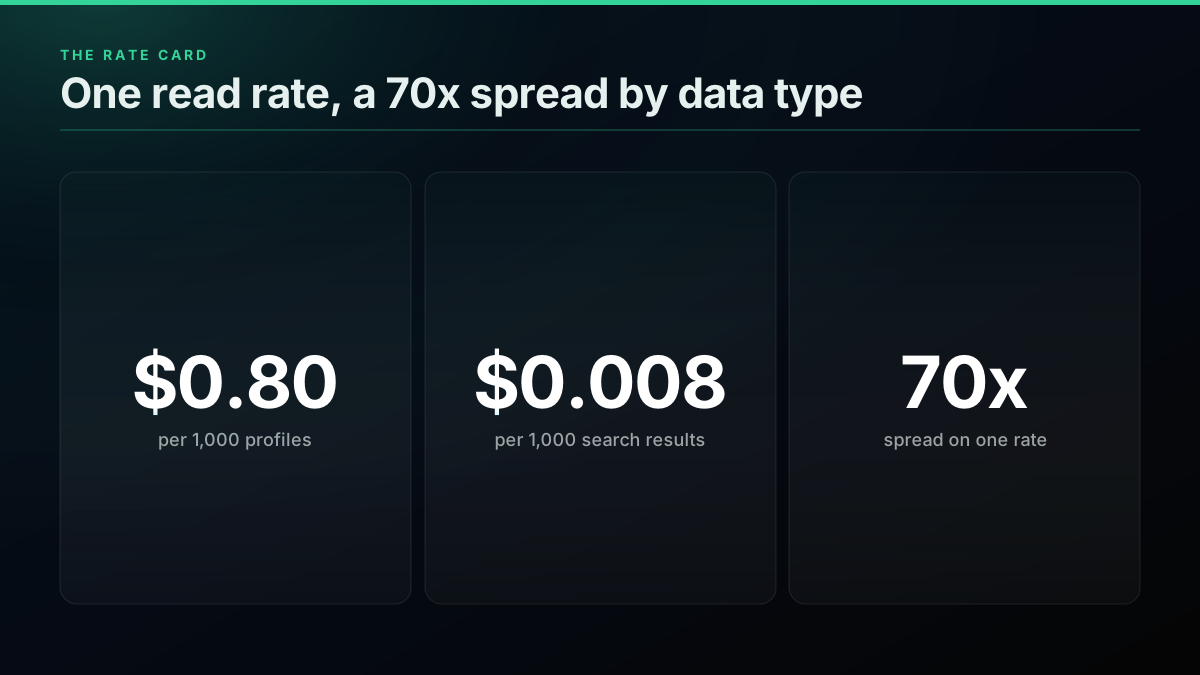
TL;DR: Price a scraping job by the data type, not the tweet count, because each endpoint returns a different number of items per billed call. On the standard $0.0008 read rate, 10,000 followers cost about $0.11, 10,000 search results about $0.40 at the default page or $0.08 at the largest, 10,000 replies about $0.20, and 10,000 profiles about $8.00. Full account history is the one premium read at $0.0024 a call, about $1.20 for 10,000 historic posts. Profiles are the expensive job because a profile call returns one account while a followers call returned 70 when measured, so the same rate bills seventy times as much per item. The free $0.50 signup credit buys 625 calls, which is 625 profiles or 43,750 followers.
Price the job, not the call
A per-call rate prices a request. A job consumes a sequence of requests, and the number in that sequence is a property of the data, not of the price sheet. Ask what a read costs and the answer is one number. Ask what scraping 10,000 followers costs and you need a second number first, the one that says how many followers come back per call.
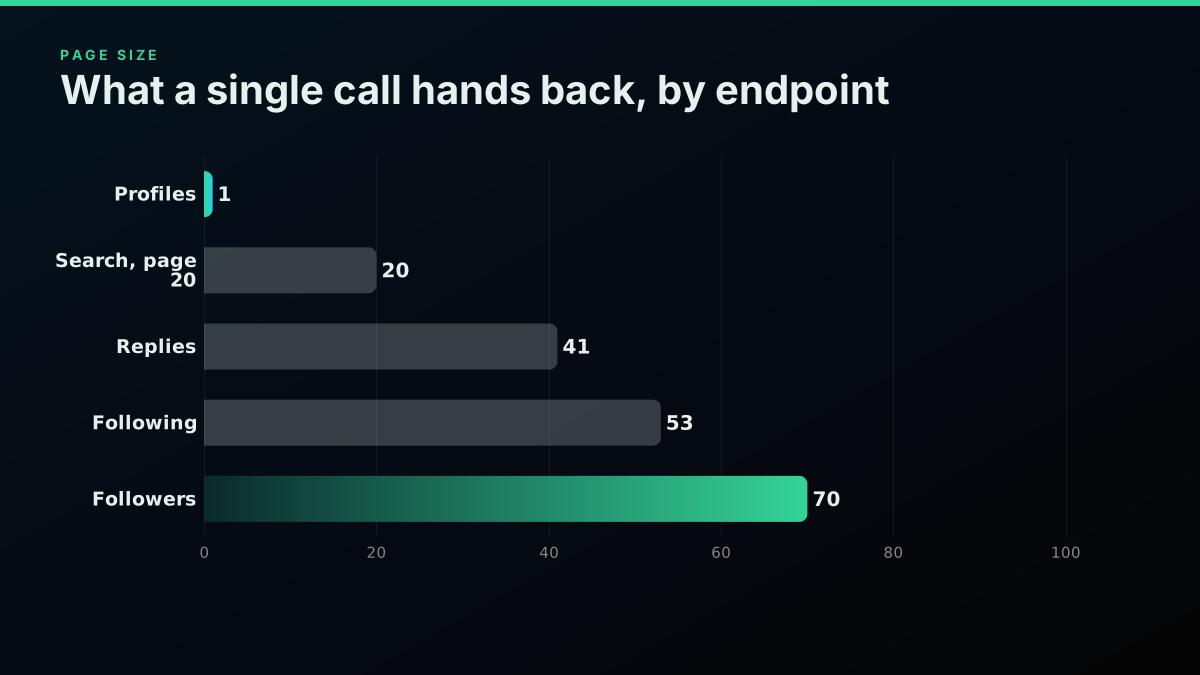
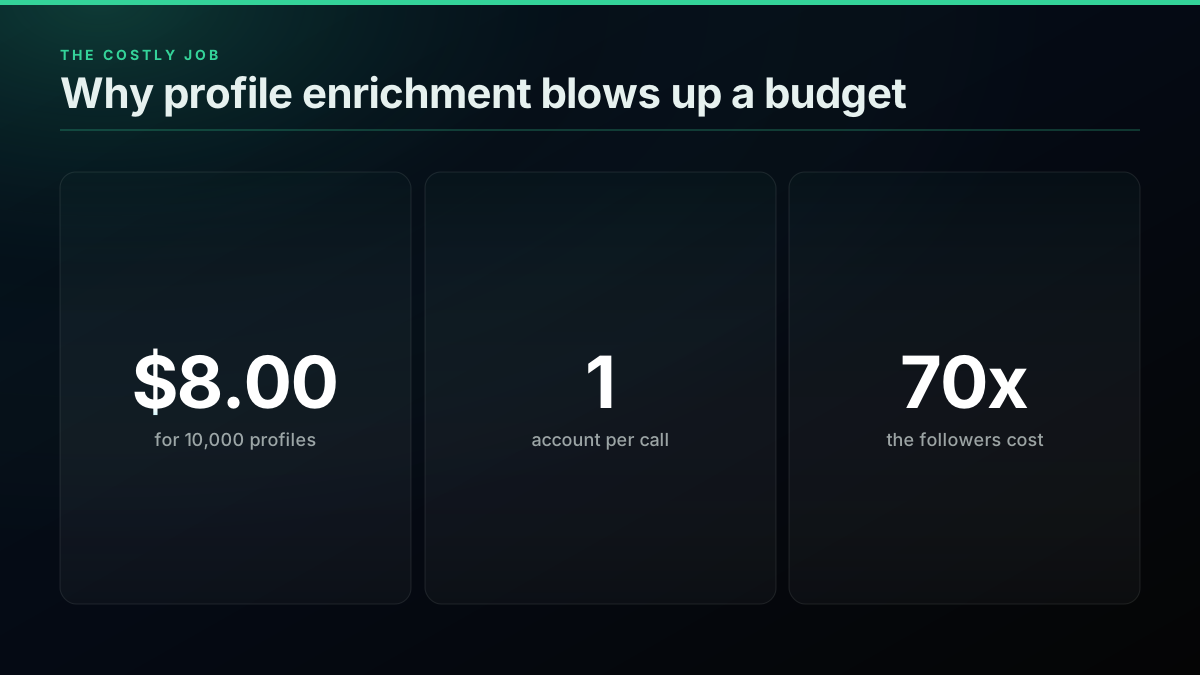
That second number is the page size, and it is the whole game. A followers call returned 70 accounts when measured live. A profile lookup returns exactly one. On the same $0.0008 rate, that single fact makes 10,000 profiles cost seventy times what 10,000 followers cost. The rate is identical. The unit the endpoint returns per call is not, and that is what a rate card can never tell you on its own.
The pattern holds across every data type on the card, so the useful unit of analysis is a named job, "enrich these profiles", "pull this account's followers", "collect replies to this post", not an abstract thousand tweets. Our per-call pricing walkthrough covers the rate itself, the companion post on cost by workload runs this same method with a pipeline rather than a data type as the denominator, and the cost of a one-million-tweet dataset prices raw tweet volume. This one prices jobs.
# The whole model. Rate from the live per-endpoint cost table.
import math

READ = 0.0008          # standard read, every endpoint except full history
COMPLETE = 0.0024      # user/tweets/complete, the one premium read

def job_cost(items, items_per_call, rate=READ):
    calls = math.ceil(items / items_per_call)
    return calls, round(calls * rate, 4)

print(job_cost(10_000, 70))    # followers:  (143, 0.1144)
print(job_cost(10_000, 1))     # profiles:   (10000, 8.0)
print(job_cost(10_000, 20))    # search@20:  (500, 0.4)
The rate card, by data type
Here is the card. Each row is a 10,000-item job, priced as calls times the live per-call rate, with the page size measured against a real account and stated beside it so you can swap in your own number and re-run the arithmetic for your own volume.
What a scraping job bills per data type, for a 10,000-item pull
| Data type (endpoint) | Items per call | Calls for 10,000 | Cost for 10,000 | Cost per 1,000 | Source |
|---|---|---|---|---|---|
| Search results (advanced_search, page 20) | 20 | 500 | $0.4000 | $0.04000 | measured |
| Followers (user/followers) | 70 | 143 | $0.1144 | $0.01144 | measured |
| Following (user/following) | 53 | 189 | $0.1512 | $0.01512 | measured |
| Replies (tweet/replies) | 41 | 244 | $0.1952 | $0.01952 | measured |
| Profiles (user/info) | 1 | 10,000 | $8.0000 | $0.80000 | measured |
| Full history (user/tweets/complete) | 20 | 500 | $1.2000 | $0.12000 | derived |
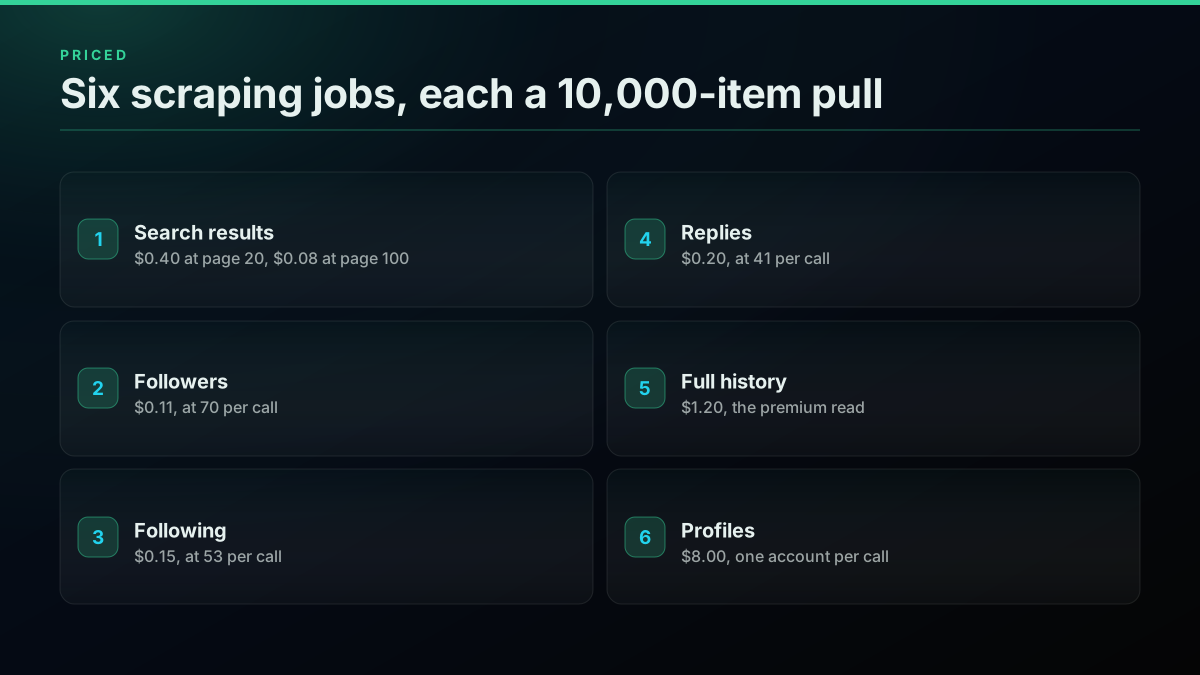
Three things in that table are worth reading slowly. Search is the cheapest per item because you set its page size yourself, anywhere from 1 to 100 results per call. Profiles are the most expensive by a wide margin because the lookup returns a single account and there is no page to spread the cost across. And full history is the only premium read on the card, three times the standard rate, because walking an account back to its first post is a heavier operation than reading a recent page.
Rate card
Cost per 1,000 items, by data type, on one read rate
| Point | Value |
|---|---|
| Profiles | 0.8 |
| Full history | 0.12 |
| Search, page 20 | 0.04 |
| Replies | 0.02 |
| Following | 0.015 |
| Followers | 0.011 |
The bar makes the spread physical. Followers, following and replies all sit near the floor because they page well. Profiles tower over everything, on the same rate, purely because of the data model. If a vendor quotes you a flat per-call price and stops there, this is the chart they are not showing you.
Where the calls actually go
Cost tracks calls, and calls track page size, so the honest way to see a scraping job is to count the calls it spends before the dollars it bills. The call count, not the rate, is the number the page size actually moves.
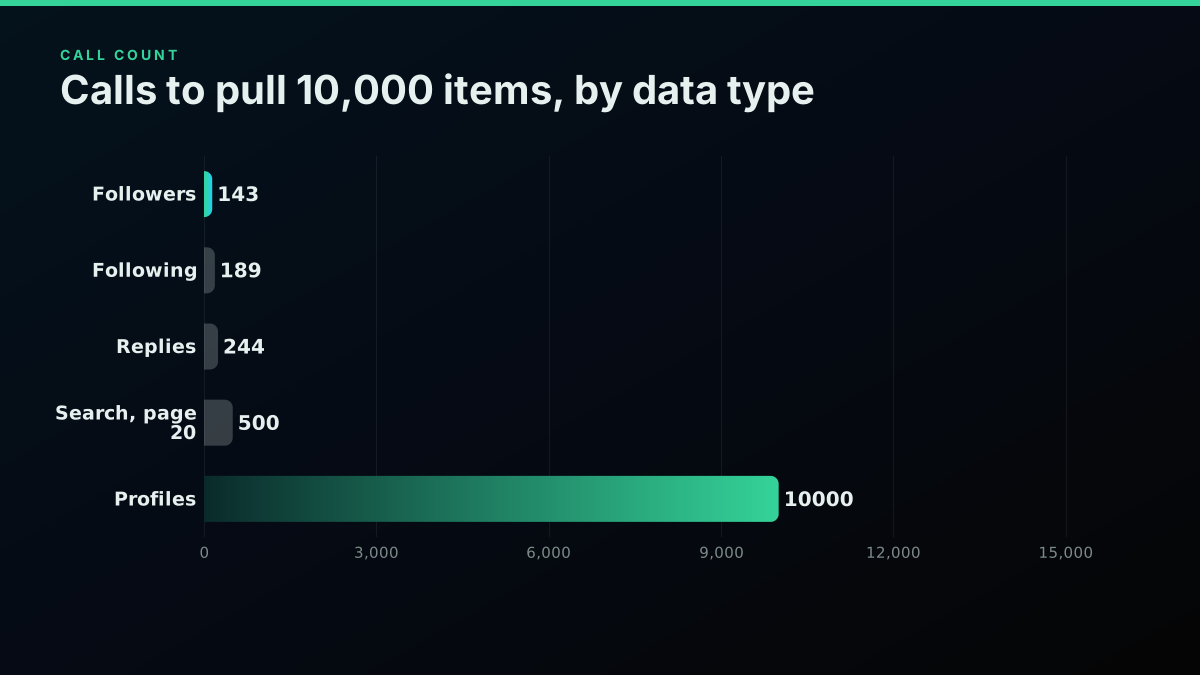
Ten thousand followers is 143 calls. Ten thousand profiles is 10,000 calls. That is the entire story of the bill in two numbers. A job that reads accounts one at a time cannot amortise anything, so its call count equals its item count, while a job that pages spreads one call across dozens of items. The rate limits guide covers how to pace those calls so a tight page-walk does not trip a limit, and the best practices guide covers cursor handling and connection reuse.
import requests

BASE = "https://api.twitterapis.com/twitter"

def page_followers(user_id, api_key, cursor=None):
    params = {"userId": user_id}
    if cursor:
        params["cursor"] = cursor
    r = requests.get(f"{BASE}/user/followers", params=params,
                     headers={"Authorization": f"Bearer {api_key}"}, timeout=30)
    r.raise_for_status()
    data = r.json()
    return data.get("users", []), data.get("next_cursor"), data.get("has_more")
That is the whole shape of a paging read: one call returns a page of users plus a cursor to the next page, and you walk it until has_more is false or you have enough. Each call is one billed read regardless of whether the page comes back full or half empty, which is why the page size you observe, not the one a doc promises, is the number that sets your bill.
Profiles are the job to watch
If one line item blows up a twitter scraper api budget, it is almost always profiles, and for a reason that has nothing to do with the rate: a profile read returns exactly one account, so the job cannot spread a single call across more than one subject.
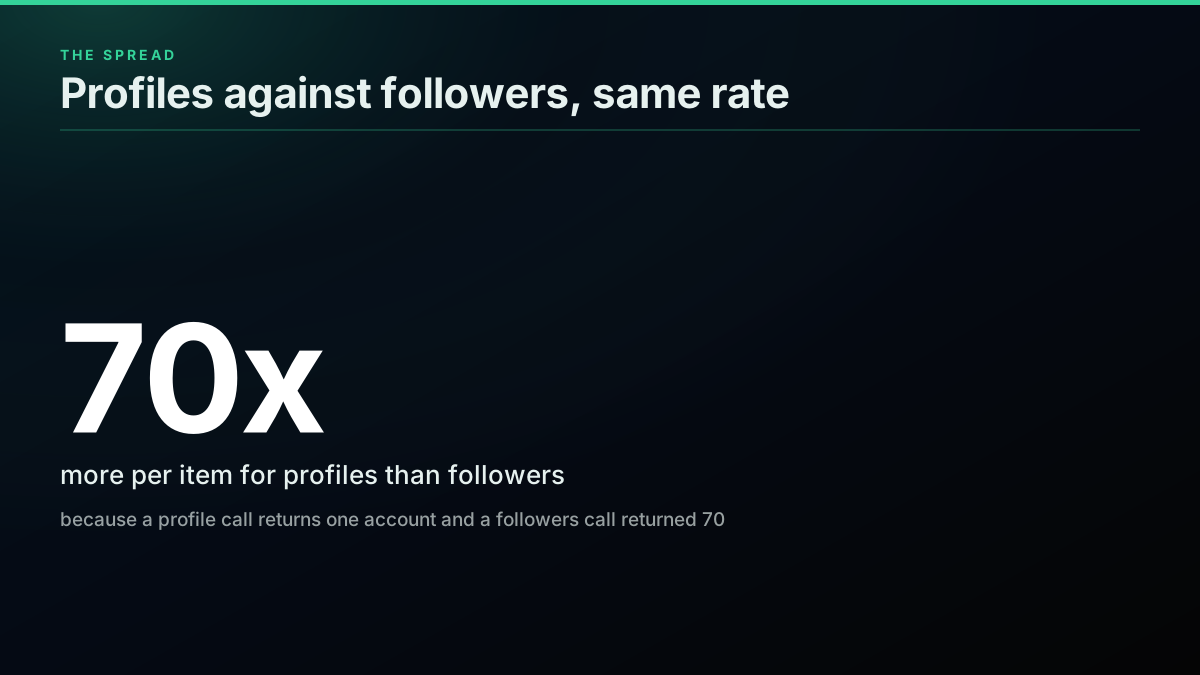
A profile read returns exactly one account. There is no batch: a bulk by-ids lookup is not offered on the public read surface, so enriching a list means one call per handle, every time. That makes profile enrichment the one job where volume does not help you at all, and where the cost per subject has a hard floor the rate cannot lower. A real enrichment job shows the shape plainly.
Worked example
One enrichment job, sized before any code
Accounts to enrich: 25,000 · Total data cost: $20.20 · Share spent on profile reads: 99%
☑ 25,000 profile reads cost $20.00, one call each · ☑ Finding the 25,000 handles by search cost $0.20 at the largest page · ☑ Deduplicating handles before the profile reads is the only real saving · ☐ Deleted and protected accounts return nothing, billed or not
Finding 25,000 handles by search costs about twenty cents at the largest page. Reading all 25,000 profiles costs twenty dollars, because that leg is one call each and pages nowhere. The only lever is to deduplicate your handle list before the profile reads, since every repeated handle you drop saves a whole call, and pulling clean handles out of free text for that set is a job for the Python re module. A developer who built a custom scraper for exactly this kind of account-level work described what it took to run:
i spent three weeks building a custom twitter scraper for my ai agent. it broke constantly. rate limits. undocumented endpoint changes. pagination nightmares.
— @RitOnchain view on X
That is the build-it-yourself tax, and it is why most teams reach for a read API with the pagination already handled. If you are weighing the two, the build versus buy comparison lays out where each one wins.
# Profiles do not batch: one call per handle. Dedupe first.
def enrich(handles, api_key):
    seen, out = set(), []
    for h in handles:
        key = h.lower()
        if key in seen:        # a repeat handle would bill a second time
            continue
        seen.add(key)
        r = requests.get(f"{BASE}/user/info", params={"userName": h},
                         headers={"Authorization": f"Bearer {api_key}"}, timeout=10)
        r.raise_for_status()
        out.append(r.json().get("user"))
    return out
Start building with TwitterAPIs
$0.0008 a call, about $0.04 per 1,000 tweets at 20 tweets a page. $0.50 free credits. No credit card required.
Search is the cheapest, if you set the page
Search is the one endpoint where you set the page size yourself, anywhere from 1 to 100 results per call, and that single piece of control is exactly why it is the cheapest data type per item on the entire rate card.
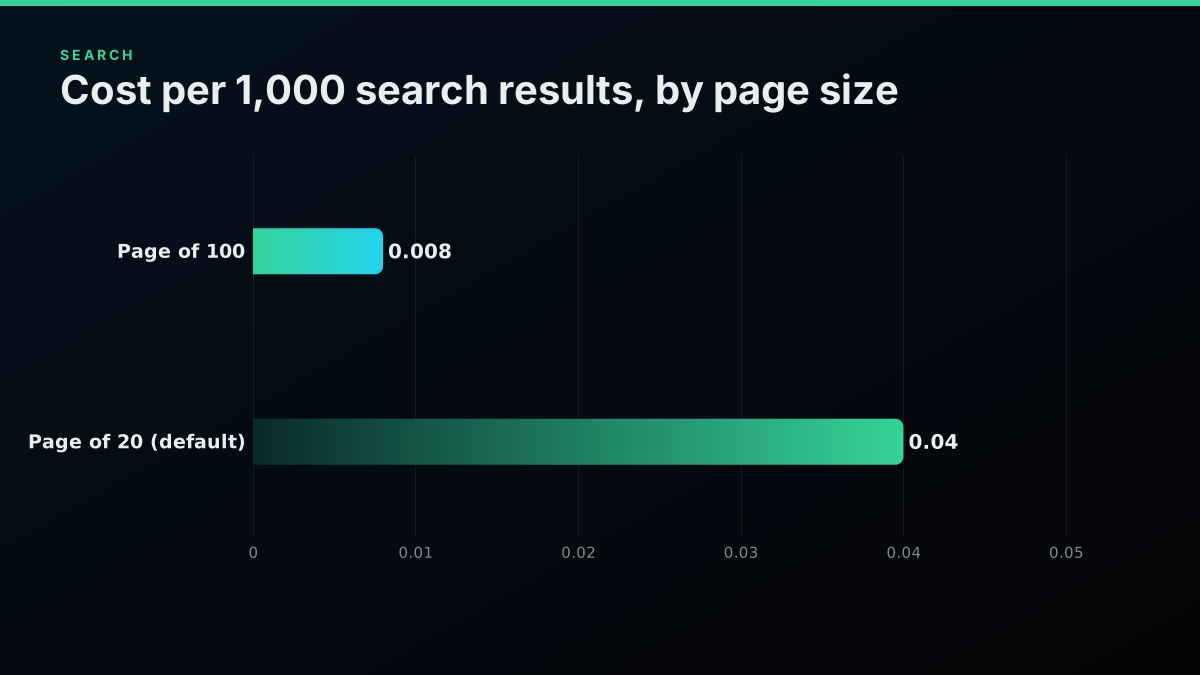
The search endpoint takes a count between 1 and 100. At the default of 20, a 10,000-result job is 500 calls and about $0.40. Ask for 100 results a call and the same job is 100 calls and about $0.08, which is $0.008 per 1,000. The result fields are identical either way, so leaving the count at its default is simply paying five times more for the same data. The advanced search operators reference lists every filter you can combine to keep each page relevant, and the complete API tutorial covers the request model the snippet below assumes.
# Set the page to 100 on search. query= and product=, not q= or type=.
curl "https://api.twitterapis.com/twitter/tweet/advanced_search?query=%22contract%20address%22%20lang%3Aen&product=Latest&count=100" \
  -H "Authorization: Bearer $TWITTERAPIS_KEY"
def search_page(query, api_key, cursor=None):
    params = {"query": query, "product": "Latest", "count": 100}
    if cursor:
        params["cursor"] = cursor
    r = requests.get(f"{BASE}/tweet/advanced_search", params=params,
                     headers={"Authorization": f"Bearer {api_key}"}, timeout=10)
    r.raise_for_status()
    data = r.json()
    return data.get("tweets", []), data.get("next_cursor")
The pain that pushes people to a read API in the first place is usually the official price per tweet, not the scraping itself. One account doing automation work put the problem in a single line:
The official API charges $5+ per 1,000 tweets. That's prohibitive at scale.
— @proxystackpro view on X
Against that, $0.04 per 1,000 search results at the default page, or $0.008 at the largest, is the gap the whole rate card is built on. The cheapest Twitter API comparison and the cost benchmark put those numbers next to other providers, the X API pricing change breakdown tracks how the official read model shifted, and the X developer documentation catalogues which reads the official API exposes.
Full history is the one premium read
Most reads on the card bill at the standard $0.0008 rate, and exactly one does not: a full account history is the single premium read, priced at $0.0024 a call because walking an account all the way back to its first post is a heavier operation than reading one recent page.
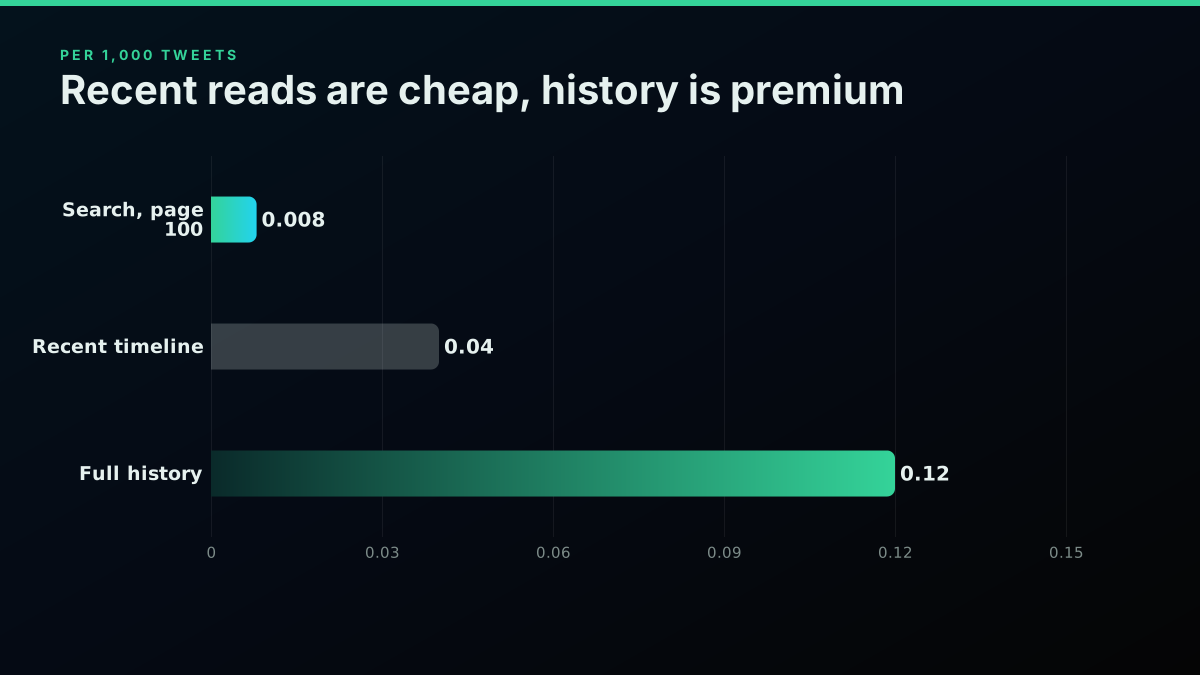
Pulling a complete account history runs through a dedicated endpoint at $0.0024 a call, three times the standard read, because the operation walks an account back to its earliest posts rather than returning a recent page. A recent-timeline read of the same account bills at the ordinary $0.0008. So 10,000 historic tweets cost about $1.20 while 10,000 recent ones cost about $0.40. The practical rule is to never run a full backfill on a schedule: store the newest post id after the first pull, then read incrementally against it, so you pay the premium once rather than every cycle. The full account history guide covers the pagination, and the fetch-a-full-thread guide covers the related conversation walk.
The data model, not the price
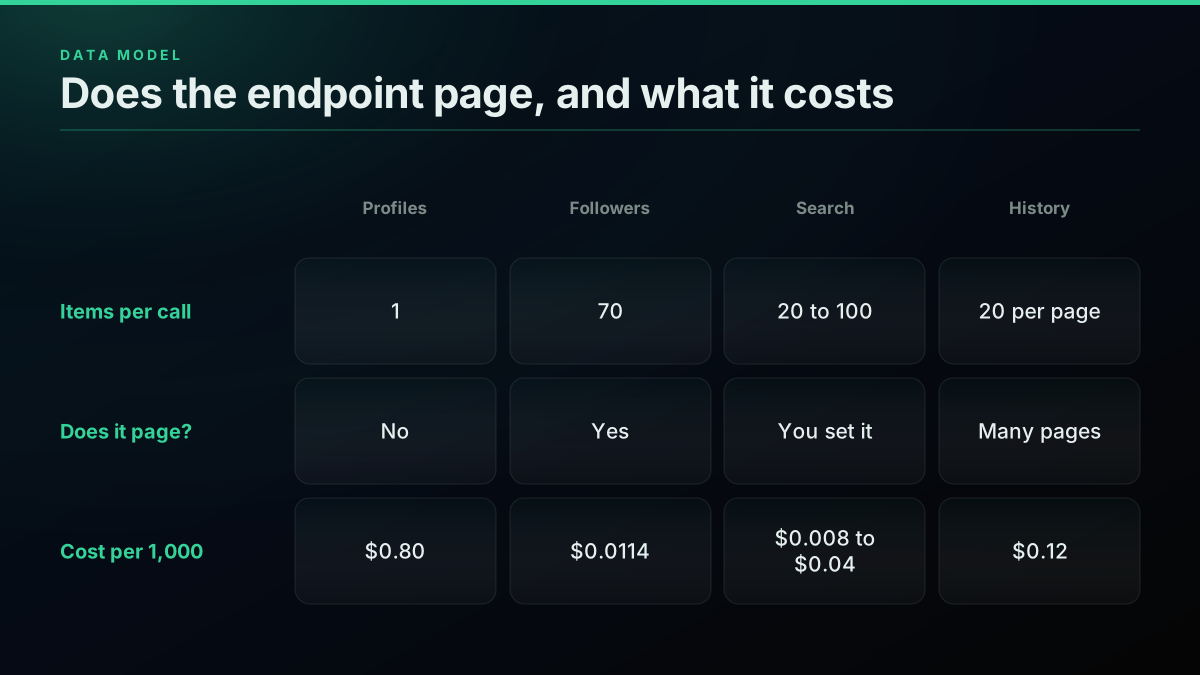
Lay the data types side by side and the pattern that runs through the whole rate card is visible at once: every difference in the cost column comes from how many items an endpoint returns per call, not from the rate it charges per call.
The data model
Why the same rate bills so differently by data type
| Profiles | Followers | Search | Full history | |
|---|---|---|---|---|
| Items per call | 1 | 70 | 20 to 100 | 20 per page |
| Does it page? | No | Yes | Yes, you set it | Yes, many pages |
| Billed rate | $0.0008 | $0.0008 | $0.0008 | $0.0024 |
| Cost per 1,000 | $0.80 | $0.0114 | $0.008 to $0.04 | $0.12 |
| Cheapest lever | Deduplicate first | Nothing, already cheap | Request page 100 | Backfill once, increment |
Every difference in the cost column comes from the "items per call" row, not the "billed rate" row. Four of the six jobs sit on an identical $0.0008 rate and still span two orders of magnitude, because one returns a single account and another returns a page of seventy. This is why a per-call price, quoted alone, cannot answer a buyer's real question, and why a worked job always beats a rate sheet.
The developers who feel this most are the ones who tried to build the collection layer themselves and hit the page-walk and the rate limits before they ever got to cost. The theme runs through the web-scraping community, where the realistic view of what scraping actually costs to run is a recurring thread:
Enterprise Web Scraping: What to look out for from r/webscraping
A read API moves those three fixes, the pagination, the rate-limit handling, and the per-item billing, off your plate and onto a documented endpoint. This walkthrough on pulling structured data out of Twitter with Python mirrors the extract-and-page loop the snippets above use:
https://www.youtube.com/watch?v=3KaffTIZ5II
Measure the page size, never assume it
Every number on this rate card rests on one measured value per endpoint, the page size, and it is the single number you should verify for yourself against a real account before you trust any cost estimate you build on top of it.
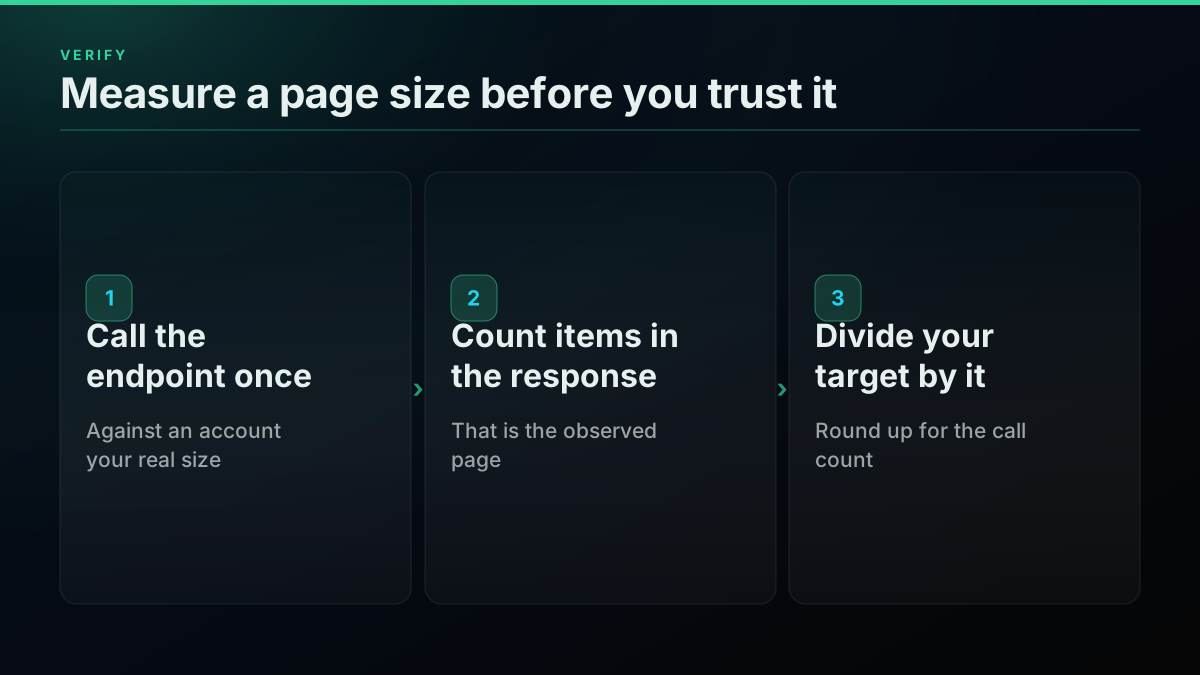
Page sizes are not round and they are not promised accurately in most docs. The followers endpoint returned 70 accounts on a measured call, following returned 53, and a reply page returned 41 on a 3,064-reply post. None of those is a number you would have guessed. So the discipline is simple: make one real call to the endpoint you plan to use, against an account the size of the ones you will actually read, and count the items in the response. That observed page size, divided into your target, is your call count, and everything else follows.
# Measure a page size live, then price the job. Never assume the page.
def measured_page(endpoint, params, api_key, items_key):
    r = requests.get(f"{BASE}/{endpoint}", params=params,
                     headers={"Authorization": f"Bearer {api_key}"}, timeout=30)
    r.raise_for_status()
    return len(r.json().get(items_key, []))

# e.g. measured_page("user/followers", {"userName": "someaccount"}, key, "users") -> 70
The Python requests library documents the client, the pagination reference covers the cursor model, and X's own pricing page is the comparison baseline for the official rates quoted above. The read endpoints behave as ordinary stateless REST resources, which is what lets a job size its calls deterministically before a line of code runs.
The cheapest pay-as-you-go Twitter API. Try it free.
$0.0008 a call, about $0.04 per 1,000 tweets at 20 tweets a page. $0.50 free credits. No credit card required.
What the free credit really buys
Because the data type sets the bill, the free signup credit buys wildly different amounts of data depending on which endpoint you point it at, and the range across data types is really just the rate card restated as one spendable number.
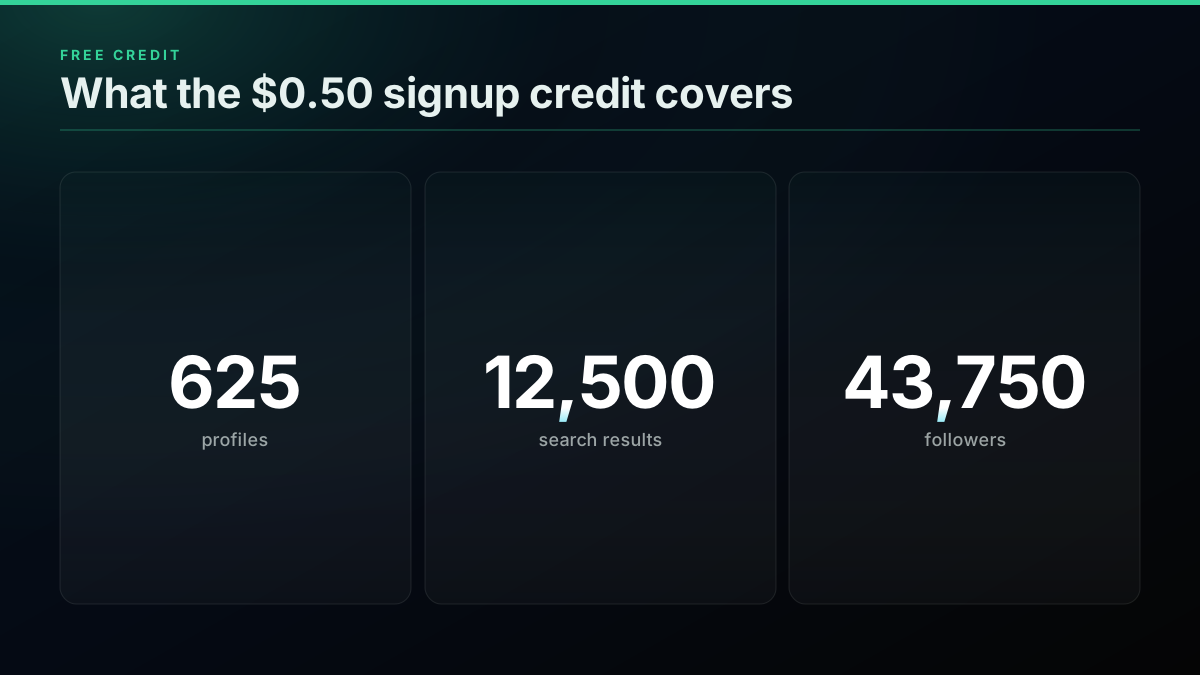
The $0.50 credit is 625 standard calls. Spend those 625 calls on profiles and you get 625 accounts. Spend them on search at the default page and you get 12,500 results. Spend them on followers and you get 43,750. That range, from 625 to 43,750 on one credit, is the rate card restated as a single number, and it is enough to size and dry-run any job end to end before you add a card. Grab a key on the sign up page and model the spend first with the cost calculator, which does this arithmetic for you.
The levers that actually move the bill
Four levers cut a twitter scraper api bill, and every one of them works on the call count rather than the rate, because the call count is the only term in the job you actually control once you have picked the endpoint.
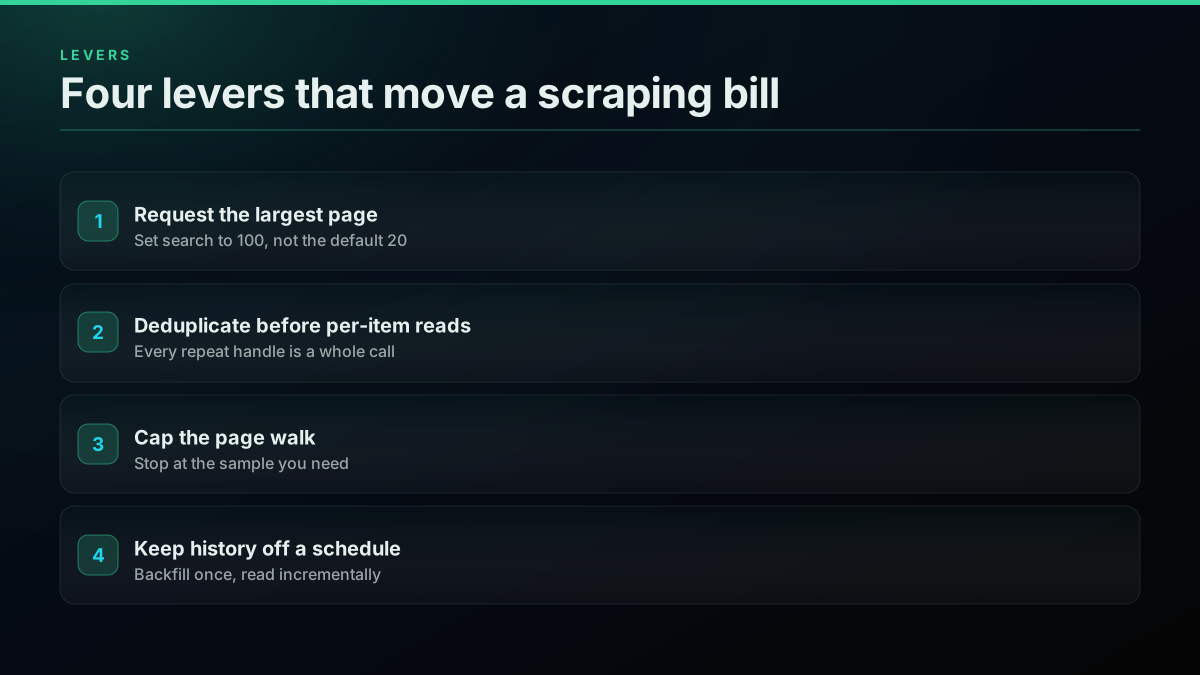
Request the largest page on any endpoint that lets you, which in practice means setting search to 100. Deduplicate your subject list before any per-item read, because on profiles and replies every duplicate you drop is a whole call saved. Cap the page-walk at the sample you actually need rather than draining every cursor out of habit. And keep full history off a schedule, backfilling once and reading incrementally after. Social-media collection scripts that ignore these are exactly the ones that surprise their owners with a bill, a pattern the scraping community sees constantly:
Easy Social Media Scraping Script [ X, Instagram, Tiktok, Youtube ] from r/webscraping
# Retry a rate-limited call rather than letting it drop a page.
import time

def get_with_retry(endpoint, params, api_key, tries=4):
    for attempt in range(tries):
        r = requests.get(f"{BASE}/{endpoint}", params=params,
                         headers={"Authorization": f"Bearer {api_key}"}, timeout=30)
        if r.status_code == 429:
            wait = int(r.headers.get("Retry-After", 2 ** attempt))
            time.sleep(wait)
            continue
        r.raise_for_status()
        return r.json()
    return {}
A rate limit arrives as HTTP 429, and the MDN reference for 429 describes the Retry-After header worth honouring when present. Pacing is a frequency cap set independently of price, so a dense page-walk has to rate-limit itself rather than assume every call lands instantly.
What no budget can buy
Not every line in a scraping plan can be priced, because some of the data a plan quietly assumes does not exist at any rate, and the honest move is to record those as unknown rather than hand them a plausible number that reads as fact.
What no public Twitter data API returns at any price, recorded rather than priced
| What a plan often assumes | Reality | Provenance | Source |
|---|---|---|---|
| Deleted posts can be pulled for a fee | Gone rather than expensive | unknown | unknown |
| Protected accounts are readable on a higher tier | Not readable through a public API by design | published | published |
| Historic engagement counts can be backfilled | Only current values return; snapshots must be recorded as you go | unknown | unknown |
| Paid reach and ad spend are exposed | Not part of the public data surface | unknown | unknown |
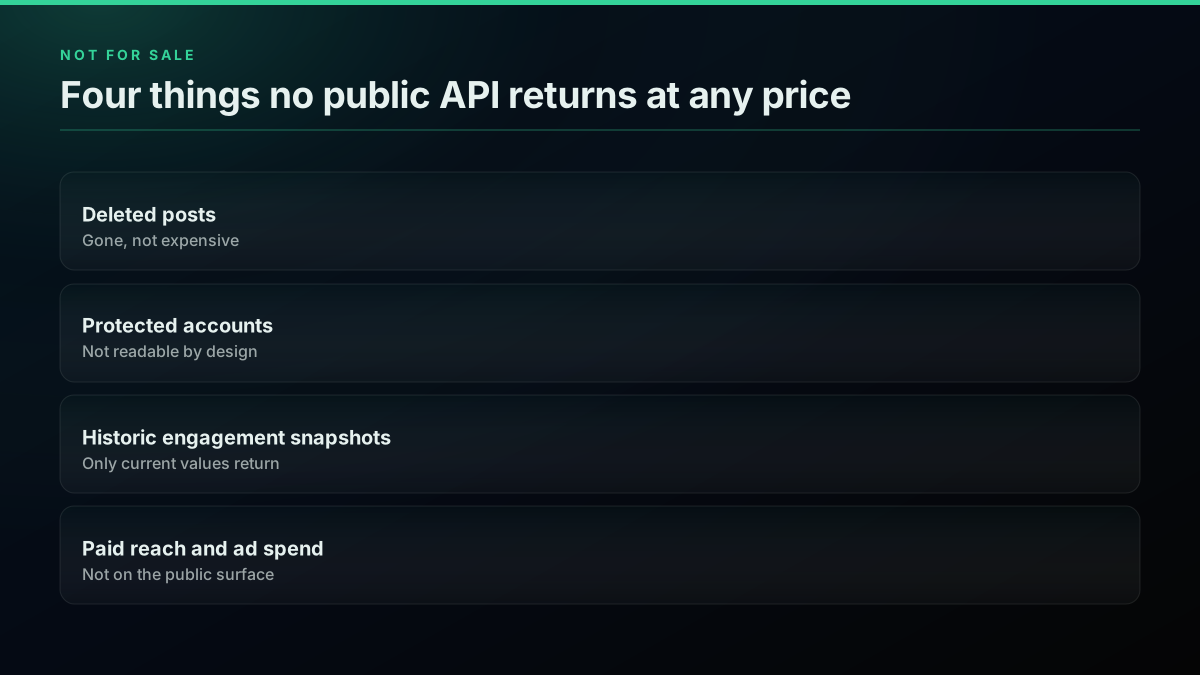
Deleted posts are gone, not expensive. Protected accounts are not readable through a public API by design. Historic engagement counts as they stood at a past moment are not recoverable after the fact, only the current values, which is why any longitudinal study has to snapshot as it goes. Recording those as unknown, rather than giving them a plausible number, is the difference between a plan that survives contact with the data and one that gets rewritten in month two. If you are extracting signal rather than raw rows, the sentiment analysis tutorial and the bot detection guide run on the same reads priced here.
Six ways the estimate goes wrong
The same sizing mistakes recur across scraping jobs, and each one carries a measurable price, almost always because it misreads the page size or the unit an endpoint returns rather than the rate the vendor charges for a call.
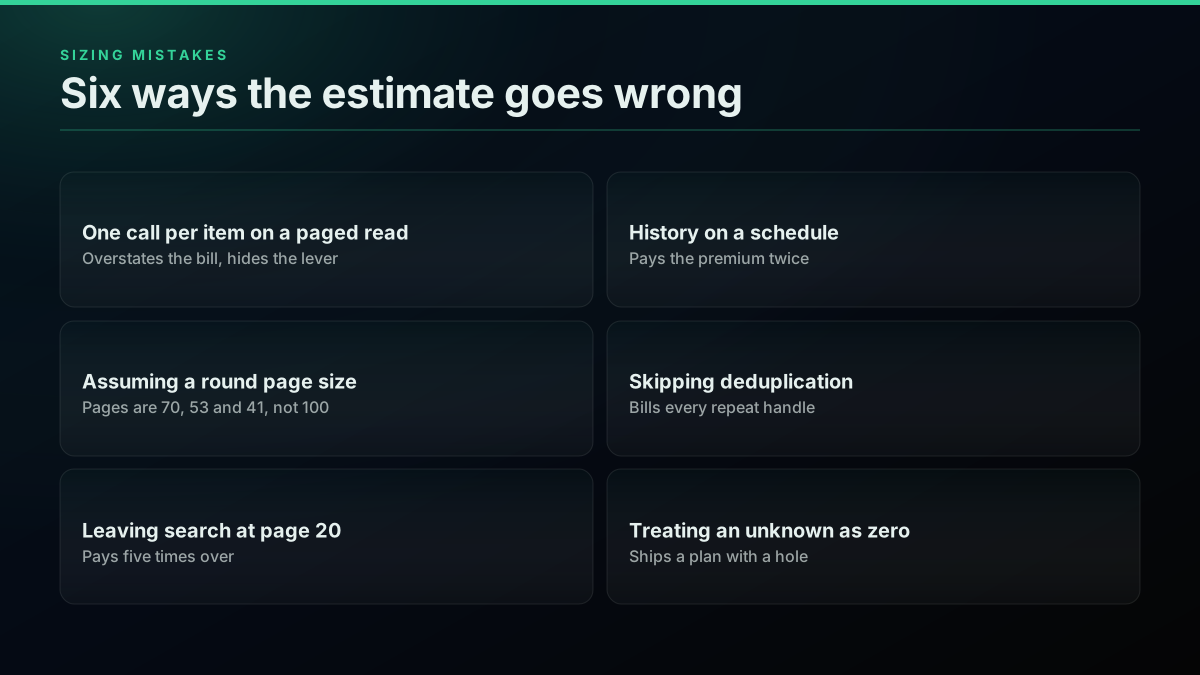
Assuming one call per item on a paged endpoint overstates the bill and hides the real lever. Assuming a round page size understates it, because the observed pages are 70 and 53 and 41, not 100. Leaving search at its default page pays five times over. Running history on a schedule pays the premium rate repeatedly for posts you already have. Skipping deduplication bills every repeat handle twice. And treating an unknown as a zero ships a plan with a hole in it. The migration guide and the getting-a-key walkthrough cover the setup once the sizing is right, and the Node.js tutorial mirrors the Python here.
From rate to bill in one line
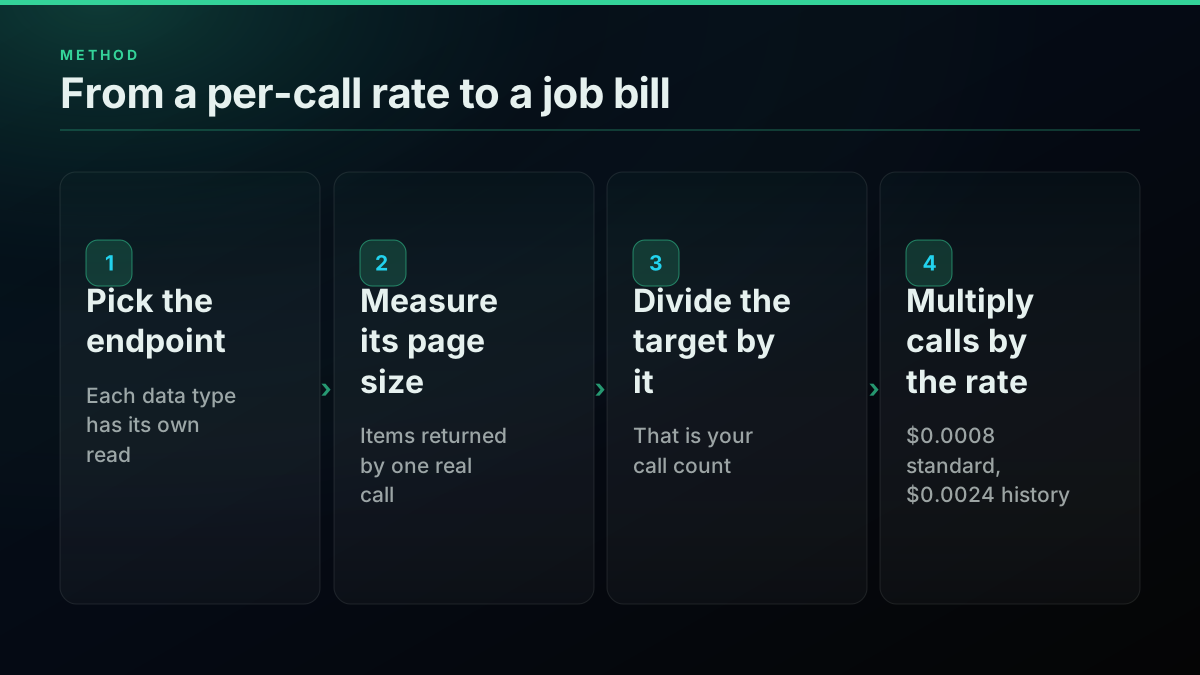
A twitter scraper api is priced per call, but you buy jobs, and the translation is one line of arithmetic: items divided by the page size, times the rate for the endpoint.
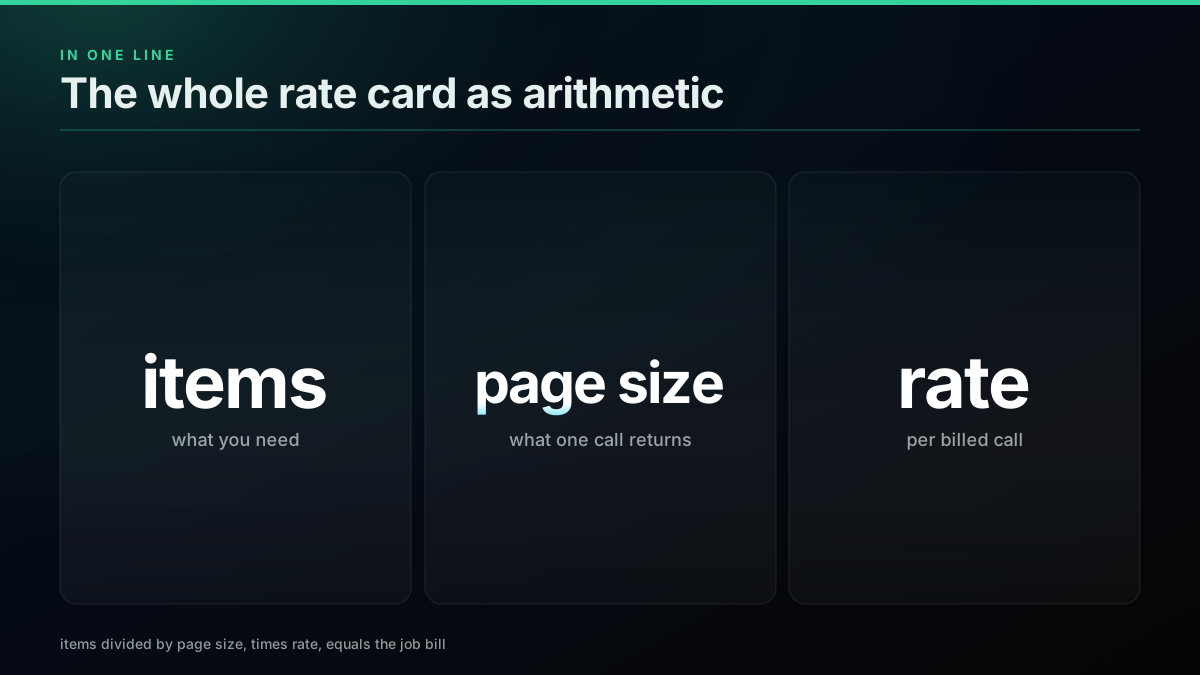
Measure the page size once, against a real account, and the rest is multiplication you can do before any code exists. The data type decides the bill far more than the vendor does, because the page size is a property of the endpoint and the rate is almost always the same $0.0008. Size the job, pick the largest page, deduplicate the subjects, and keep history off a schedule. Then sign up, model it on the pricing page, and run the real numbers against the free credit before you commit a budget. The API reference lists every endpoint priced here with its parameters and response shape.
// sources
Where these numbers come from
Each row is a figure in this post and the artefact it was read from. Prices and limits on this platform move, so check the date on the source before you plan against it.
- X API published pricing
- Source of the official comparison rate for the same reads, which confirms a pay-per-usage model and lets a reader set the third-party per-call figures against the standard $0.0008 read used throughout this post.
- X developer documentation
- Backs the account of which reads the official API exposes and under what access model, the baseline the per-job rate card is measured against.
- Python requests library
- Documents the HTTP client every code sample uses, including the session reuse and raise_for_status behaviour the pagination and retry snippets rely on.
- Python re module
- Backs the handle and id extraction in the deduplication snippet, where a set of seen ids stops one account being billed for twice across overlapping pages.
- MDN HTTP 429 reference
- Backs the retry layer, that a rate limit arrives as HTTP 429 and carries a Retry-After header worth honouring, with exponential backoff as the fallback.
- Pagination reference
- Supplies the definition of cursor pagination behind the page-walk model, where each call returns a page plus a cursor to the next, which is what makes a page size the unit that sets the bill.
- Representational state transfer reference
- Backs the description of the read endpoints as stateless REST resources returning structured JSON, the property that lets a job size its calls deterministically.
- Rate limiting reference
- Backs the point that a provider caps request frequency independently of price, so a page-walk has to pace itself rather than assume every call lands instantly.
Frequently Asked Questions
It depends on the data type, not the tweet count, because each endpoint returns a different number of items per billed call. On the standard $0.0008 read rate, pulling 10,000 followers costs about $0.11, 10,000 search results about $0.40 at the default page, and 10,000 profiles about $8.00. The spread is 70 times on one rate, and it is set entirely by how many items a single call returns. Profiles are the expensive one because a profile lookup returns exactly one account, while a followers call returned 70 accounts when measured.
Multiply three numbers: the items you need, divided by the items one call returns, times the billed rate for that endpoint. Ten thousand replies at 41 replies per call is 244 calls, and at $0.0008 that is about $0.20. The only number people guess wrong is the middle one, the page size, so measure it live against the account you will actually read rather than assuming a round figure. Search is capped by the count you request, between 1 and 100, so you set that page size yourself.
The $0.50 signup credit buys 625 standard calls, and what that is worth depends entirely on the data type. It covers about 625 profiles, 12,500 search results at the default page, 25,625 replies, 33,125 following and 43,750 followers, because each of those spends the same 625 calls across a different page size. That range, from 625 to 43,750 on one credit, is the clearest possible illustration that the data type decides the bill. It is enough to size any job end to end before you spend a cent.
Because a profile lookup returns one account per call and a followers call returns a page of them. On a measured pull the followers endpoint returned 70 accounts in a single call and the following endpoint returned 53, while the profile endpoint returns exactly one. On the same $0.0008 rate that makes 10,000 profiles 70 times the price of 10,000 followers. The rate is identical. The unit the endpoint hands back per call is the whole difference, and no negotiation changes it because it is a property of the data model.
Search results, when you request the largest page. The search endpoint lets you set a count between 1 and 100, so a job that asks for 100 results per call pulls 10,000 results in 100 calls for about $0.08, which is $0.008 per 1,000. At the default page of 20 the same 10,000 results take 500 calls and about $0.40. Nothing else on the rate card is cheaper per item, because every other endpoint has its page size fixed by the platform rather than set by you.
Yes, and it is the one premium read on the card. Pulling a full account history runs through the complete-history endpoint at $0.0024 per call, three times the standard read rate, because walking an account back to its earliest posts is a heavier operation than reading a recent page. A recent-timeline read bills at the standard $0.0008. So 10,000 historic tweets cost about $1.20 against about $0.40 for the same volume of recent ones. Store a high-water mark after the first backfill and read incrementally against it so you never pay the premium rate twice for the same posts.
Check out similar blogs
More guides on the Twitter/X API, scraping, and pricing.
TwitterAPIs Is Live on Uneed: A $0.0008 Twitter API With No Developer Account
TwitterAPIs launched on Uneed today. What the pay-per-call Twitter API costs next to the official X API, how a Uneed launch day actually works, and what founders say one delivers.
Build a Crypto Twitter Tracker in Python: Watch a KOL List and Catch Contract Addresses
A runnable Python watcher that polls a named list of crypto accounts, pulls every new post, finds EVM and Solana addresses, and alerts you, with the monthly bill for 25 and 100 accounts.
Watching 50 X Accounts: What Every Poll Cadence Actually Bills
Every monitoring page sells you an interval and calls it real time. None of them prices it. Here is what a one minute, fifteen minute and daily poll across a fixed fifty account roster costs per month, and the route where the watch itself bills nothing.

Why X Advanced Search Misses Posts You Know Exist (2026)
A query that returns nothing is not proof that nothing exists. We searched for 17 posts confirmed to exist, published between 2015 and 2026, and measured which query forms found them and which did not.

X/Twitter Statistics in 2026: What an API Can Actually Measure, and What Nobody Can
Most X statistics roundups re-cite the same handful of numbers. We measured what a public API can and cannot see across 34 accounts, printed the query behind every figure, and traced the rest to their real sources.
X API Cost in 2026: Every Tier and Alternative on One Sheet
X bills per resource in 2026. Here is every official rate and every vendor converted to one unit, dollars per 1,000 tweets, with a worked bill.
Sprout Social Alternative 2026: What Twitter Data Really Costs
Sprout is $199 a seat. Brandwatch publishes no price. Here is what Twitter data costs per 1,000 mentions across all three, read live on 2026-09-09.
Twitter API Reliability, Measured: What Actually Fails Across 5.16 Million Calls
Every vendor publishes an uptime promise. Nobody publishes the failure distribution. Here is what broke across 5,155,699 production calls, by status code, by endpoint and by week.